
Argent is a mobile-first, non-custodial smart contract wallet built for the Ethereum blockchain. It aims to make crypto simple for everyday users by pairing strong security with a smooth onboarding flow.
The app removes seed phrases with seedless signup and offers Guardians-based social recovery. Daily transaction limits and audited contracts protect funds while a bug bounty program adds extra assurance.
Human-readable addresses (yourname.argent.xyz) reduce copy-paste mistakes. zkSync layer-2 support speeds up transfers and lowers transaction fees. Argent also links to desktop DApps via WalletConnect for broader access.
The system bundles one-tap access to DeFi services like Maker and Compound and in-app swaps through Kyber and Paraswap. Note: the app may cover some specific in-app fees, but standard Ethereum network fees still apply in many cases.
What Is Argent Wallet? A Smart-Contract, Non‑Custodial Review
Argent rethinks account safety by using on‑chain code to offer recovery and spend controls instead of a lone seed phrase.
This non‑custodial wallet is built around a smart contract model that puts rules on the blockchain. That design enables whitelists, daily limits, and time delays directly in the contract. Users get more control over transactions and funds without managing raw private keys.
How this differs from private‑key wallets
Traditional key‑based wallets rely on one seed or key for access. If that key is lost, funds can be gone forever.
By contrast, contract logic enables social recovery through trusted Guardians. Guardians or devices approve restorations, which reduces the single‑point failure risk.
Mobile‑first design for the Ethereum blockchain
The app targets iOS and Android with simple onboarding: install, verify via phone or email, and create a non‑custodial wallet without seed words.
Users can access DeFi and DApps via in‑app integrations or WalletConnect, and use biometrics for quick authentication while keeping security strong.
| Aspect | Contract Model | Key‑based Model |
|---|---|---|
| Recovery | Guardians / social recovery | Seed phrase only |
| Limits & control | Whitelists, daily caps | No built‑in spend rules |
| Usability | Mobile onboarding, biometrics | Manual key backup |
| Network costs | Ethereum fees; layer‑2 options | Ethereum fees |
argent wallet features
Guardians and per-day limits give users hands-on control over transfers and recovery. Designated Guardians—friends, family, another app account, or a hardware device—can approve recovery and high-value approvals without ever holding your private keys or touching funds.
A built-in 36-hour delay applies to recovery requests. That window gives users time to cancel a malicious attempt before access changes. Daily outgoing limits default to 10 ETH, so a lost or compromised phone can’t drain the account in a single session.
Human-readable addresses
Instead of sharing long hexadecimal addresses, users choose ENS-style names like yourname.argent.xyz. These readable addresses cut copy-paste errors and make sending tokens easier for new users.
In-app swaps, DeFi access, and WalletConnect
The app routes token swaps through Kyber and Paraswap to keep trades inside the interface and seek competitive rates. WalletConnect links let users access desktop applications such as OpenSea, DeFi Saver, Loopring, and 1inch for broader use.
- Ethereum-first support for ERC-20 tokens and one-tap access to protocols like Maker and Compound.
- On-chain smart contract rules enforce recovery, limits, and approvals to strengthen security.
- Some actions may incur a network fee, though the app can cover select in-app transactions in certain contexts.
For a deeper walkthrough of the interface and integrations, see this Argent guide for users exploring decentralised finance and everyday transactions.
Security & Recovery: Guardians, Biometrics, and Smart Contracts
Access control combines social approval, biometrics, and audited contracts to protect holdings. The design gives users layered protection without relying on a single seed phrase.

Social recovery with trusted contacts and time delays
Select multiple trusted Guardians to approve account restoration and high‑value actions. A majority must agree, so no single person can restore access alone.
A built‑in 36‑hour delay lets legitimate owners cancel an unauthorized recovery, adding a crucial time‑based defense.
Biometric and multi‑factor authentication
In‑app face or fingerprint login and optional multi‑factor checks verify the rightful owner for sensitive actions. This authentication layer helps prevent remote attackers from moving funds or changing settings.
Audited, modular contracts and a bug bounty
The system uses open‑source, audited smart contracts that enable limits, whitelists, and safe upgrades. An active bug bounty encourages external review and fast fixes.
- Guardians can lock accounts or verify transactions above limits but never hold private keys or move crypto.
- Some recovery steps require on‑chain confirmations and may incur network fees.
Non‑custodial control stays with users: only they manage funds. For more on social methods and tradeoffs, see this social recovery overview.
User Experience: Setup, Using Argent, and Everyday Transactions
Getting started takes minutes: install the app, confirm phone or email, and create an account without memorizing a seed phrase.
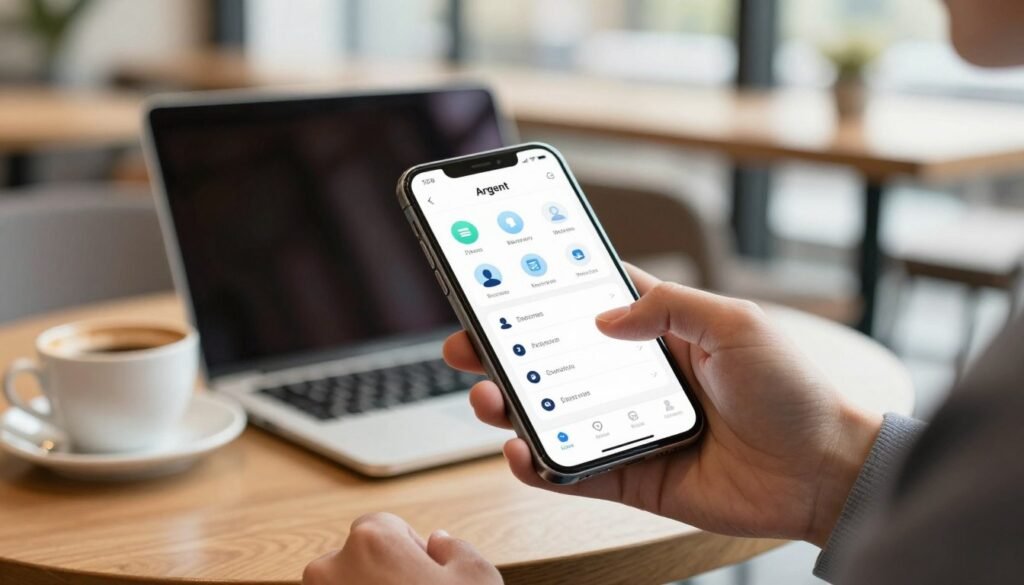
Seedless onboarding and simple address handling
The process gives each user a readable username like yourname.argent.xyz to share instead of a hex address. This reduces copy/paste mistakes and makes sending crypto feel familiar.
Managing ERC‑20 tokens, sending funds, and approving transactions
Inside the application, users can view balances, add tokens, and organize a portfolio with simple taps. Sending funds is protected by biometric confirmation so approvals are quick and secure.
Some in-app actions may have gas covered by the app, such as select Invest flows. Standard Ethereum network fees still apply for most transactions.
- Seedless signup: download, verify, and begin.
- Human-readable addresses that cut errors.
- Biometric confirmations for approvals and DApp interactions.
- Guardian-based control and daily limits to protect funds.
| Action | How it works | What users see |
|---|---|---|
| Onboarding | Phone/email verification, no seed phrase | Short setup flow, username assigned |
| Send / Approve | Biometric approval, smart-contract checks | Confirm screen with fee info |
| Token management | View, add, and organize ERC‑20 tokens | Portfolio view and token list |
| Recovery & Control | Guardian approvals, time delays, daily caps | Recovery prompts and limit alerts |
Overall user experience blends a modern fintech interface with background smart‑contract security. The result keeps daily transactions simple while preserving strong control and recovery options.
DeFi & Layer‑2 Performance: zkSync, DApps, and Gas Management
Layer‑2 integration speeds common DeFi flows, making swaps and transfers feel instant for most users. zkSync brings high throughput and lower costs compared with mainnet-only transactions. That means near‑instant confirmations and reduced transaction fees for everyday transfers.
Users can move ERC‑20 tokens over zkSync to benefit from layer‑2 scalability while staying on Ethereum. The result: faster transactions and much lower per‑transaction costs, useful for frequent traders and small transfers.
One‑tap DeFi access
The app links directly to decentralized finance services like Compound and Maker. With one tap, users lend, borrow, or earn interest—DAI borrowing against ETH is a common use case.
Desktop DApps and NFT marketplaces
WalletConnect acts as a secure bridge to desktop applications and marketplaces such as OpenSea, DeFi Saver, Loopring, and 1inch. This gives users broader access to tools and NFT purchases without juggling multiple accounts.
- Gas management: Certain in‑app Invest actions may have covered fees; most other transactions follow current network conditions.
- Practical flows: Swap tokens, post collateral, or buy NFTs via connected DApps—all initiated from the app for a unified process.
- Safety: Audited smart contracts and on‑chain controls underpin DeFi services to protect funds and approvals.
In short: layer‑2 efficiency and tight integrations centralize crypto services into one app, delivering faster, cheaper, and smoother DeFi experiences for users on the blockchain.
Fees & Costs: Network Fees, In‑App Swaps, and Fiat On‑Ramps
Understanding costs helps users pick the cheapest route for buying, swapping, or sending crypto.
Network gas: Ethereum network fees apply to most on‑chain transactions. The application does not take a cut of standard gas paid to miners or validators.
That said, the provider may cover gas in specific cases to make common flows simpler. Examples include certain in‑app sends and Invest integrations where the app absorbs the gas to reduce friction for users.
Swap charges and Paraswap routing
Crypto‑to‑crypto swaps inside the app carry a 0.5% exchange fee routed through Paraswap. The split gives the app 85% of the 0.5% and Paraswap the remainder.
Routing optimizations aim to secure competitive rates by comparing liquidity paths, but the small swap fee still applies.
Fiat on‑ramp partners and typical fee ranges
Purchasing with card or Apple Pay via partners like MoonPay typically costs ~3.5% or a minimum of 3.99 EUR/GBP/USD.
Bank transfers in EUR/GBP usually sit near 1% or 3.99 minimum. PIX purchases run ~2.95% with a 3.99 minimum.
Wyre specifics vary: expect flat elements like $5 or a percentage (2.9% + $0.30 US or 3.9% + $0.30 international), whichever is higher. ACH may be 0.75% for ETH & DAI purchases.
Wyre also adds small network items — e.g., a $0.20 debit card element or ~0.001 ETH for ACH settlement in some flows. USDC purchased via ACH can sometimes avoid transaction and gas fees.
- Network gas on mainnet is usually the largest variable cost for on‑chain moves.
- Layer‑2 transfers often lower transaction fees and speed up confirmations.
- Total costs depend on payment method, market conditions, and network congestion.
| Cost Type | Typical Range | Who Receives It | Notes |
|---|---|---|---|
| Ethereum gas | Market dependent (varies widely) | Network validators/miners | App does not keep standard gas; layer‑2 often cheaper |
| In‑app swap fee | 0.5% | App 85% / Paraswap 15% | Routing seeks best rates; fee applied to swap amount |
| Card / Apple Pay (MoonPay) | ~3.5% or 3.99 min | Payment provider | Fast but costlier |
| Bank / ACH (Wyre) | 0.75%–1% or flat minimums | Payment provider + network | ACH can be cheaper; USDC via ACH may avoid extra gas |
Tips for users: compare in‑app options before buying and check partner terms. For converting crypto to cash with low fees, consider this guide on how to convert cryptocurrency to cash without paying high fees: convert crypto to cash.
Supported Assets, Tokens, and Limitations
The platform focuses on the Ethereum network and supports ERC‑20 tokens across a wide range of projects.
Support is concentrated on Ethereum-based assets. That gives users broad coverage for tokens and DeFi applications that live on the chain.
What is supported and what is not
Supported: ERC‑20 tokens and standard Ethereum addresses are fully handled. ERC‑721 NFTs show on iOS. Smart contracts remain audited and open‑source, keeping control of funds non‑custodial with users.
Limitations: Non‑Ethereum cryptocurrencies such as Bitcoin or Litecoin are not supported natively. ERC‑1155 NFTs do not display in‑app, so management requires external connections.
NFTs, desktop access, and checking compatibility
For NFTs beyond in‑app support, users can connect to desktop marketplaces via WalletConnect to manage collections on platforms like OpenSea. The app itself is mobile‑only; there is no standalone desktop application.
- Addresses stay standard Ethereum addresses, though readable usernames simplify sharing.
- Decentralized finance integrations target Ethereum protocols and related applications inside the app.
- Always check the website or the in‑app token list for current compatibility as support can change.
| Item | Status | Notes |
|---|---|---|
| ERC‑20 tokens | Supported | Wide coverage for Ethereum‑based tokens and DeFi use |
| ERC‑721 NFTs | Partially supported | Visible on iOS; management via WalletConnect for marketplaces |
| ERC‑1155 NFTs | Not displayed | Use WalletConnect or desktop DApps to view/manage |
| Bitcoin / Litecoin | Not supported | No native handling of non‑Ethereum cryptocurrencies |
| Desktop access | Indirect | Mobile app only; WalletConnect bridges to desktop applications |
Network and fees: standard Ethereum gas or layer‑2 fees apply for transfers. Users should confirm costs before moving funds.
Summary: If your assets and applications live on Ethereum, this option gives strong contract‑based control and broad token coverage. If you hold non‑Ethereum coins or need full in‑app multi‑standard NFT handling, consider alternatives or use connected DApps.
How Argent Compares: User Experience, Security, and Costs in Context
When choosing a crypto account, consider how on‑chain rules, mobile design, and fees shape daily habits. This comparison highlights where a contract-driven approach stands against key-based tools in real, everyday use.
Smart contract wallet advantages vs. key-based wallets
On-chain rules improve safety: social recovery, daily limits, whitelists, and time delays reduce single-point failures compared with sole reliance on private keys.
Control stays non‑custodial: users keep custody of funds while the app adds authentication and on‑chain safeguards to simplify recovery and approvals.
- UX: mobile-first app with unified flows versus desktop extensions for browser-based use.
- Costs: Ethereum network fees apply broadly; some in‑app actions may be covered and swaps carry a 0.5% split with Paraswap.
- Security: audited smart contracts, bug bounty programs, and multi-factor authentication raise protection.
| Aspect | Contract-driven | Key-based |
|---|---|---|
| Recovery | Social recovery via Guardians | Seed phrase only |
| Platform | Mobile-first, layer‑2 support | Mobile + desktop extensions |
| Costs | Network gas; select covered actions; 0.5% swap fee | Network gas; swap fees depend on provider |
Trade-offs: mobile-only scope and Ethereum focus suit mainstream users and decentralized finance access. Power users who need multi-chain or full desktop workflows might prefer alternate wallets.
Overall, this contract model excels in everyday usability, on‑chain control, and recovery, while key-based options may better fit those seeking browser integrations or broader chain support.
Conclusion
A modern account model gives newcomers easy access to DeFi while keeping on‑chain protections active.
The argent wallet combines smart‑contract protections, Guardian social recovery, daily limits, and biometrics to raise security without forcing seed phrases. This design helps users manage approvals and lower risk to their funds.
Usernames, in‑app swaps, and one‑tap DeFi links reduce friction for new users. zkSync support speeds transfers and cuts costs for many flows on the ethereum blockchain, improving access to decentralized services.
Keep in mind scope and costs: the app focuses on Ethereum and ERC‑20 tokens, is mobile‑only, and has NFT visibility limits. Expect standard network gas, occasional covered actions, a modest swap fee, and partner fiat charges.
The argent wallet is a strong, user‑friendly choice for people who want secure mobile access to blockchain services. Evaluate your assets, DApps, and device needs before deciding.
FAQ
What is this smart-contract, non-custodial wallet and how does it work?
This mobile-first app uses smart contracts on the Ethereum blockchain to give users full control of funds without handing private keys to a third party. Instead of a traditional seed phrase backup, the system relies on programmable contracts that define recovery rules, spending limits, and permissions. The user retains ownership of assets and interacts with decentralized applications directly through the app.
How does it differ from traditional private key wallets?
Unlike key-based wallets that store a single seed phrase, this design separates account control into contract logic and user authentication. That lets the app offer features such as social recovery, transaction limits, and modular upgrades without exposing raw private keys. The approach reduces reliance on manual seed management while keeping the account non-custodial.
What recovery options are available, and how do guardians work?
Recovery uses trusted contacts or devices called guardians. If access is lost, guardians can approve a recovery request after a configurable delay, restoring control without seed phrases. Users can set daily transaction limits and recovery time windows to balance convenience and safety. This social recovery model reduces single-point failures.
Can I use biometrics or multi-factor authentication?
Yes. The app supports device biometrics (Face ID, fingerprint) along with in-app PINs to authorize actions. These authentication methods protect the interface and signing requests while the underlying smart contract enforces spending rules and recovery safeguards.
Are the smart contracts audited and secure?
The contract suite undergoes third-party audits and runs continuous security reviews. Projects typically maintain a bug bounty program and modular contract architecture so upgrades can be applied without forcing users to migrate funds manually. Users should still follow best practices and enable available security features.
How does onboarding work without a seed phrase?
Onboarding is seedless and designed for mobile users: create an account, set authentication, and optionally designate guardians. The process maps a human-friendly address or ENS-style username to the contract, making addresses easier to share. Backup steps focus on adding reliable guardians rather than writing down a mnemonic.
How do I send tokens and manage ERC‑20 assets?
Sending tokens and approving third-party spending happens through clear in-app prompts. The smart contract handles ERC‑20 transfers and allowance approvals, and the app shows token balances and transaction details. Users can set daily limits to restrict large or unexpected transfers.
Can I swap tokens and access DeFi from the app?
Yes. Built-in swap integrations connect to liquidity sources and routing services, enabling crypto-to-crypto exchanges inside the app. One-tap access to popular DeFi protocols and WalletConnect support allow interaction with lending platforms, decentralized exchanges, and NFT marketplaces from mobile or desktop.
Is Layer-2 supported for faster, cheaper transactions?
The platform integrates with Layer‑2 solutions like zkSync to reduce gas costs and speed up transfers. Layer‑2 support enables lower-fee swaps and DeFi interactions while preserving security through rollup or zk-proof designs, depending on the chosen network.
How are transaction and network fees handled?
Users pay standard blockchain network fees for on-chain actions, which vary by network congestion. The app sometimes covers or subsidizes gas for specific flows or offers batching and optimized routes to lower costs. In-app swap fees and routing (for example via Paraswap) apply when exchanging tokens.
What fiat on-ramps and purchase methods are available?
The app partners with regulated on-ramp providers to accept debit/credit cards and bank transfers for purchasing crypto. Fees and supported currencies vary by provider and region, so users should review partner terms before buying.
Which assets and token standards are supported?
The focus is primarily on the Ethereum ecosystem: ERC‑20 tokens and common NFT standards (ERC‑721/1155) are supported. Mobile support for some token types or advanced contracts may vary, and new token compatibility is added through contract updates and app releases.
Can I connect to desktop DApps and NFTs?
Yes. WalletConnect compatibility lets users link the mobile app to desktop decentralized applications and NFT marketplaces. This enables signing transactions from a trusted mobile device while interacting with web-based interfaces.
How does this approach compare to key-based wallets in usability and cost?
The smart-contract model improves usability through seedless onboarding, human-readable addresses, and built-in recovery. It may add slight on-chain complexity compared with simple key wallets, which can mean marginally higher initial contract deployment costs. However, Layer‑2 integration and optimized routing often lower recurring transaction expenses.

No comments yet