
Atomic Wallet is a popular crypto wallet that is free to download, but users will pay when they move or buy assets. This intro outlines where charges appear so readers know what to expect.
The app is a wallet non-custodial solution: private keys and the 12-word backup phrase are generated and encrypted on your device. That gives full control but also means recovery is your responsibility.
Primary cost buckets are clear: network payments go to blockchains, in-app swaps carry a 0.5% charge plus partner commission, and fiat card buys use partners with a ~5% fee and a $10 minimum. Third-party processors may add verification and extra charges.
We will break down these fee types, review security after the 2023 hack, and compare convenience versus cost for users who want staking, built-in exchange options, and cross-platform access. Expect a transparent cost analysis and practical recommendations ahead.
Quick take: What “atomic wallet fees” really mean today
Understanding what you pay for makes using a crypto app less mysterious. The app is free to download, but costs appear when you act.
At a glance: free wallet, paid transactions
The core wallet is free to install and use for holding coins. You only pay when you move, swap, or buy.
Where costs show up in real use
Network charges go to blockchains (ETH gas, BTC miner charges) and vary with congestion. These are not set by the app.
- Swaps: the in-app exchange adds a 0.5% charge plus partner commissions, so quoted rates can be higher than on centralized exchanges.
- Card buys: expect ~5% per purchase and a $10 minimum; banks or processors may tack on extra surcharges.
- Mental model: store/send = mainly network; swap = app + partner + network; buy = app + processor + bank + network.
| Action | Who you pay | Typical cost |
|---|---|---|
| Send/Receive | Blockchain miners/validators | Variable (network-dependent) |
| In-app swap | App + partner + network | 0.5% + partner commission + network fee |
| Buy with card | App + processor + bank + network | ~5% + $10 min + possible bank fees |
During peak congestion, transactions can slow or cost more. Compare in-app quotes to exchange rates before confirming a swap or buy.
Atomic Wallet overview: non-custodial design and why that affects fees
This crypto app keeps your private keys on your device, giving you sole control over access. That design means the key material and the 12-word backup phrase are created and encrypted locally on your device and never kept on company servers.
Private keys and local backup
Your private keys and the 12-word backup live only on your device. If you lose the device or the phrase, recovery is your responsibility.
Local encryption plus the 12-word backup phrase protects access without relying on remote storage.
No account, no KYC for core access
There is no mandatory account or KYC to use core features, so the platform does not charge account-level fees.
Third-party services inside the app may ask for verification and add costs for fiat on-ramps or partner exchanges.
- What this means for fees: transactions route to blockchains, so you pay network validators or miners rather than platform custody charges.
- Cross-platform access: the client runs on Windows, macOS, Linux, Android, iOS, and as a Web3 extension without changing cost structure.
- Security notes: partial open-source status helps audits, but closed components and no hardware wallet support raise risk for some users.
atomic wallet fees
Know the four cost buckets you’ll face. Each action routes payments to different recipients. That affects total cost and timing.
Core fee categories
Network charges go to miners or validators and change with chain congestion.
In-app swaps carry a platform charge plus partner margins and the network charge.
Card purchases use processors and add higher percentage costs and minimums.
Staking does not incur a platform cut here, but validator commissions and network costs still apply.
Who gets paid for what
- App: 0.5% on swaps.
- Partners: exchange or processor commission (e.g., Changelly, ChangeNOW, Simplex).
- Blockchain: miners/validators for transfers and staking operations.
| Action | Who you pay | Typical cost |
|---|---|---|
| Send / transfer | Miners / validators | Variable (network congestion) |
| Swap | App + partner + network | 0.5% + partner commission + network |
| Buy with card | Processor + bank + app | ~5% + $10 min + possible bank surcharges |
Preview quotes before confirming. High convenience often means higher total costs, so compare exchange rates for big trades.
Network fees: what you pay miners or validators, not Atomic
When you send or interact on-chain, that action triggers a network charge set by the chain itself. These charges do not go to the app; they pay miners or validators who secure the ledger.
How congestion drives cost and confirmation times
Block demand affects price. On chains like Ethereum, gas can spike during DeFi or NFT surges. Bitcoin fees jump when the mempool backs up.
Each transfer, swap, stake, or buy that needs an on-chain step incurs its own cost. Those costs add up when multiple transactions run in sequence.
- Users can often pick priority vs standard priority to trade speed for cost.
- Layer-2 networks and alternative chains usually offer lower per-transaction charges.
- Smart-contract calls cost more than simple transfers because they require extra computation.
| Action | Who is paid | Typical effect |
|---|---|---|
| Simple transfer | Miners / validators | Base network fee; variable with congestion |
| Smart-contract interaction | Miners / validators | Higher cost due to execution steps |
| Batch or multiple tx | Miners / validators | Costs stack; plan for combined expense |
In-app estimators show current conditions, but final costs can change if congestion spikes before broadcast. Double-check addresses and amounts, and consider off-peak timing or cheaper chains to reduce expense.
In-app swaps: convenience premium you should price in
Swapping inside the app bundles several markups into one quoted rate. That single number hides three cost layers and possible slippage when markets move fast.
How the swap charge breaks down
Swap fee stack:
- Atomic Wallet: a 0.5% platform cut.
- Partner commission: third-party services like Changelly or ChangeNOW add their margin.
- Network cost: on-chain gas or miner/validator charges to execute the trade.
Pairs, rates, and slippage
Supported crypto pairs are broad through partners but not universal. Liquidity and market moves can make quoted rates less favorable than large centralized exchanges.
Slippage can change the final execution, especially in volatile markets or for low-liquidity coins.
When to choose convenience — and when to use an exchange
For small, urgent swaps or when users prefer to stay in a non-custodial client, the built-in route is worth the premium.
For large or frequent trades, price-check a centralized exchange and factor in withdrawal costs back to your wallet. Also watch for cashback promos that may offset a fraction of the cost.
| When | Best option | Why |
|---|---|---|
| Small, fast trade | In-app swap | Convenience; no exchange account needed |
| Large trade | Centralized exchange | Better rates and deeper liquidity |
| Cross-chain complex route | Evaluate carefully | Multiple network charges can add up |
Buying crypto with a card: the real cost of fiat on-ramps
Card-based fiat on-ramps let you fund crypto quickly, yet that speed has a price. For many users, the instant access outweighs higher costs. But you should know the full cost before you confirm a purchase.

Base charge and processor surcharges
Card purchases carry a 5% platform charge and a $10 minimum per operation. That is the starting point before partner or bank charges are added.
Simplex and other processors often add a service fee. Some card issuers treat crypto buys as cash advances and may tack on up to ~5% more.
Network and delivery costs
When the purchased crypto is sent on-chain, network fee still applies. That fee is separate and varies by chain and congestion.
What’s supported and regional limits
The buy option supports multiple fiat currencies (USD, EUR, etc.) and a selection of popular coins. Availability depends on your country and provider policies.
| Item | Who charges | Typical impact |
|---|---|---|
| Base card markup | App | 5% + $10 min |
| Processor surcharge | Simplex or partner | Variable (additional percent) |
| Bank/card issuer | Card network / bank | Possible cash-advance fee (~up to 5%) or decline |
| Network delivery | Blockchain miners/validators | Variable network fee on receipt |
Practical tips for users
- For small, first-time buys or urgent top-ups, the speed can be worth the premium.
- Cost-sensitive users should consider ACH/bank transfers to an exchange and then withdraw to their wallet.
- Check the full fee breakdown at checkout and compare the landed cost per coin with exchange rates.
- Inform your bank ahead of time to reduce the chance of a blocked transaction.
- Keep customer support or live chat contact ready if a purchase is delayed; providers may request verification documents.
Staking costs: fees, validator commissions, and net yields
Staking can boost passive returns, but the final yield depends on commissions and on-chain costs.
The app does not add an extra platform charge for staking. Instead, validator commissions and standard network charges determine what lands in your balance.
The client supports staking for many assets such as ATOM, XTZ, SOL, ADA, ETH, and more. It shows estimated rewards and simple terms so users can compare options before locking funds.
What to watch for
- Validator commission: Varies by validator and directly reduces your reward share.
- On-chain costs: Staking and unstaking trigger network transactions that carry miner or validator charges.
- Risks: Slashing, downtime penalties, and lock-up periods affect liquidity and returns.
| Item | Who charges | Typical effect |
|---|---|---|
| Platform staking cut | App | No extra charge — platform shows estimated yield |
| Validator commission | Chosen validator | Reduces net APR; varies by operator |
| Staking / unstaking tx | Blockchain | Network charge applies; affects small stakes most |
For practical steps, start small to learn reward cadence, claim costs, and restake timing. Periodically review validators and consult network docs. For more on how staking charges work in practice, see how staking fees work.
Security and cost: is Atomic Wallet safe enough for the fees you pay?
A strong security posture matters as much as low costs when you hold crypto on a mobile or desktop client. Users must weigh the convenience of built-in swaps and buys against the risks that come with local key storage.

2023 incident and code transparency
In June 2023 roughly $100M was stolen from about 5,500 accounts in an attack linked by some reports to the Lazarus Group. The company suggested user-side malware, infrastructure exploits, or MITM attacks as possible vectors.
The app is partially open-source but keeps exchange modules closed. This limits community auditing and makes it harder to fully verify third-party integrations that affect swaps and buys.
Risk mitigation and best practices
There is no official hardware wallet integration as of mid‑2025, which raises the threat level for high-value holdings. Without hardware isolation, private keys stored on a device are more exposed to malware.
- Keep your device clean and updated.
- Never store or share the 12-word backup phrase online or with anyone.
- Segment funds: keep a small working balance and move the rest to hardware-secured storage.
- Use OS-level protections and 2FA where possible for device access.
| Risk area | Effect | Mitigation |
|---|---|---|
| Closed modules | Less auditability | Limit large trades in-app |
| No hardware support | Higher theft risk | Use separate hardware for bulk |
| User-side malware | Credential compromise | Maintain clean device hygiene |
Independent audits per release help, but past losses and closed components mean users should stay cautious. For most everyday use—small swaps, staking, and occasional buys—the app can be acceptable with strict user discipline. For large holdings, combine a cold hardware approach with careful operational practices and periodic review of support and security notices.
Supported assets and pairs: how coverage shapes your total fees
Wide asset support simplifies portfolio management and reduces the need to jump between apps. The atomic wallet supports 1,000+ assets and lets you add custom ERC‑20 and BEP‑20 tokens.
More coins and tokens increases the chance of direct crypto pairs, which can save a hop and lower total cost.
However, many pairs route through partners. That can add partner spreads and extra network steps. Liquidity and route complexity still drive final cost.
Practical trade-offs
- Consolidation: one app for many assets saves time but not always money.
- Custom tokens: long‑tail support is useful but swapping them often means higher spreads.
- Native vs partner swaps: native atomic swaps cover few pairs; partner swaps cover many but may cost more.
| Feature | Coverage | Impact on cost |
|---|---|---|
| Direct pairs | Moderate (many popular coins) | Lower total cost if liquidity exists |
| Partner-powered swaps | Broad (wide token reach) | Higher spreads and partner commissions possible |
| Custom ERC‑20/BEP‑20 | Supported manually | Risk of poor liquidity and larger spreads |
| Cross-chain moves | Multiple networks | More cumulative network charges |
Compare peers: Trust Wallet tends to list more tokens, Exodus lists fewer, and MetaMask focuses on EVM chains. Map your frequent crypto pairs and check live quotes to choose the best balance of convenience and cost.
User experience and performance: where speed, glitches, and support affect costs
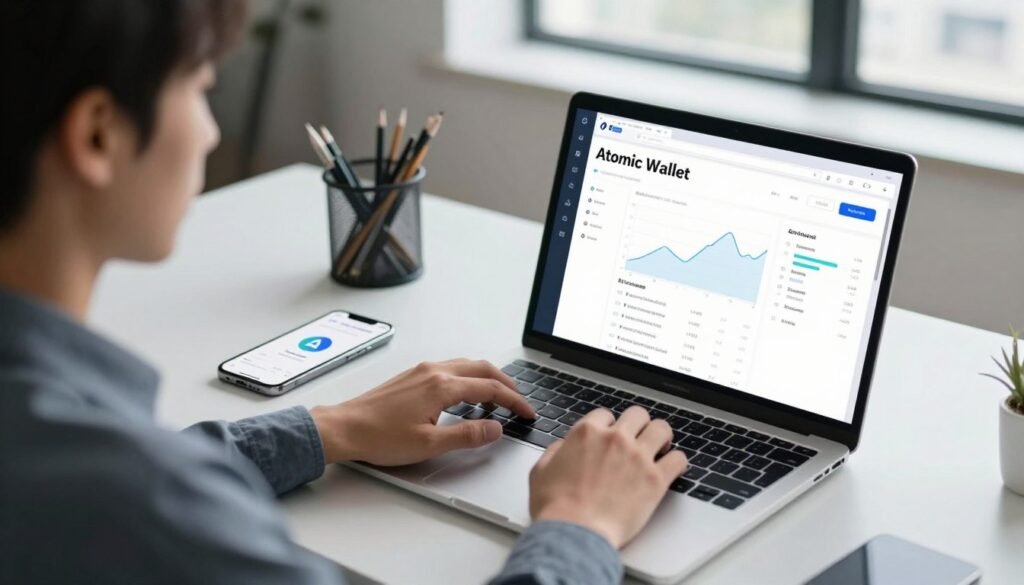
Cross-platform consistency matters when speed and reliability affect your costs. The client runs on Windows, macOS, Linux, iOS, and Android and keeps a similar interface across devices. That makes routine tasks like sending or swapping faster to learn.
Desktop and mobile usability vs transaction delays
The clean UI helps most users move funds quickly. However, during network congestion some operations show delays or expired quotes.
Those delays can increase slippage or force retries, which add extra network charges and time.
Customer support and live chat expectations
If a swap or card purchase fails, you may need to contact support and share tx details or screenshots. Live chat exists but is not always instant.
Email replies typically arrive in a day or two, though response time can stretch during incidents. Check the knowledge base first to resolve common issues faster.
Practical tips for users:
- Gather logs and screenshots before opening a ticket to speed resolution.
- Test with small amounts before large moves to avoid costly mistakes.
- Keep the app and OS updated and monitor official channels during peak congestion.
| Area | Effect on cost | Action |
|---|---|---|
| UI consistency | Faster routine ops, fewer mistakes | Use same device family for key tasks |
| Performance hiccups | Missed prices, retries → extra network charges | Plan trades in calm periods |
| Support response | Delays add time to resolve failed trades | Consult KB first; provide detailed info to support |
| No hardware wallet | Limits cold storage options for high-value users | Keep large holdings offline elsewhere |
Feature set vs fee trade-offs: staking, swaps, and buy crypto inside the wallet
Built-in swaps, staking, and card purchases bundle convenience into one interface but come with trade-offs. For routine portfolio tasks this reduces friction. Beginners can stake, swap, or buy crypto without leaving the app.
Staking is attractive: there is no extra platform cut, so yields only drop by validator commission and network charges. That makes in-app staking efficient for medium-term holders.
Swaps offer instant non-custodial trades, yet the effective rate includes a 0.5% platform cut plus partner commissions and on-chain costs. For small, urgent trades the convenience often justifies the premium.
Card purchases are the costliest convenience. Expect roughly a 5% markup and a $10 minimum per buy. Use this for quick top-ups or first-time buys, not routine large purchases.
- Workflow tip: price-check large trades on an exchange, then transfer back for custody.
- When to use in-app: small swaps, quick staking setups, and one-off card buys.
- Security note: private keys stay local but lack of hardware wallet support means high-value holdings may need cold storage.
| Feature | Trade-off | Best use |
|---|---|---|
| Staking | No platform cut; validator fees apply | Passive yields, medium stakes |
| Swaps | 0.5% + partner spread | Small, urgent trades |
| Card buy | ~5% + $10 min | One-off or fast entries |
Maintain a short playbook: set size thresholds for external exchange use, and reserve in-app actions for time-sensitive or small moves. For a deeper look, read our full review.
Atomic Wallet fees vs competitors: Trust Wallet, Exodus, MetaMask, Zelcore
Not all crypto clients cost the same when you add swaps, staking, and fiat on-ramps. This section compares four rivals on price, access, and security so users can match features to needs.
When convenience beats rivals — and when it doesn’t
Where it wins: The app offers desktop, mobile, and an extension with unified staking across many chains. That makes single‑place management attractive for multi‑chain users who value convenience over chasing the cheapest exchange rate.
Where it loses: It lacks hardware wallet support, which Exodus pairs with Trezor to offer stronger security. For big stakes, that integration can outweigh in‑app conveniences.
- Trust Wallet — broad token catalog and DApp access on mobile; great for mobile-first DeFi but no desktop parity.
- Exodus — polished UX and hardware support; better for security-conscious users who want Trezor backup.
- MetaMask — DeFi standard on EVM chains with granular gas control; less native multi‑chain coverage.
- Zelcore — multi‑chain power user hub; feature-rich but UI polish varies.
| Client | Strength | Trade-off |
|---|---|---|
| Subject app | Desktop + mobile parity, built‑in staking, simple swaps | No hardware wallet; swaps include platform + partner margins |
| Trust Wallet | Huge asset coverage, DApp browser on mobile | Mobile only; swap/buy spreads depend on partners |
| Exodus | Clean UX, Trezor integration for cold storage | Fewer staking options; some swaps cost more |
| MetaMask | Best-in-class Web3 access and fee control | Focused on EVM chains; less native multi‑chain support |
| Zelcore | Advanced portfolio tools across chains | UI and support experience vary by release |
Tips for users: map your pain points — swap frequency, staking volume, and need for hardware support — before choosing. Always compare live quotes and factor in the cost to move assets between an exchange and a chosen client.
Who should use Atomic Wallet based on fees, security, and control
This app fits users who want total ownership of their keys while keeping trading and staking inside one interface.
Best fit: self-reliant users who want a wallet non-custodial setup, local private keys, and a single place to hold many coins and tokens.
Good for investors who manage diverse assets across chains and prefer desktop and mobile parity. The 12-word backup is the recovery lifeline, so disciplined backup practice matters.
Caution: high-frequency traders and large-volume traders should note that in-app swaps and card buys carry a convenience premium. For frequent, large trades, use an exchange with deeper liquidity.
Security-minded users: if you hold significant balances, consider hardware wallet solutions because this client lacks native hardware integration. The 2023 incident and partially closed modules mean some users will prefer cold storage.
- Keep a small hot balance for daily moves and park the rest offline.
- Protect the backup phrase and maintain device hygiene to reduce compromise risk.
- Stakers who value ease over marginally higher yield will like the simple in-app staking flow.
| User type | Why it fits | Action |
|---|---|---|
| Self-custody enthusiasts | Local private keys and full control | Use as main client; secure 12-word backup safely |
| Diversified holders | Multi-chain asset support and unified UI | Manage tokens across devices; monitor partner spreads |
| High-volume traders | May face higher swap and buy markups | Price-check centralized exchanges for large trades |
| Security-maximalists | No hardware wallet integration | Use dedicated hardware for bulk storage |
For users still choosing a primary client, compare alternatives and read other recommendations like this best wallet guide to find the right balance of control, cost, and security.
Conclusion
Takeaway:, this atomic wallet balances broad access to coins and tokens with clear cost trade‑offs. Network charges go to blockchains, in‑app swaps add a 0.5% platform cut plus partner commission, and card buys carry a ~5% markup with a $10 minimum.
The client keeps private keys and the recovery phrase on your device, giving users full control. Staking has no extra platform cut, but validator commissions and on‑chain transactions affect net yield.
Security matters: partial open‑source status, the 2023 hack, and no hardware wallet support should influence risk plans. Maintain device hygiene and protect your backup offline.
For casual holders and those who value convenience, this crypto wallet is practical. Power traders should compare live quotes and use an exchange when lower costs matter. Check in‑app details and official support pages before big transactions.
FAQ
How much does it cost to use the app and where do charges appear?
The app itself is free to download and install. Costs appear when you move funds on a blockchain (network/ miner or validator charges), swap tokens inside the app (a platform commission plus third‑party partner spreads), or buy crypto with a card (on‑ramp processor fees and a service commission). Expect explicit network fees shown before you confirm any transaction.
What does non-custodial mean and how does that affect who pays fees?
Non‑custodial means you control private keys and a 12‑word backup phrase stored locally on your device. Because you hold keys, the app does not pay or cover network costs; you authorize and pay for on‑chain transactions directly from your balance.
Where are my private keys and backup phrase kept?
Keys and the 12‑word backup phrase are generated and saved locally on your device. They never leave your device unless you export them. Protect the phrase offline; anyone with it can access your assets.
Are KYC or account registrations required to use the core app?
No account registration or KYC is needed to create and use the core non‑custodial wallet. KYC may be required by third‑party services inside the app for fiat purchases or some on‑ramp providers.
What are the main types of charges I should expect?
Core charge categories are network fees (miners/validators), swap commissions and partner spreads, fiat on‑ramp processor fees, and validator commissions when staking. The app itself typically does not levy hidden monthly access costs.
What part of the cost goes to the app vs third parties or networks?
Network fees go to blockchain miners or validators. Swap and buy operations use partners who add commissions or spreads; the app also applies a visible service fee for some operations. Always review the fee breakdown before confirming.
How does network congestion affect transaction costs?
When a blockchain is busy, gas or miner fees rise. That increases the cost to send tokens or complete swaps that require on‑chain settlement. You can choose slower fee tiers when available, but confirmation times will lengthen.
What are the in‑app swap costs and are there ways to reduce them?
In‑app swaps include a platform commission (often shown as a percentage) plus partner spread. Rates vary by pair and liquidity; less common pairs can be pricier. To reduce cost, consider swapping on a centralized exchange with tight spreads or timing swaps when network fees are lower.
How much does card buying cost and who charges additional fees?
Card purchases include a service commission plus third‑party processor charges and possible bank surcharges. The total often includes a percentage fee and a minimum amount per transaction. Check the vendor’s checkout details for exact costs.
Are there extra fees for staking and how do validator commissions work?
The platform usually does not add an extra staking fee, but validators set commission rates that are deducted from staking rewards. Network rules and unbonding periods also affect net yield and timing.
Is the app secure enough to justify the costs I pay?
Security rests on user practices and software design. Since private keys stay local, you maintain control. However, closed‑source components and past security incidents highlight the need for strong personal safeguards: use a secure device, enable OS protections, and consider hardware wallets for large holdings.
Does the app support many coins and does support level affect fees?
Support covers hundreds to over a thousand coins and tokens, which broadens swap availability. Less liquid assets often incur wider spreads and higher slippage, increasing effective cost compared with popular coin pairs.
How do usability, performance, and support affect the real cost of using the app?
Slow performance or unhandled swap failures can mean repeated transactions and extra network fees. Prompt customer support and live chat reduce time lost and potential extra charges, but on‑chain fees remain unavoidable.
When is it better to use a centralized exchange instead of in‑app swaps?
Use a centralized exchange when you need lower spreads, high liquidity, or cheaper fiat on‑ramps. In‑app convenience wins for quick peer‑to‑peer swaps and small trades, but high‑volume or low‑cost trading often favors exchanges.
How does this product compare to alternatives like Trust Wallet, Exodus, or MetaMask?
Competitors offer similar non‑custodial control with varying fee structures, swap partners, and integrations. Choose based on supported assets, user interface, and whether you prefer built‑in fiat options or direct exchange access to minimize costs.
Who is the ideal user for this app given fees, security, and control?
The ideal user values self‑custody, a wide asset choice, and in‑app convenience for staking and swaps. Advanced traders needing the lowest costs may prefer centralized exchanges, while long‑term holders benefit from local key control and staking options.

No comments yet