
This U.S.-focused guide helps you pick the right crypto wallet for your needs in 2026.
Crypto wallets protect the secret keys that control your digital assets. Some wallets stay online as hot options for speed and DeFi access. Others are offline cold devices for long-term storage.
Self-custody differs from exchange custody: controlling keys gives you freedom and responsibility. If you lose keys or recovery methods, you can lose cryptocurrencies forever.
Rising phishing, hacked services, and approval scams make security and workflow design central to what counts as the best choice. This guide compares hot vs cold, custodial vs non-custodial, and wallets vs exchanges.
We’ll review brands like Ledger, Trezor, MetaMask, Coinbase Wallet, Trust Wallet, Exodus, Guarda, Crypto.com Onchain, and Zengo. Each wallet is scored on security features, supported assets, platforms, integrations, fees, and usability so you can match a wallet to your profile.
For a quick reference on mainstream options, see a curated list at NerdWallet’s crypto wallet overview.
What a Crypto Wallet Is and What It Actually Stores
A crypto wallet is an app or device that manages the secret data you need to prove ownership and sign transactions on a blockchain. It does not hold coins; tokens remain on-chain. The wallet stores the key material used to create digital signatures that move assets.
Private keys, public addresses, and blockchain access explained
Public addresses are the shareable identifiers you give to receive funds. The real secret is the private key. That key signs transactions and grants on-chain control.
If you lose the ability to sign, you lose access. You cannot move funds, stake, or approve dApp actions without the signing keys.
Why losing access can mean permanent loss
Most wallets offer a human-readable backup — a seed phrase or seed — that can recreate the same keys on another device. Losing that phrase, or exposing a private key, can lead to permanent loss or theft.
- Treat key and seed storage like a master password.
- Backup seeds offline and verify restores before funding.
- Consider MPC alternatives that split signing duties to reduce single-point seed risk.
Crypto Wallets vs Crypto Exchanges for US Users
For U.S. users, choosing between an exchange and a personal wallet comes down to trade-offs in convenience and control.
Self-custody means you directly hold the private keys that control on-chain assets. That gives you portability and less reliance on a third party. It also makes you responsible for backups and operational security.

Self-custody control vs exchange convenience
Exchanges such as Coinbase and Gemini simplify fiat on/off ramps, trading, and tax reporting. They can help with account recovery and offer a single place to trade.
But exchanges may custody keys, freeze withdrawals, or face platform failures — the FTX collapse is a clear example of custody risk.
When a wallet is better than leaving assets on an exchange
Use a wallet when you plan to hold large amounts long term, interact with DeFi or NFTs, or want to avoid single-point-of-failure custody risk.
- Exchange makes sense for frequent trading, fast fiat access, and compliance paperwork.
- A wallet is better for long-term storage, DeFi access, and full key control.
- Hybrid approach: keep small balances on an exchange for active trading and move larger assets to a personal wallet you control.
Remember: convenience invites counterparty risk; control demands good operational security. Later sections map these choices to real user types like beginners, traders, DeFi users, and long-term holders.
Hot Wallets vs Cold Wallets
Many users split tools: a connected app for quick trades and an offline device for long-term storage. Choosing the right mix affects speed, fees, and security.
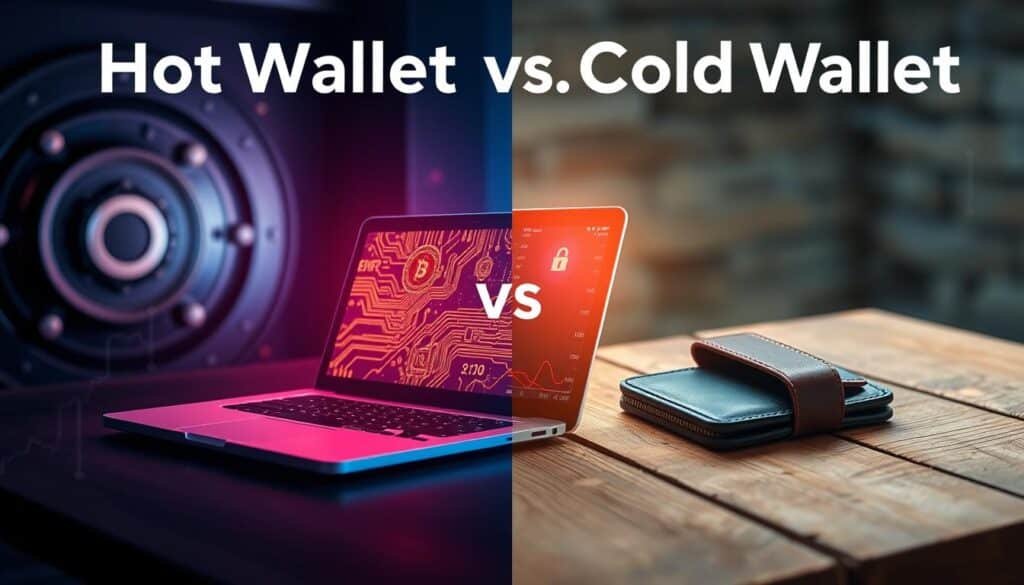
Hot wallets for fast transactions and everyday trading
Hot wallets are software apps that stay online. They make small, frequent transactions simple. Use them for swaps, DeFi access, and active trading.
Pros: free or low-cost, instant access. Cons: more exposed to phishing, malware, and approval scams even when the app is reputable.
Cold wallets for offline storage and long-term security
Cold wallets are offline hardware devices that keep keys off the internet. They cost money but cut the online attack surface and boost security for larger holdings.
Cold options lower remote risks but add physical ones: loss, theft, or damage. A recovery phrase is essential for restore.
Using both: hot-to-cold workflows via WalletConnect and hardware integrations
A common U.S. workflow keeps a small spending balance in a hot wallet and sweeps gains to cold storage. Interfaces can connect to a hardware wallet via WalletConnect or native integrations so confirmations happen on the device.
- Hot for daily use; cold for long-term storage.
- Bridge with hardware wallet integrations for safer signing.
- Test restores and keep backups offline.
Custodial vs Non-Custodial Wallets
Deciding who holds your signing keys changes how you handle risk and recovery. This is the core split between custodial and non-custodial options for crypto storage.
Who controls the private key and what that changes
In a custodial setup, a provider holds the private key and manages account recovery for the user. That makes day-to-day use simpler and often adds customer support for locked accounts.
Non-custodial tools put key control in your hands. You keep the seed or private keys and you approve every transaction. That gives you direct on-chain access but also full responsibility.
Trade-offs: recovery help vs personal responsibility
The risk model shifts with custody. Custodial risk is platform failure, freezes, or breaches. Non-custodial risk is human error, lost seeds, or phishing.
- Custodial: easier recovery, simpler UX, but third-party custody and platform risk.
- Non-custodial: decentralized control, direct dApp access, and stronger personal security when managed correctly.
- Recovery: custodial accounts may offer support-driven restores; self-custody depends on backups or solutions like MPC.
Practical rule: if you can’t safely store backups or resist social-engineering attacks, keep smaller balances with custodial services while you learn. Advanced users who value decentralization and portability will favor self-custody for long-term security and control.
For a deeper technical read, see this custodial vs non-custodial guide.
How We Compare Crypto Wallets in 2026
We judge each crypto wallet by real-world performance across networks, devices, and user tasks. The evaluation balances technical support with day-to-day usability for U.S. users.
Supported assets, platforms, and integrations
Support means more than a long token list. We test whether you can add tokens, switch chains without errors, and export keys when needed. Platform coverage includes mobile app, desktop software, and browser extension availability.
Integration quality
Integration quality scores how smoothly a wallet connects to exchanges, hardware devices, dApp browsers, and WalletConnect for hot-to-cold workflows. Good integrations reduce manual steps and lower user error.
Security features that matter
Key security features we track are 2FA, biometrics, PIN protections, transaction confirmations, and hardware-based offline key storage. Each feature is weighted for practical impact on safety.
DeFi, staking, NFTs, and dApp access
DeFi capability includes a dApp browser or extension, WalletConnect, in-app swaps, and staking options. NFT support, token detection, and portfolio views are also part of the score.
- Usability pain points: confusing approvals, network-switch friction, and weak phishing warnings lower overall ratings.
- Scoring axes: security, support for assets, integrations, and ease of use for common U.S. flows.
Best Cryptocurrency Wallets Comparison 2026
Your choice should start with how you plan to use crypto. Match the wallet to your assets, device, and daily habits before moving funds.
Quick picks by use case
Beginners: Simple mobile apps with clear recovery and fiat on/off ramps work well for learning and small balances.
Active traders: Use hot wallets or exchange-integrated apps for speed and low friction when moving funds often.
DeFi users: Choose wallets with WalletConnect, dApp browsers, and hardware integrations to approve complex transactions safely.
Long-term holders: Prefer cold hardware and tested backup plans for larger balances and long horizons.
What “best crypto wallet” actually means
The best crypto wallet is the one that fits your asset mix (BTC-only vs multi-chain), your device (mobile vs desktop), and your risk tolerance.
Higher balances and longer holding periods usually justify hardware storage. But security is behavioral as much as technical—phishing resistance, verified backups, and cautious approvals matter most.
- No single wallet wins every category. The guide favors fit-for-purpose choices and safe workflows.
- See Sections 8–13 for specific picks by persona and deeper reviews.
Best Hot Wallets for 2026
Hot software options put fast access and dApp connectivity at your fingertips for everyday crypto actions.
Crypto.com Onchain
DeFi-first design with 1,000+ assets, a desktop app, browser extension, and Ledger integration. Easy transfers from the Crypto.com exchange speed trading and DeFi moves. Note the BTC withdrawal minimum of 0.0008 BTC, which can block very small transfers.
Guarda
Multi-platform software available on mobile, desktop, and browser. Supports 300+ assets and offers practical Ledger integration for users planning a move to cold storage.
Exodus
An all-around app with mobile, desktop, and extension options. Supports ~250 assets and bundles swaps, staking, and a strong education library. Trezor support smooths hot-to-cold workflows.
Trust Wallet
Wide blockchain coverage (100+ chains) with in-app buying, selling, and staking. Good for broad token access, though verify chain and token details before trading.
Coinbase Wallet
Beginner-friendly non-custodial app that links to the Coinbase exchange. Offers mobile and browser extension access and Ledger via extension for added security.
MetaMask
The Ethereum-native browser and mobile tool for ERC-20 tokens and Web3 apps. No desktop app, but strong hardware wallet ties (Ledger/Trezor) make it the go-to for DeFi on Ethereum.
- Why these qualify: fast access, broad dApp and browser extension support, and clear paths to hardware security.
- Choose by assets, device, and whether you need tight exchange links for trading.
Best Cold Wallets and Hardware Wallets for 2026
An offline device acts as a gatekeeper: transactions are prepared in software but must be signed on the hardware to move funds. Cold wallets keep key material offline while still enabling secure confirmations on-device.
Ledger is the broad-support option. It covers about 5,500+ assets and offers a mature app ecosystem with mobile and desktop apps plus a browser extension. Prices run roughly $79–$399. Ledger integrates with software like Crypto.com and Guarda, and supports 2FA-style flows for extra security.
Trezor focuses on transparent, security-first custody. It supports ~9,000+ assets, with an entry model near $49 and a higher-end touchscreen device around $169. Trezor omits Bluetooth by design to reduce the attack surface. Users pair it with software such as Exodus or Trezor Suite Lite for transaction building while signing remains on the device.
Why integrations matter: pairing hardware with trusted software lets you access DeFi and portfolio features without exposing private keys. Quick heuristic: choose Ledger for maximum asset coverage and integrations; choose Trezor if you want a strict, offline-first security posture.
Ledger vs Trezor
Choosing a hardware device often comes down to how each maker limits attack surfaces and guides daily use. This section compares the two major options so U.S. users can weigh security, usability, and ecosystem fit.
Security approach and attack surface differences
Ledger emphasizes a sealed secure element and broad platform protections. That design aims to reduce remote exploits while enabling extra features like 2FA-style flows.
Trezor takes an open-design approach and avoids wireless links. Its no-Bluetooth stance lowers the attack surface for physical security and firmware verification.
Device features that change usability
Touchscreens and physical buttons change confirmation clarity. Some Trezor models offer a touchscreen that makes on-device reading and approval straightforward.
Ledger leans on button navigation plus a clear on-device review. That approach is compact for mobile use and fits a broad set of users.
Integrations with software wallets and DeFi/staking tools
Both hardware options pair with major software ecosystems to enable DeFi and staking without exposing keys. You build transactions in an app, then sign on the device.
- Ledger: wide integrations with mobile, desktop, and browser tools.
- Trezor: strong desktop suite and compatibility with popular wallet apps.
- Staking and DeFi access requires the software layer, while the device provides the signing trust boundary.
Decision summary: pick the device that matches your priorities. Choose the maker with the ecosystem and ease-of-use you will actually use. For long-term storage, favor strict security posture. For active DeFi users, pick the option with the integrations and confirmation UX that reduce approval mistakes.
Zengo vs Traditional Seed Phrase Wallets
Some wallet designs remove the single recovery phrase and replace it with split cryptography.
How traditional backups work: classic wallets rely on seed phrases to recreate private keys. Whoever holds the seed or phrase can move funds, so safe offline storage is essential.
MPC security and what it replaces
MPC (multi-party computation) replaces a lone seed with distributed key material. Zengo uses MPC so no single exportable seed controls access. That reduces the risk of losing a paper seed or exposing a single private key.
When Zengo fits — and where it may fall short
Zengo reports no wallets hacked or stolen as of April 2025, highlighting its practical security record. Still, users should keep device hygiene and cautious approvals.
- Zengo supports ~300+ assets but lacks some tokens like Bitcoin Cash and Polkadot.
- Good for users who want self-custody without paper seed management.
- Evaluate recovery steps, device-change flow, and export/migration options before trusting large holdings.
Coinbase Wallet vs MetaMask
Choosing a first non-custodial wallet shapes how you learn to manage keys and approvals.
Coinbase Wallet often fits U.S. beginners. It links smoothly to the Coinbase exchange, simplifies transfers, and offers a clear onboarding path. The mobile app plus browser extension and Ledger support give straightforward access to tokens and dApp features without heavy setup.
MetaMask is the go-to for Ethereum-native users. Its open-source extension and mobile app plug into the largest Web3 ecosystem. MetaMask requires more manual token adds and occasional network switching, but it gives deep compatibility with DeFi apps and advanced flows.
Browser extension risks and token handling
Extensions expose users to phishing and malicious approvals. Verify domains before connecting and limit approval scopes. Use hardware integration to keep signing on-device when possible.
- Onboarding: Coinbase Wallet is simpler for first-time crypto users.
- Advanced use: MetaMask excels for ERC-20 tokens and broad dApp access on Ethereum.
- Practical recommendation: start with Coinbase Wallet for ease, then add MetaMask when you need richer DeFi access.
Trust Wallet vs Exodus vs Guarda
Some wallets prioritize broad chain access, while others trade coverage for simpler control paths.
Asset and blockchain coverage: broad support vs focused ecosystems
Trust Wallet leans into breadth — 100+ blockchains and a claim of millions of assets make it a go-to for multi-chain users. That scope adds convenience but increases the need to verify token contracts.
Exodus supports about 250+ assets and focuses on a polished, curated list that helps reduce clutter for typical U.S. retail users.
Guarda covers ~300+ assets and targets users who want wide support plus explicit hardware options.
Desktop, mobile, and browser extension differences
Exodus and Guarda offer desktop apps plus mobile and extension options. Trust Wallet centers on mobile with bridging tools to browsers. Desktop apps aid backups and larger workflows; mobile-first apps win on convenience.
Staking, swaps, and in-wallet trading features
Trust Wallet bundles buying, trading, swaps, and staking so users can stay inside the app.
Exodus pairs swaps and staking with strong educational content for newcomers. Guarda adds staking programs and direct Ledger integration for hardware-backed control.
- Coverage vs control: Trust Wallet for max chain variety; Exodus for UX-focused generalists; Guarda for multi-device users who want Ledger paths.
Fees, Minimums, and Real-World Transaction Costs to Watch
Small, frequent moves can add hidden costs that change how you manage crypto. Before you transfer assets, understand the layered charges that appear at send time.
Network fees vs wallet fees: what you actually pay per transaction
Network fees go to miners or validators and vary by chain congestion. Wallet or provider fees include swaps, in-app purchases, and staking commissions. Both hit your balance.
Users often underestimate the real cost: a swap can include spread, the provider fee, and the blockchain fee on top. That stack makes many small trades and transfers much more expensive than they look.
Transfer friction: exchange withdrawals and minimums that can block small moves
Exchanges set withdrawal minimums and policies that can stop tiny transfers. For example, Crypto.com enforces a 0.0008 BTC withdrawal minimum for exchange-to-Onchain wallet moves, which can block test transfers.
- Plan for fees: separate network and provider costs before sending.
- Batch withdrawals and avoid extra chain hops to cut repeated transaction charges.
- Keep a small operational balance for gas so you retain access and avoid failed transactions.
Moving to cold storage improves security, but excess movement increases both fees and exposure to mistakes. For tips on lowering costs when converting or withdrawing, see this guide to convert crypto without high fees.
Security Checklist for Protecting Digital Assets in 2026
Good security is a set of small routines, not a single magic feature. Follow this short checklist to reduce risk for any wallet and match protections to your holdings.
Seed phrase storage and recovery planning
Write down your seed phrases on metal or paper and store at two separate secure locations. Test a restore to a spare device before moving large balances.
Duplicate, protect, and plan: one copy offsite, one local but locked. Treat the seed as the final recovery for private keys and access.
Reduce phishing risk with browser extensions and dApp approvals
Only connect extensions to verified domains. Regularly review connected sites and revoke allowances you no longer need.
When a dApp asks to “approve,” limit the amount and expiry, and use a hardware device to sign risky actions.
Device hygiene and account protections
Keep device OS updated, avoid rooted or jailbroken phones, and use PINs, biometrics, and 2FA for exchange-linked accounts.
Enable withdrawal allowlists on custodial services and use unique passwords for every account.
Multi-signature and shared controls (advanced)
Use multi-signature or multi-user setups for team treasuries or high-value holdings. Split keys so no single user has unilateral control.
- Keep a small hot balance for daily use and a hardware wallet for larger holdings.
- Audit approvals monthly and revoke unused permissions.
- Document recovery steps for trusted contacts in case of emergency.
- Match protections to portfolio value: more value = more hardware and fewer approvals.
Conclusion
A simple decision tree—custody, storage, and use—clarifies which wallet fits your routine.
First pick custody: will a provider hold keys or will you? Then choose storage: a connected app for daily use or a hardware-backed cold option for long-term holding. Match that plan to the chains and tokens you hold.
Practical default: keep a reputable hot app for small, active balances and move larger sums to a hardware-backed cold solution for long-term safety.
Before committing, double-check supported assets and platform support. Set up backups, run a small test transfer, and only then move larger balances. For a suggested pick, see this best wallet for crypto.
FAQ
What does a crypto wallet actually store?
A wallet stores private keys that prove ownership and sign transactions. It also manages public addresses that you share to receive funds. The blockchain itself holds the transaction history and token balances; the wallet provides access and control.
If I lose my device, can I recover my crypto?
You can recover assets if you have the seed phrase or recovery method saved securely. For custodial wallets, the provider may offer account recovery options. For non-custodial wallets and hardware devices, losing the seed phrase typically means permanent loss of access.
Should I keep assets on an exchange or in a personal wallet?
Exchanges are convenient for trading and fiat on-ramps but hold custody of your private keys. Use an exchange for active trading and a self-custodial wallet for long-term holdings or when you need full control. Consider splitting assets between both based on convenience and risk tolerance.
What’s the difference between hot wallets and cold wallets?
Hot wallets are connected to the internet and designed for fast transactions and everyday use. Cold wallets store keys offline, reducing exposure to online attacks and making them better for long-term storage. Many users combine both to balance convenience and security.
How do hardware wallets improve security?
Hardware devices keep private keys in a secure element that never leaves the device. They require physical confirmations for transactions, which prevents remote theft even if your computer is compromised. Popular options include Ledger and Trezor, which integrate with software wallets.
What are custodial vs non-custodial wallets?
Custodial wallets mean a third party holds your private keys and can assist with recovery, but you give up sole control. Non-custodial wallets give you exclusive control over keys and responsibility for backup and recovery. Choose based on your need for support versus control.
How do I evaluate a wallet’s security features?
Look for strong seed or key protection, hardware integration, multi-factor authentication, biometric options, PINs, and offline key storage. Open-source code and a transparent security history also increase trust. Test the wallet’s recovery process before moving large amounts.
Can I use one wallet for DeFi, staking, and NFTs?
Many wallets offer DeFi access, staking, and NFT support via dApp browsers or browser extensions like MetaMask and Coinbase Wallet. Ensure the wallet supports the chains and token standards you need and that it integrates with hardware devices if you want added security.
What is MPC and how does it compare to seed phrases?
MPC (multi-party computation) splits key control across multiple parties or devices, removing a single seed phrase as the single point of failure. Solutions like Zengo use MPC to simplify recovery and reduce risk, though asset and chain support may vary compared with traditional seed-based wallets.
Are there fees associated with using a wallet?
Wallets themselves may charge swap or service fees, but the main costs are network (gas) fees set by the blockchain. Some apps display fee estimates and let you adjust priority. Check exchange withdrawal minimums and on-ramp costs when moving assets between platforms.
How do I protect myself from phishing and malicious dApp approvals?
Avoid unknown links, verify dApp URLs, use hardware confirmations for critical transactions, and limit token approvals to minimal allowances. Keep browser extensions updated and use reputable wallets with clear permission prompts to reduce attack surface.
When should I use multisig or multi-user controls?
Multisig makes sense for teams, treasury management, or high-value holdings where shared approvals reduce single-point risk. It adds operational overhead but improves security and governance for organizations or joint accounts.
Which wallets are best for beginners versus advanced users?
Beginner-friendly wallets like Coinbase Wallet and Trust Wallet emphasize ease of use and fiat on-ramps. Advanced users and DeFi-native traders often prefer MetaMask plus a hardware wallet for granular control and broader dApp access. Match your choice to your activity and risk profile.
How often should I update my wallet software and device firmware?
Update immediately when trusted vendors release security patches or firmware improvements. Regular updates reduce exposure to known vulnerabilities. Verify updates through official channels and avoid installing unverified third-party builds.
Can I connect a hardware device to mobile dApps?
Yes. Many hardware wallets support mobile connections via USB-C, Bluetooth, or integrations like WalletConnect. This lets you use a hardware-backed key for signing transactions while interacting with mobile dApps and DeFi platforms.
What should I do before sending a large transfer?
Test with a small amount first, confirm the recipient address carefully, verify network fees and token compatibility, and ensure your wallet’s confirmations and device prompts behave as expected. Keep recovery backups ready in case of device loss during the process.

No comments yet