
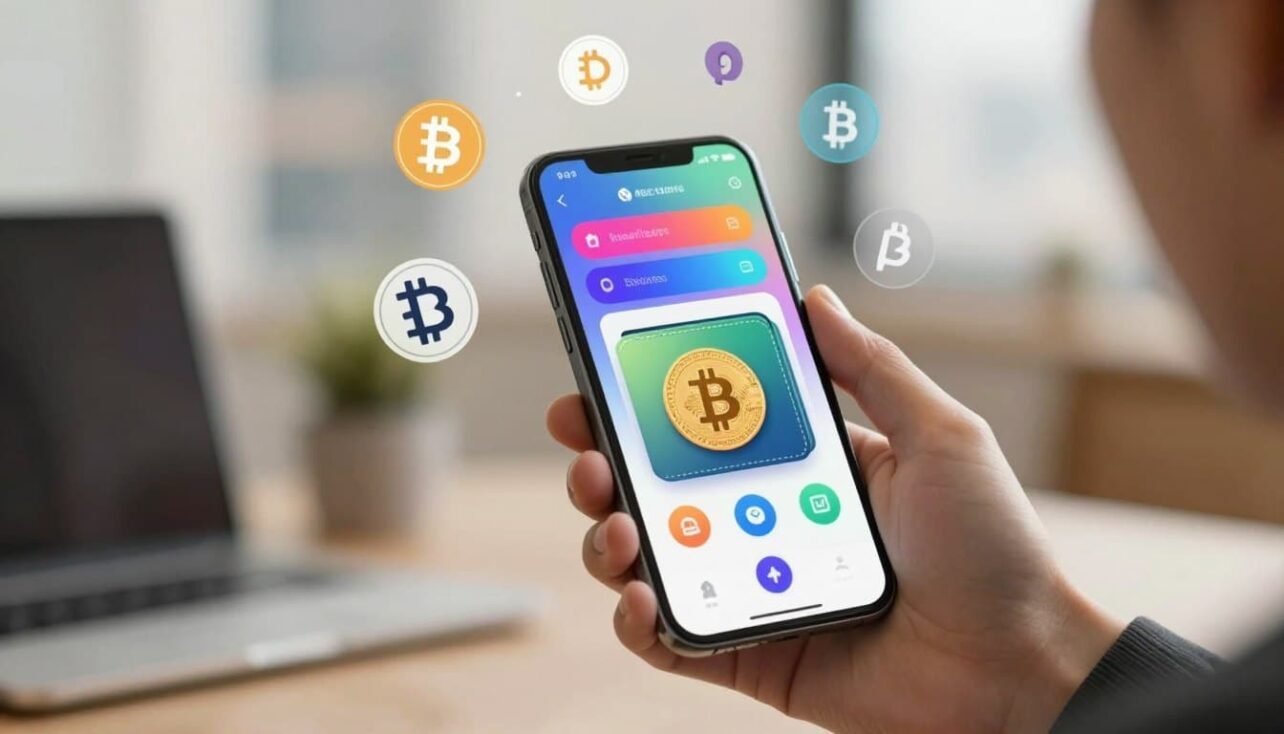
Quick overview: This guide sorts leading options for on-the-go crypto custody and spending. You’ll get clear takes on Trust Wallet, MetaMask, Coinbase Wallet, Exodus, Crypto.com Onchain, Zengo, Ledger, and Trezor.
Why this matters: Hot wallets connect to the internet for convenience and low cost, while cold hardware keeps keys offline for stronger protection. We explain when a mobile app alone is fine and when to pair it with a hardware device for added security.
Expect head-to-head coverage of supported assets, fees, staking and DeFi access, and hardware compatibility. Each pick includes practical setup tips for U.S. users who want control of keys and safer day-to-day use.

Why mobile Bitcoin wallets matter right now
Today’s handheld crypto apps let users act on market moves and payments in seconds.
Pocket applications give fast access to balances, receive addresses, and on‑the‑spot transactions. They work well for quick QR scans and merchant payments because they stay connected to the internet.
Hot wallets are usually free and support many assets. They link to exchanges and DeFi apps, so swapping, staking, and buying happen without extra steps.
U.S. users enjoy wide app availability and companion desktop or browser tools that sync activity. Several popular products also pair with Ledger and Trezor for safer long‑term storage.
- Speed and ease for everyday payments and confirmations.
- Seamless DeFi and exchange integrations for quick on‑ramps.
- Keep a small spend wallet while moving savings offline.
| Feature | Advantage | Risk/Note |
|---|---|---|
| Connected internet access | Instant transactions and market awareness | Higher exposure to online threats |
| Companion apps | Sync across phone, browser, desktop | Requires consistent backups |
| Hardware pairing | Stronger long‑term security | Adds setup steps and cost |
Good security habits — device locks, app hygiene, and backups — lower risk while keeping the convenience that makes these tools so useful today.
User intent and who this roundup is for
Different users need different tools: some want fast payments, others want deep control over keys and networks.
New to self-custody vs. experienced users
If you are new to self-custody, pick a product with clear onboarding and strong defaults. Trust Wallet and Coinbase Wallet tie into exchange ecosystems and offer helpful guides for a new user.
Experienced users seek advanced features like custom fees, hardware integrations, and multisig. MetaMask, Exodus, and Crypto.com Onchain cater to power users with DeFi dashboards and broader asset support.
Quick payments on the go vs. long-term storage
For fast transactions, choose a simple app with QR flows, contact lists, and clear fee estimates. For long-term savings, use a two-tier setup: a small spend wallet plus a hardware vault via Ledger or Trezor.
| Intent | Good pick | Key benefit |
|---|---|---|
| Beginner onboarding | Coinbase Wallet, Trust Wallet | Guided setup and educational prompts |
| DeFi and EVM power | MetaMask, Crypto.com Onchain | Wide network access and dApp tooling |
| Simple recovery | Zengo | MPC for easier key management |
| Secure long-term storage | Exodus + Trezor, Ledger pairings | Hardware-backed custody for large assets |
What a crypto wallet is — and how it differs from an exchange
The core difference is simple: possession of private keys equals control over funds.
A crypto wallet stores the cryptographic secrets that let you sign transactions and move coins on-chain.
With non-custodial wallets, your private keys stay on your device. That gives you full control and full responsibility for backups and recovery information.
An exchange account, by contrast, acts like a broker. Exchanges custody assets for you, handle trading, and provide liquidity. That convenience comes with platform risk and policy limits on withdrawals.
Wallets, private keys, and full user control
Non-custodial wallets focus on secure key storage and transaction signing. Losing a private key or seed phrase can mean permanent loss of funds.
Manage backups, use hardware options, or consider MPC tools to reduce single‑point failures. Many users buy on an exchange, then withdraw to a self‑custody wallet for greater transparency.
Exchanges as brokers vs. self-custody tools
Exchanges make buying and selling simple and often provide account recovery and insurance policies. But they control the keys and set rules for activity.
For U.S. users, combining both approaches often balances ease and sovereignty: use exchanges for on‑ramps, then store long‑term holdings in self‑custody tools.
- Wallets store keys and sign transactions on your device.
- Exchanges hold assets and provide brokerage features.
- Recovery information—seed phrases or MPC credentials—must be guarded.
| Feature | Self‑custody wallets | Exchange accounts |
|---|---|---|
| Key control | User holds private keys | Platform holds keys |
| Security model | User responsibility for backups | Platform-managed protections |
| Primary use | Secure storage and signing | Easy buying, liquidity, trading |
For a deeper technical primer on what a crypto wallet does, see what a bitcoin wallet does. To compare wallet choices and custodial options, consult this wallet choices guide.
Hot vs. cold: Choosing the right balance for mobile use
Deciding how much to keep online versus offline shapes how you use a crypto app every day.
Hot wallets on a phone give quick access for payments, swaps, and DeFi. They are connected internet tools that make scanning QR codes and sending small amounts fast and simple.
Because they run online, these apps need strong device protections. Use biometrics, OS updates, and cautious app permissions to reduce exposure.
Cold wallets keep keys offline on a dedicated device. That offline storage greatly lowers the risk of remote hacks and is best for larger holdings.

Pairing software with hardware
Many phone apps integrate with Ledger and Trezor so you can approve transactions on a hardware device while keeping the app interface for convenience.
This hybrid approach lets you explore Web3 and make day-to-day payments from a small balance, while locking most savings in a cold wallet for stronger security.
- Keep a small spend balance on a hot app for speed and QR payments.
- Store long‑term funds in cold storage to limit attack surface.
- Connect a hardware signer for secure transaction confirmation without sacrificing ease of use.
| Aspect | Hot (online) | Cold (offline) |
|---|---|---|
| Primary use | Everyday payments and dApps | Long‑term storage and high value holdings |
| Security | Relies on device and app safeguards | Isolates keys in hardware for strong protection |
| Cost & access | Often free, immediate access | Requires purchase, slower access |
| Best practice | Limit balance, enable biometrics | Use for savings, confirm via Ledger/Trezor |
How we review and compare mobile crypto wallets
Our process blends hands‑on testing with objective scoring. We check security, multi‑chain reach, and everyday usability. Each metric maps to a clear score so readers see tradeoffs at a glance.
Security features: seed phrases, MPC, 2FA, and device protections
We inspect seed phrase workflows, MPC implementations like Zengo, two‑factor options, and OS protections. We note any public incidents and the cadence of security updates.
Supported assets and networks
Coverage matters for users who move between Bitcoin, EVM chains, Solana, and other chains. We verify token listings, cross‑chain tools, and how the app displays asset information.
Hot‑to‑cold conversion and integrations
We confirm Ledger and Trezor pairings and test migration flows from app to hardware. Exodus and Crypto.com Onchain get special attention for desktop pairing and migration clarity.
Fees, staking, DeFi access, and ease of use
Fee transparency, swap commissions (MetaMask, Coinbase Wallet), staking rules, and dApp connections are measured. We also rate documentation and the user prompts that guard against risky transactions.
For a deeper comparison of options in the U.S., see our roundup of best mobile crypto wallets for American.
Top mobile Bitcoin wallets compared
Below we contrast leading choices so you can weigh network coverage, recovery models, and daily usability.
Trust Wallet vs. Coinbase Wallet vs. MetaMask vs. Exodus
Trust Wallet covers 100+ blockchains and claims support for 10M+ assets. It pairs with Ledger through browser tooling and favors multi‑chain collectors.
Coinbase Wallet links closely to Coinbase services, easing transfers for U.S. customers and supporting thousands of tokens via its mobile and extension experiences.
MetaMask focuses on EVM chains, charges a 0.875% swap fee, and supports Ledger and Trezor pairing for advanced dApp use.
Exodus offers a polished interface across phone and desktop, supports 250+ assets, and integrates with Trezor for a clear cold option.
Crypto.com Onchain mobile experience
Crypto.com Onchain covers 1,000+ assets and links to the main app for easy transfers. Note the BTC withdrawal minimum from the main app is 0.0008 BTC.
Zengo’s MPC approach on mobile
Zengo uses MPC to avoid single seed exposure and reports zero hacked or stolen wallets as of April 2025. It does not yet support BCH or DOT.
Where each wallet shines for U.S. users
- Network breadth: Trust Wallet for many chains and NFTs.
- Exchange ties: Coinbase Wallet for seamless transfers.
- DeFi and dApps: MetaMask for EVM power users.
- Unified interface: Exodus for cross‑device usability.
| Wallet | Assets covered | Hardware integration | Notable limit |
|---|---|---|---|
| Trust Wallet | 100+ blockchains, millions of tokens | Ledger via browser | Primarily app/extension use |
| Coinbase Wallet | Thousands of assets | Ledger support via extension | No desktop app |
| MetaMask | EVM-focused | Ledger & Trezor | 0.875% swap fee |
| Exodus | 250+ assets | Trezor | Desktop + mobile sync |
For a broader comparison and buying guidance, see this wallet comparison guide to match features and support channels to your needs.
Best pick for broad asset support on mobile: Trust Wallet
Trust Wallet stands out for people who juggle many chains and tokens in a single app. It covers 100+ blockchains and claims support for over 10 million assets, making it useful for multi‑chain collectors and NFT holders.
Supports 100+ blockchains and millions of assets
Wide coverage reduces the need to switch between apps when you move funds or try new networks. The full token list is not exhaustively published, so verify individual assets before transacting.
Security, staking, and hardware compatibility
Trust Wallet offers in‑app staking and DeFi access for yield activities without extra tools. For stronger protection, you can pair the app with Ledger through a browser extension to move larger holdings off hot storage.
- Broad asset reach for experimentation and portfolio diversity.
- On‑app swapping, buying, and selling for convenience.
- Ledger integration for cold storage and improved security.
| Feature | What it means | Note for U.S. users |
|---|---|---|
| Assets covered | 100+ chains, 10M+ tokens | Check individual token support before trading |
| Integration | Ledger via browser | Use Ledger for desktop confirmations |
| Security | Hot app protections, staking options | Keep savings in cold storage where practical |
As Binance’s official crypto wallet, Trust Wallet benefits from a large user base and frequent updates. Still, compare fees and keep a manageable hot balance while storing savings offline for safety.
Best for Ethereum and Web3 power users on mobile: MetaMask
MetaMask centers on EVM chains and gives power users direct access to DeFi, NFTs, and smart‑contract tools from a phone or browser.
What it does: MetaMask is free and open‑source and supports Ethereum and many EVM chains. It lists supported assets clearly and bundles swaps with a published 0.875% fee. The app also includes MetaMask Portfolio to track balances, staking, and connected dApps.
Pairing with Ledger or Trezor lets you approve transactions on hardware while using MetaMask as the interface. That combo raises security and keeps your signing keys offline for high‑value moves.

EVM tools, swaps, and daily use
- EVM‑first design for DeFi, NFT marketplaces, and Web3 apps on Ethereum, Base, Polygon, and more.
- Built‑in swap routing with a 0.875% fee and route estimates before confirmation.
- MetaMask Portfolio centralizes balances and staking to simplify complex workflows.
Limits and precautions
MetaMask runs as a mobile app and browser extension but has no native desktop app. Users should enable device protections, review site permissions often, and manage connected sites to reduce risk.
| Aspect | MetaMask | Note |
|---|---|---|
| Core focus | EVM chains & dApps | Strong dApp compatibility |
| Swap fee | 0.875% | Route estimates shown before swap |
| Hardware support | Ledger, Trezor | Safer signing via device |
Best mobile Bitcoin wallet
Choosing a wallet for native BTC means balancing fast on‑device transactions with a clear plan for savings.
Choose a phone app that makes sending and receiving BTC simple. Look for clear fee displays, SegWit address support, and straightforward UTXO handling. These features cut fees and speed confirmations for everyday transfers.
Ease of BTC transactions, fees, and network support
Transparency matters: fee estimates, QR scanning, and the ability to customize fees help users control wait time and cost. Trust Wallet and Exodus both offer solid BTC sends and can pair with hardware for tougher protection.
Hot wallet speed vs. adding cold storage for BTC savings
Keep a small hot balance for quick payments and a cold device for savings. Crypto.com Onchain is handy if you use its main app, but note the 0.0008 BTC minimum to withdraw BTC to an external wallet. Zengo’s MPC approach simplifies key handling while retaining self‑custody, though check coin support for your needs.
- Test with small amounts before larger moves.
- Enable SegWit and fee customization to reduce costs.
- Consider Lightning or a dedicated app for instant, low‑fee payments.
| Focus | What to check | Why it matters |
|---|---|---|
| Fees & UTXO | Custom fees, SegWit | Lower cost and faster confirmations |
| Hardware pairing | Ledger/Trezor support | Stronger on‑chain security for savings |
| MPC option | Zengo support for BTC | Simplifies key management |
Best mobile wallet for exchange integration: Coinbase Wallet
Tap into the Coinbase ecosystem while keeping self-custody.
If you trade on Coinbase, this app gives a familiar path from custodial accounts to private key control. Coinbase Wallet is separate from the exchange and lets you withdraw funds to addresses you control.

Key features: Support for thousands of assets, a browser extension that connects to dApps, and Ledger integration for safer signing. There is no standalone desktop app, so the phone and extension handle most workflows.
- Easy migration: withdraw from your exchange account to your self‑custody address.
- U.S. users get familiar branding, help resources, and consistent UX across Coinbase properties.
- Fee note: swaps often carry about a 1% fee and staking commissions can vary by asset.
Use biometrics, back up recovery data, and consider hardware for larger balances. Coinbase Wallet fits users who want quick exchange links without giving up control of keys.
Best for DeFi explorers on mobile: Crypto.com Onchain
Crypto.com Onchain serves users who explore decentralized finance across many chains while keeping an easy funding path from a single ecosystem.
It supports more than 1,000 assets and is built for both phone and browser use. The app links to the main Crypto.com exchange app, which simplifies transfers and top‑ups for existing account holders.
Desktop and hardware support matter here: a desktop app integrates with Ledger so you can approve large transactions with cold signing. That gives a clear upgrade path from day‑to‑day app use to stronger custody for savings.
- Broad DeFi reach across major networks and many supported assets.
- Easy funding via the main Crypto.com app for users already in the ecosystem.
- Staking, buying, and dApp access consolidated in one product suite.
- Check maker/taker and payment‑method fees before swapping or adding funds.
- Note the 0.0008 BTC withdrawal minimum from the main app for small test transfers.
| Feature | What it enables | Why it matters |
|---|---|---|
| 1,000+ assets | Wide token and DeFi access | Explore protocols without switching apps |
| Exchange integration | Fast funding flow | Quicker on‑ramp for existing customers |
| Ledger + desktop | Cold signing option | Stronger security for larger balances |
Who should consider it: active DeFi users who want feature richness on their phone and a straightforward route to hardware security for higher‑value holdings.
Best all-purpose mobile interface: Exodus
Exodus shines when you want a single interface that moves smoothly between phone, desktop, and browser.

Designed for everyday users, Exodus combines clean visuals with clear prompts to reduce setup friction. The app supports more than 250 assets and offers buy, swap, and staking features inside a single product.
Exodus also integrates with Trezor so you can elevate security without leaving the same interface. That pairing helps users move funds from hot to cold storage while preserving familiar workflows.
What makes Exodus practical
- Cross-platform cohesion: consistent desktop, browser, and app flows that cut learning time.
- Trezor integration: easy cold-signing option for larger holdings.
- In-app trading, purchases, and staking for common portfolio tasks.
- Guided educational content to help new users learn key self-custody steps.
| Feature | What it provides | Why U.S. users care |
|---|---|---|
| Platform support | Mobile, desktop, browser extension | Work from phone or desktop with the same interface |
| Asset coverage | 250+ coins and tokens | Diversified holdings without many apps |
| Hardware pairing | Trezor integration | Move savings offline while keeping app convenience |
Security features to prioritize on a mobile wallet
Strong on‑device protections are the foundation of any dependable crypto management setup.
Private key, seed phrase, and MPC differences
Private keys are the raw secret that signs transactions. Seed phrases derive sets of keys and are common, familiar recovery tools.
MPC (multi‑party computation), used by Zengo, removes a single seed and spreads trust across parties. That model can cut some recovery risks but requires understanding the vendor process.
Recovery, backups, and avoiding common pitfalls
Back up recovery information offline and test restores on a spare device. Do not store seeds or key material in cloud drives or screenshots.
Use strong passcodes, enable biometrics, and keep the operating system updated to limit exposure of secrets and storage access.
Hot wallets and practical risk mitigation
Hot apps stay convenient but are connected to the internet. Review app permissions, check signing prompts, and practice small test transfers before larger moves.
- Consider hardware signing with Ledger or Trezor for large transfers while keeping a small spend balance on your phone.
- Learn how each recovery method works so you can restore keys or recover access if your device is lost.
When and how to use a hardware wallet with your phone
Pairing a dedicated signing device with your phone keeps high‑value keys offline while letting you use familiar apps for daily tasks.
Ledger and Trezor ecosystems
Ledger supports over 5,500 assets and offers companion apps for phone, desktop, and browser. It also includes two‑factor options on supported flows and several price tiers from roughly $79 to $399.
Trezor supports 9,000+ assets, offers Suite Lite for mobile and full desktop tooling, and deliberately omits Bluetooth to reduce the attack surface. Many software wallets integrate with both devices for secure signing while keeping the app interface you know.
Moving funds from hot to cold storage
Use a small hot balance on your phone for quick payments and shift larger sums into cold storage on the hardware vault.
Typical steps: generate receiving addresses in your app, send funds to those addresses, then transfer excess from the hot account into the cold wallet for long‑term storage.
- Always confirm transactions on the hardware screen so a compromised phone cannot change a destination.
- Keep firmware and companion apps updated for security fixes and compatibility.
- Back up recovery data separately from your phone to avoid simultaneous loss.
| Feature | Ledger | Trezor |
|---|---|---|
| Asset support | 5,500+ assets | 9,000+ assets |
| Connectivity | Mobile, desktop, browser | Desktop + Suite Lite (no Bluetooth) |
| Security note | Offers two‑factor flows | No Bluetooth to lower risk |
Choose hardware when you hold meaningful balances or plan to store funds long term. Over time, refine how much stays in your hot app and how much moves into the cold vault to match your habits and risk tolerance.
Setting up, funding, and using your mobile Bitcoin wallet
Start by creating an account in the app and locking in recovery information before you move any funds.
Creating the account and securing recovery data
Create a new wallet and write down the recovery phrase on paper. Store copies off device and test a restore on a spare phone if possible.
Enable biometrics and a strong passcode to reduce the risk of unauthorized access. Treat seed phrases and private keys as critical secrets.
Transferring from exchanges and making your first transaction
When you withdraw from an exchange, send a small test transaction first to confirm the address and fee behavior.
For Crypto.com users, remember the 0.0008 BTC minimum when moving BTC from the main app to Onchain.
With Coinbase, withdraw to your Coinbase Wallet to assume full self‑custody and control of keys.
- Double-check address formats (SegWit vs. legacy) and chosen network before sending.
- Keep only a small spend balance on the phone and sweep savings to cold storage.
- Periodically review dApp access and revoke unused permissions.
| Step | Action | Why it matters |
|---|---|---|
| Setup | Create account, record recovery phrase | Ensures you can recover and regain access |
| First transfer | Send a small transaction from exchange | Confirms address and fee behavior |
| Ongoing use | Enable biometrics, limit hot balance | Reduces compromise risk and protects savings |
Conclusion
Conclusion: Good custody begins with clear habits and a simple plan. Limit what you keep on hot wallets and move larger sums into cold storage for long‑term safety.
Use a two‑tier setup: keep a small spend balance for daily crypto activity and use hardware wallets like Ledger or Trezor to protect savings offline. Store recovery phrases and private keys offline and test restores on a spare device.
Match tools to the job: Trust Wallet or Exodus for broad assets, MetaMask for EVM work, Coinbase Wallet for exchange flows, and Zengo if you prefer MPC. Verify every transaction before you sign and revisit your setup as fees and features change.
FAQ
What is a crypto wallet and how does it differ from an exchange?
A crypto wallet stores the private keys that give you control over on-chain assets. An exchange holds assets custodially and acts as a broker for trading, custody, and fiat on‑ramps. With a self‑custody wallet you control keys and transactions; with an exchange you rely on their security practices and account controls.
Are mobile apps safe for storing crypto when connected to the internet?
Mobile apps that act as hot wallets trade offline security for speed and convenience. Strong apps use device protections, biometric unlock, pin codes, and features like seed phrase encryption or MPC to reduce risk. For significant holdings, pair a phone app with hardware cold storage or move savings offline.
How do private keys, seed phrases, and MPC differ?
A private key is the core secret that signs transactions. A seed phrase is a human‑readable backup that derives private keys. MPC (multi‑party computation) splits signing across multiple parties so no single device holds the full key. Each approach affects backup methods, recovery, and attack surface.
Can I pair my phone wallet with a hardware device like Ledger or Trezor?
Yes. Ledger and Trezor offer mobile integrations via Bluetooth, USB, or companion apps. Pairing lets you initiate transactions on the phone while the hardware signs them offline, combining mobile UX with cold key security.
What are hot-to-cold workflows and why do they matter?
Hot‑to‑cold workflows move funds between a connected wallet for daily spending and an offline store for long‑term savings. This balance limits exposure: keep small amounts in hot apps for payments and DEX or DeFi access, and move larger sums to hardware or other cold options.
Which security features should I prioritize in a phone wallet?
Prioritize seed phrase backup, secure enclave or hardware support, two‑factor or biometric auth, transaction review screens, and open‑source code or audited components. Also check support for hardware integrations and clear recovery instructions.
How do fees and staking options vary between mobile crypto apps?
Fee models differ: on‑chain fees depend on network congestion, while some apps add service or swap fees. Staking and DeFi access vary by app and region; some let you earn rewards inside the app, while others only offer basic transfers. Review fee disclosures and APY details before moving assets.
Is it safe to transfer funds from an exchange to a self‑custody app on my phone?
Yes, if you follow best practices: verify addresses carefully, test with a small transfer first, confirm network selection (e.g., native Bitcoin vs. wrapped tokens), and secure your recovery phrase before moving significant amounts.
How do I recover access if I lose my phone or app data?
Recovery depends on your backup method. If you have a seed phrase or hardware wallet backup, you can restore on another compatible app or device. MPC setups require following the provider’s recovery steps. Always store recovery data offline in a secure place and avoid digital backups that connect to the internet.
Which wallets work best for multi‑chain support and wide asset coverage?
Apps like Trust Wallet and Exodus support many chains and tokens, while MetaMask focuses on EVM networks with strong DeFi tooling. Evaluate supported networks, token discovery, and integration with hardware devices when you need broad asset access.
What should U.S. users consider when choosing a mobile app?
U.S. users should review regulatory disclosures, tax tools, bank/fiat integrations, KYC policies if the app links to exchange services, and whether the app limits certain tokens. Also check customer support and security audits relevant to U.S. residents.
How do I decide between convenience and security for daily crypto use?
Decide by splitting roles: use a hot app for small, frequent transactions and a hardware device for long‑term holdings. Limit the balance on mobile apps, enable all protective features, and practice careful address verification for each transfer.
Are desktop and mobile versions of the same app equally secure?
Security varies by platform. Mobile devices often have secure enclaves and biometric locks, while desktops can support hardware keys and more granular network controls. Check each platform’s integration with hardware wallets and its recovery mechanisms.
What common mistakes should I avoid when setting up a phone wallet?
Avoid taking digital photos of seed phrases, reusing weak passwords, skipping firmware updates on hardware devices, and sending large amounts before testing an address. Also avoid storing recovery phrases on cloud services or sharing them with anyone.
How do swaps and in‑app exchanges affect my security?
In‑app swaps add convenience but may route trades through third‑party services and charge higher fees. Ensure the app clearly discloses counterparties, slippage, and approval requests. When privacy or custody matters, consider external DEXs or hardware‑signed approvals.
What is cold storage and when should I use it?
Cold storage keeps private keys offline—typical forms include hardware devices and paper backups. Use cold storage for long‑term holdings or large sums you don’t need to move regularly. Combine it with secure, redundant backups and trusted hardware vendors.

No comments yet