
In 2025, choosing the best option for long‑term holders means keeping private keys away from online threats. This guide shows how offline hardware keeps secrets safe while letting you approve transactions on a device. It aims to balance clear security with solid user experience.
We cover how cold storage works, which wallets 2025 stand out, and the criteria that matter: security, asset support, ease of use, connectivity, and budget. Prices range from entry sets to premium devices with strong certifications and advanced designs.
Expect practical notes on brands you will see—Tangem, Ledger, Trezor, Coldcard, Cypherock, NGRAVE, BC Vault, D’CENT, BitBox02, Ellipal and more—and what each typically does well. We also show safe firmware and companion app practices to keep your digital assets secure in the U.S. market.
Use the comparisons and checklists to match a hardware wallet to your workflow. That way you can weigh Bluetooth convenience against air‑gapped security and pick the right balance for your needs.
What is cold storage and why it matters for long‑term crypto security
Keeping private keys offline is the single most effective step to protect long‑term digital holdings. In practice, cold storage means your signing data sits on a device that never exposes those secrets to the internet.
How offline key management works
Devices such as a hardware wallet generate and hold private keys on the device itself. Transactions are prepared on a connected computer or phone, then sent to the device for on‑device signing so the keys never leave the unit.
Why keys offline beat online threats for high‑value holdings
Keeping keys offline eliminates common attack vectors like clipboard hijacks, keyloggers, and browser exploits. Even if a laptop is infected, an attacker cannot extract the private keys from an air‑gapped device.
- Air‑gapped workflows use QR codes or microSD to move unsigned transactions, which removes USB, Bluetooth, and Wi‑Fi attack paths (used by models such as Coldcard and NGRAVE).
- Multiple layers—PIN, optional passphrase, and secure elements—raise the bar if a device is stolen.
- Seed phrases or split backups let you recover cryptocurrency without placing keys online.
For long‑term holders, best cold storage practice balances strong security with simple recovery plans. If you want a quick overview of how exchanges handle offline backups, see what crypto exchanges store.
Cold wallets vs. hot wallets: tradeoffs that impact your everyday use
Choosing between online wallets and offline devices shapes how you use and protect funds every day. This decision balances security with access speed. For many users the right choice depends on how often they trade and how much they hold.
Security posture: offline immunity vs. online exposure
Offline devices keep private keys off the internet, which reduces exposure to common online threats. Hot wallets stay connected and raise the attack surface.
Self‑custody with an offline unit reduces third‑party risk but requires careful backups and rehearsed recovery steps.
Convenience and speed for frequent transactions
Hot wallets win for fast trades and daily spending. They are free and instant to use.
Hardware devices add a signing step. Models like ledger nano variants support Bluetooth or USB to ease the user experience while preserving on‑device approvals.
Cost, ideal use cases, and portfolio size considerations
A physical wallet has an upfront cost; hot apps usually do not. For small balances, free apps are a fine option.
Large or long‑term holdings justify a purchased device. A common hybrid is to keep a trading allocation online and the majority offline.
- When to use hot: quick access, testing, small daily balances.
- When to use offline: long‑term holdings, higher value, infrequent moves.
- Hybrid: split funds; move only what you need to exchanges for trades.
| Feature | Hot Wallet | Offline Device | Best For |
|---|---|---|---|
| Security | Moderate; exposed to internet | High; keys offline | Daily small value vs long‑term reserves |
| Speed | Immediate | Slower due to on‑device approval | Trading vs preservation |
| Cost | Free | Upfront device price | Low budgets vs higher holdings |
| Recovery | Service dependent | User backup required | Custody vs self‑custody |
For a clear primer on how these types differ, read this hot vs. cold overview.
How to choose a cold storage wallet: criteria that actually matter
Not all hardware performs the same—prioritize the features that protect keys and match your daily habits.
Security first
Look for a secure element chip, hardened firmware, and optional passphrase support.
Air‑gapped models like Coldcard MK4, NGRAVE Zero, and Ellipal Titan 2.0 reduce attack paths by keeping keys offline.
Asset coverage and NFTs
Decide if you need Bitcoin‑only simplicity or broad support. Tangem (16,000+), Ledger (5,500+), Ellipal (10,000+), and Cypherock (9,000+) show how wallets 2025 vary by scope.
User experience and connectivity
Match connectivity to your lifestyle: USB‑C for desktop control, Bluetooth for mobile, or NFC for card‑style access. Touchscreens and clear displays cut setup mistakes.
Budget, build quality, and U.S. availability
Balance price with materials, warranty, and verified audits. Check EAL ratings (EAL6+/EAL7) and how the vendor delivers firmware updates.
- Tip: Confirm compatibility with services and the wallets available you plan to use.
- Tip: If unsure, read a roundup of the best wallets for cryptocurrency to narrow choices.
| Criterion | What to check | Why it matters |
|---|---|---|
| Security features | Secure element, EAL rating, passphrase | Protects private keys from extraction |
| Asset support | Number of cryptocurrencies, NFT support | Avoids future migration headaches |
| Connectivity & UX | USB, NFC, Bluetooth, touchscreen | Matches daily workflows and reduces errors |
| Budget & availability | Price, build quality, U.S. supply | Ensures warranty, updates, and support |
crypto cold storage solutions: the best wallets to consider now
This list pairs clear use cases with recommended hardware so you can pick a wallet that fits your workflow and risk profile.
Best Overall — Tangem
Why buy: seedless NFC cards, easy use, and broad asset support (16,000+).
Tangem is affordable and wallet‑style simple. It uses extra NFC cards for backups and an EAL6+ secure element for robust security.
Best for Beginners — Ledger Nano X
Why buy: Bluetooth mobile control, Ledger Live, and support for 5,500+ cryptocurrencies.
Ledger Nano X stores many apps and offers a gentle learning curve like ledger options many trust.
Best for Design & UX — Ledger Stax
Premium features include a curved E Ink touchscreen, wireless charging, and Bluetooth for readable, daily checks.
Best for Affordability — Trezor Safe 3
Trezor Safe 3 pairs an EAL6+ secure element chip with open‑source code and support for 7,000+ assets at a low price.
Best for Bitcoin Security — Coldcard MK4
Coldcard focuses on Bitcoin only. It offers air‑gapped signing via microSD, open firmware, and advanced anti‑tamper options.
Best for Multisig Security — Cypherock X1
Cypherock splits keys across four EAL6+ NFC cards plus a Vault device, removing single points of failure for multisig setups.
Best for Security & Recovery — NGRAVE Zero
NGRAVE Zero is fully offline, EAL7 certified, and adds biometrics and optional graphene plates for durable recovery.
Best for Cryptocurrency Selection — BC Vault One
BC Vault One supports millions of coins tokens, offers SD/QR backups, and long‑life FRAM for data retention.
Best for Biometric Security — D’CENT
D’CENT pairs fingerprint unlock with a secure chip and covers thousands of assets for fast access without sacrificing security.
Also consider Ellipal Titan 2.0, SafePal S1, BitBox02, KeepKey, and Cryptnox when you need air‑gapped workflows, open‑source stacks, big displays, or enterprise certifications.
Deep‑dive on security features you should verify before buying
Not all wallets deliver the same safeguards—verify technical and physical defenses before purchase.
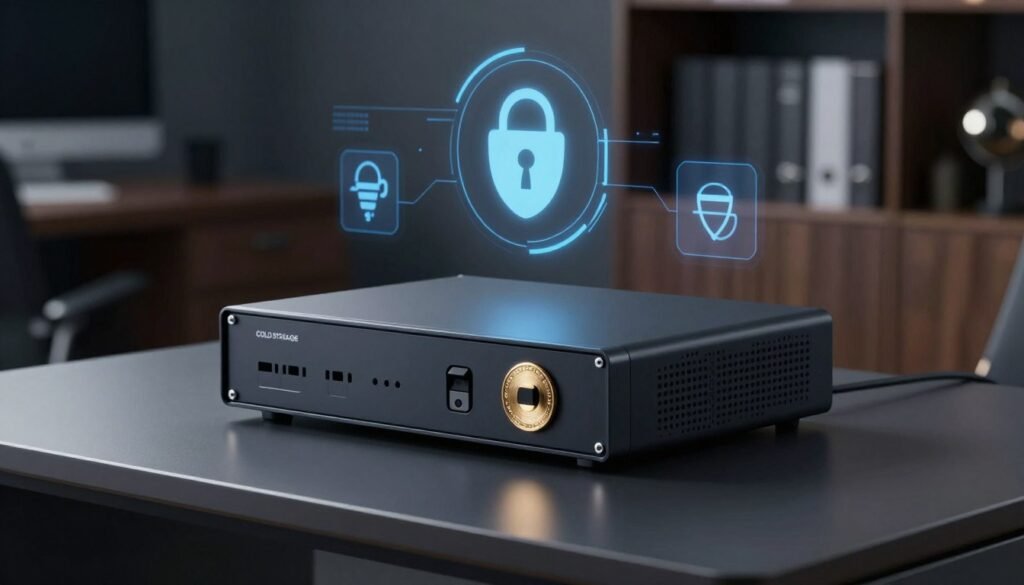
Secure element levels matter. Look for EAL5+ to EAL7 evaluation ratings. Trezor Safe 3 and Cypherock X1 use EAL6+ components, while NGRAVE Zero reaches EAL7.
Higher levels generally indicate stronger tamper resistance when implemented correctly. Also check for physical tamper evidence like sealed enclosures or self‑wipe triggers that protect private keys if someone opens the device.
Air‑gapped signing vs. Bluetooth/USB
Air‑gapped models (Coldcard MK4, NGRAVE Zero, Ellipal Titan 2.0) reduce interfaces and lower exposure to online threats. They move unsigned transactions by QR or microSD.
Bluetooth/USB options (Ledger Nano X, Stax) can be safe if protocols are hardened and the device forces on‑screen address and amount confirmation.
Open‑source transparency and audits
Favor open‑source firmware like Trezor, Coldcard, or BitBox02, or devices with credible independent audits. Transparency speeds fixes and reduces hidden risks.
Backup options and resilience
Compare backup methods: seed phrases, microSD backups (Coldcard), dual‑card key splitting (Cypherock X1), and metal or graphene plates (NGRAVE) for disaster resilience.
- Validate: private keys offline must never be exported in plaintext.
- Verify: on‑device address and amount confirmation prevents silent redirection of funds.
- Confirm: vendor‑signed firmware updates and disciplined release practices to reduce supply‑chain risk.
| Feature | What to check | Why it matters |
|---|---|---|
| Secure element level | EAL5+ to EAL7 | Stronger tamper resistance and certified design |
| Interface | Air‑gapped vs Bluetooth/USB | Attack surface and usability tradeoffs |
| Backups | Seed, microSD, dual‑card, metal/graphene | Recovery after loss, theft, or damage |
Match features to your threat model: travelers may prefer PIN/passphrase and self‑destruct safeguards, while home safekeepers often favor durable metal backups and vault storage.
Setting up your cold wallet step‑by‑step (best practices)
Follow these practical steps to set up your hardware wallet correctly and avoid common setup mistakes. Start in a private space and plan each stage before powering the device.
Purchase safely
Buy from official stores or authorized U.S. retailers to reduce supply‑chain tampering risk and keep warranty support. Inspect packaging for tamper evidence when you unbox.
Initialize and update
Initialize the device fresh; never import a seed from another unit. Set a strong PIN and consider an optional passphrase for extra protection.
Apply firmware updates only via the vendor’s signed process. Verify checksums or on‑device prompts before proceeding to avoid compromised releases.
Back up and store securely
Write your seed clearly and verify each word. Consider steel or graphene plates for long‑term durability.
If your wallet supports SD or NFC backups, follow the one‑time manufacturer flow and test recovery on a spare device.
Store backups and the device in separate secure locations and perform a dry‑run recovery before moving large amounts of crypto.
- Tip: Move a small amount first to confirm addresses and signing flow.
- Tip: Document your process for heirs, keeping details private and split from backups.
| Step | Action | Why it matters |
|---|---|---|
| Purchase | Buy from authorized retailer | Reduces tampering, preserves warranty |
| Init & Update | Set PIN, passphrase, apply firmware updates | Secures keys and prevents compromised firmware |
| Backup | Seed on steel/graphene or SD/NFC | Durable recovery after loss or damage |
| Test | Dry‑run recovery; send small test amount | Confirms you can restore and sign safely |
For a guided walkthrough to set up a device, see how to set up a cold crypto wallet.
Using your cold wallet securely day‑to‑day
Small habits keep your device and funds safe. Follow clear checks before signing and treat every approval as a security step. This reduces common threats like address‑swap malware and accidental approvals.
Verify on‑device details before every transaction
Always confirm the destination and amount on the device screen. Do not rely only on the companion app. On‑device verification prevents address‑swap attacks that can redirect funds.
Use trusted cables and the official app. Avoid approving prompts you did not start. For Bluetooth models (Ledger Nano X, Stax), verify pairing codes and remove old pairings you no longer use.
Manage firmware updates without compromising security
Schedule updates in low‑stress windows and back up first. Only apply vendor‑signed firmware updates and check on‑device verification prompts. Regular updates add coin support and patch vulnerabilities.
Keep your companion app and OS current to reduce malware that could alter transaction details. Limit the online balance and move larger amounts only when needed from the device.
- Confirm address and amount on the device screen before approving.
- Pair Bluetooth once in a safe location; prefer USB‑only for lower wireless risk when practical.
- Back up before major firmware updates and follow signed update procedures.
- Sign in secure environments—avoid public Wi‑Fi and crowded spaces.
- Rotate or refresh backups if the vendor advises after security notices.
| Action | Why it matters | Quick check |
|---|---|---|
| On‑device verification | Stops address‑swap and UI manipulation | Confirm amount and address on screen |
| Firmware updates | Delivers security fixes and coin support | Verify vendor signature and backup first |
| Pairing & connectivity | Reduces wireless attack surface | Pair in private; remove old pairings |
| Companion app & OS | Prevents transaction tampering | Keep apps and OS updated |
Risks and limitations to plan for
No technology is foolproof; hardware wallets reduce some risks while introducing others you must manage.
Physical damage, loss, or theft — and how backups mitigate them
Devices can fail or be stolen. Protect your backups and never store the device and its copy together.
Distribute backups across separate secure locations. Use steel or graphene plates, SD cards, or dual‑card systems as appropriate.
Rehearse recovery on a spare device so user error doesn’t become permanent loss.
Less convenient for trading; learn hybrid hot‑cold workflows
Cold wallets trade speed for security. Keep a small hot balance for quick trades and the bulk offline.
- Use PINs, passphrases, and tamper‑resistant storage to reduce theft risk.
- Budget for device cost and occasional upgrades—hardware wallets are often the best option over time.
- Beware phishing and fake support; no legitimate team will ask for your seed words.
| Risk | Mitigation | Why it matters |
|---|---|---|
| Physical loss/damage | Separated backups on steel/SD | Ensures recovery after disaster |
| Inconvenience for trading | Hybrid workflow with small hot wallet | Keeps liquidity without exposing bulk |
| Compatibility gaps | Verify device supports your cryptocurrencies | Avoids migration headaches |
Paper wallets and other offline options in 2025
Offline methods range from printed key sheets to dedicated air‑gapped rigs. Paper wallets store private data on paper, which keeps keys offline but offers no PIN, biometric, or secure‑element protection. Operational slips when writing or importing an address are common.
Why paper wallets fell out of favor despite being offline
Paper is fragile: it can be smudged, burnt, photographed, or lost. Recovery and spending are cumbersome because transcribing or importing a seed can accidentally expose it. For most users, purpose‑built cold storage wallets reduce these human risks.
Air‑gapped computers and signing devices: where they fit
Expert users may build air‑gapped PCs or signing stacks for full control. Dedicated setups can cost about $500–$2,000, depending on hardware and hardening.
| Option | Approx. cost | Best for |
|---|---|---|
| Paper wallet | $0–$10 | Emergency, short‑term by experts |
| Air‑gapped PC | $500–$2,000 | Advanced users, full control |
| Air‑gapped hardware | $80–$500 | Most users—repeatable, safer |
Modern air‑gapped hardware wallets available such as Ellipal Titan 2.0, Coldcard, and NGRAVE deliver keys offline while simplifying signing and backups. For most holders of cryptocurrencies, a hardware wallet with on‑device verification and tamper protections is the practical, safer choice. Paper may still work as an emergency option for technically skilled users who follow strict offline generation and storage steps.
Which wallet is right for you? Matching needs, budget, and security level
The right hardware wallet balances user experience, asset coverage, and the security level you need. Pick a device by matching how often you transact, which coins tokens you hold, and how much control your threat model demands.
Beginners and mobile users: ease of use and guidance
Prioritize guided setup and simple recovery. Devices like the ledger nano Nano X and Tangem pair well with phones and offer step‑by‑step apps.
These options simplify pairing, backups, and routine use while keeping private keys offline on the device.
Bitcoin‑only and maximalist security: air‑gapped, open‑source
Choose repeatable, auditable signing flows. Coldcard MK4 and the BitBox02 BTC edition provide air‑gapped or minimal‑interface workflows and open‑source firmware for strong auditability.
Institutions and advanced users: multisig, audits, and governance
Look for multisig support, key splitting, and certifications. Cypherock X1, NGRAVE Zero, and enterprise cards such as Cryptnox offer EAL/FIPS‑level assurances and governance features for teams.
- Shortlist two candidates, pilot with small funds, then scale.
- Confirm wallets available in the U.S. and active vendor support for your cryptocurrencies.
- For teams, define backup distribution, access policies, and incident response before deployment.
| Use case | Good picks | Why |
|---|---|---|
| Beginners & mobile | Ledger Nano X, Tangem | Guided UX, Bluetooth/NFC, easy backups |
| Bitcoin‑only | Coldcard MK4, BitBox02 BTC | Air‑gapped signing, open firmware |
| Institutional | Cypherock X1, NGRAVE, Cryptnox | Multisig, key splitting, certified components |
Conclusion
The best cold storage wallet pairs strong security with a practical workflow you will use. Pick a hardware wallet that offers on‑device verification, clear backup options, and firmed update practices. In 2025 there are affordable and premium hardware wallets available that fit varied needs.
Protecting digital assets is about process as much as product. Test a candidate with a small amount, verify addresses on the device, and keep your seed and backups durably offline. Devices reviewed here—Tangem, Ledger Nano X and Stax, Trezor Safe 3, Coldcard MK4, Cypherock X1, NGRAVE Zero, BC Vault One, D’CENT, and others—cover value, UX, and high security.
Choose the option that matches your portfolio and discipline. Revisit your setup periodically and never share private keys or store private backups online. With consistent habits, you can self‑custody crypto with confidence.
FAQ
What is cold storage and why does it matter for long‑term cryptocurrency security?
Cold storage means keeping private keys offline on a device that never connects to the internet. That offline state protects high‑value holdings from online attacks like phishing, malware, and exchange hacks. For long‑term holdings, offline keys significantly reduce risk and give you direct control of your assets.
How does keeping private keys offline actually work?
Devices such as hardware wallets and air‑gapped signers generate and store private keys locally. When you need to sign a transaction, the unsigned data is passed to the device and the signature returns without the keys ever leaving the device. This separation prevents attackers on your phone or PC from extracting keys.
Why are offline keys better than online keys for high‑value holdings?
Online wallets—wallet apps, custodial exchanges, and browser extensions—expose keys to internet threats. Offline keys remove that exposure, so even if your computer is compromised, the attacker cannot sign transactions. That makes offline storage the preferred choice for large balances or long‑term holdings.
What are the main tradeoffs between cold wallets and hot wallets?
The primary tradeoff is security versus convenience. Cold wallets offer much stronger protection but require extra steps to sign transactions. Hot wallets are fast and convenient for everyday use but are more vulnerable to hacks and phishing. Your choice should match how often you transact and how much you store.
How do I balance convenience and security if I trade occasionally?
Use a hybrid approach: keep a small amount in a hot wallet for everyday trades and the bulk in an offline wallet for long‑term storage. Multisig setups or hardware wallets with companion apps can speed up transactions while preserving strong security.
Which security features should I prioritize when choosing a cold wallet?
Look for a secure element chip (EAL5+ or higher), tamper‑evident design, air‑gapped signing options, and independent audits or open‑source firmware. Strong backup options and clear recovery procedures are also essential for long‑term safety.
Do hardware wallets support NFTs and many tokens?
Yes. Models vary: some support only Bitcoin and a few chains, while others handle thousands of tokens and NFTs. Check the manufacturer’s supported assets list and companion app compatibility before buying to ensure your holdings are supported.
How important is user experience and connectivity in 2025?
Very. USB, NFC, Bluetooth, and touchscreen or E Ink interfaces affect ease of use and security. Bluetooth offers convenience but increases attack surface; air‑gapped or USB‑only devices reduce remote risk. Choose a UX that fits your comfort with security steps.
Which hardware wallets are considered top choices now?
Leading options include Ledger (Ledger Nano X, Ledger Stax) for broad asset support and polished UX, Trezor for open‑source transparency, Coldcard for Bitcoin‑focused air‑gapped security, NGRAVE for fully offline workflows, and Tangem for seedless NFC cards. Evaluate security, supported assets, and recovery options.
What are secure element levels (EAL5+ to EAL7) and why do they matter?
EAL ratings come from Common Criteria evaluations. Higher EAL numbers reflect more rigorous testing for resistance to physical and logical attacks. Devices with EAL5+ or EAL7 provide stronger protection for private keys, especially against targeted physical attacks.
What is air‑gapped signing and when should I use it?
Air‑gapped signing keeps the signing device completely disconnected from the internet—often transferring unsigned transactions via QR code, SD card, or NFC. Use it for maximum security, especially for high‑value or long‑term holdings where reducing attack vectors is vital.
How important is open‑source firmware and independent audits?
Open‑source firmware and third‑party audits provide transparency and increase trustworthiness. They let experts check for backdoors or vulnerabilities. For high security or institutional use, prefer devices with regular audits and visible code where feasible.
What are the best backup options for private keys and recovery seeds?
Standard options include seed phrases written on steel or graphene plates for fire and water resistance, duplicate backups stored in separate secure locations, SD or NFC cards for compatible devices, and key splitting or multisig setups for advanced redundancy.
How should I purchase and verify a hardware wallet safely?
Buy only from authorized retailers or directly from manufacturers to reduce supply‑chain tampering. On arrival, verify device authenticity per the vendor’s steps, update firmware from official sources, and never enter your seed on a third‑party computer or website.
What are common day‑to‑day practices for using a cold wallet securely?
Always verify transaction details on the device screen before approving. Keep firmware updated through official channels, use strong PINs and optional passphrases, and store backups in separate secure locations. Avoid using untrusted computers to prepare transactions.
What risks remain even with a hardware wallet?
Physical loss, damage, or theft are real risks; backups mitigate them. Supply‑chain tampering and phishing attacks targeting recovery phrases also pose threats. Hardware wallets reduce but do not eliminate user errors or social‑engineering risks.
Why did paper wallets fall out of favor despite being offline?
Paper wallets were cheap and offline but fragile and error‑prone. They degrade, are vulnerable to fire or water, and require greater user skill to generate and restore securely. Modern steel/graphene backups and hardware‑based key management offer far better reliability.
Where do air‑gapped computers and signing devices fit into a secure setup?
Air‑gapped PCs and dedicated signers are ideal for advanced users and institutions that need maximal isolation. They require more setup and maintenance but offer the strongest defense against remote compromise when combined with hardware wallets or specialized signing tools.
How do I choose the right wallet for my needs and budget?
Match your choice to transaction frequency, asset mix, and security tolerance. Beginners may prefer Ledger Nano X for ease of use; Bitcoin maximalists might pick Coldcard for air‑gapped, open‑source workflows; institutions and advanced users should consider multisig hardware and audited devices.
Are biometric wallets safe and worth considering?
Biometric options like fingerprint readers add convenience and another layer of access control. They can be useful for daily access, but ensure the biometric system stores data securely in a certified secure element and that you still have strong backup and recovery methods.
Can I use multiple cold wallets together for better security?
Yes. Combining devices—using one for regular approvals and another as a backup or part of a multisig configuration—improves redundancy and reduces single‑point failures. Multisig setups distribute signing power and are ideal for higher security needs.
How often should I update firmware on my hardware wallet?
Update firmware whenever the manufacturer releases a vetted update or security patch. Check official channels for release notes and follow recommended verification steps. Do not install firmware from unverified sources or accept unsolicited update offers.

No comments yet