

This short guide gives clear steps to protect your assets and regain access if you lose a password or device.
The recovery phrase is a human-readable set of 12–24 words that maps to your private keys. You see it only once during setup. Capture the words exactly and keep their order intact to restore accounts and addresses.
In self-custody, you control the keys. No provider can fetch the secret if it’s lost. That makes proper handling your responsibility and the best defense for your funds.
What follows: how phrases and keys work, when to use the phrase, step-by-step recovery for software and device setups, core security habits, and long-term storage options.
Do this now: write it down offline, never share it, and avoid typing it into websites. Consider durable backups like metal to reduce risk from theft or damage.
Understanding Your Recovery Phrase: What It Is and Why It Matters
Think of a seed as a single string of words that stands in for your private key material. This list — usually 12–24 words in a strict order — encodes the entropy that generates your private keys. Keep the words exact: order and spelling are required to restore access.
Seed phrase versus private keys
A seed is the human-readable master key. From it, deterministic software derives a hierarchy of keys and addresses. The seed lets you recreate every private key linked to your accounts without storing each key separately.
How addresses and transactions tie back
Addresses on the blockchain come from keys generated by that seed. Controlling the seed means you control the private keys and can sign transactions to move funds. The chain only shows addresses and balances; signing proves ownership.
When you use the seed
Common uses include regaining access after a lost password, restoring accounts on a new device, or importing an existing account into compatible software or app. Wallet makers do not keep copies, so safekeeping is your responsibility.
- Standardized list: 12–24 words encode entropy and act as the master key.
- Deterministic derivation: one seed = many keys, addresses, and accounts.
- Scenarios: lost password, new device, or app import.
Step-by-Step: How to Use a Recovery Phrase to Access or Recover a Wallet
Restoring a missing account is straightforward if you prepare, enter words exactly, and use a trusted app or device.
Preparation checklist: have your full word list exactly as written during setup. Confirm the target device or app supports your seed standard. Move to a private spot to avoid shoulder surfing.
Hardware wallet restoration
Power on the new hardware device and choose the restore option. Select the correct word count (for example, 12 or 24) and enter each word in precise order.
The device will regenerate your private keys and addresses. Once restored, you can view balances and sign transactions from that device.
Software wallet sync
Install the official app from the vendor and pick “import wallet” or similar. Type the seed phrase exactly in sequence, then optionally set a new local password for daily access.
Let the app rescan the chain to rebuild balances and history. After sync, verify a known receiving address or send a small test transaction before moving larger funds.
- Never paste words into unknown websites or pop-ups; only use reputable apps or secure hardware.
- Local passwords protect app access but do not replace the seed; the phrase is still needed to recover on another device.
- Common errors: misspellings, wrong order, or wrong word-count setting; many apps offer suggestions to reduce typos.
After restore: re-secure the phrase immediately and consider a durable metal backup once access is confirmed. For additional guidance on procedures, see this official recovery walkthrough and a detailed recovery guide for lost access.
official recovery walkthrough • detailed recovery guide
Security Essentials for Self-Custody Wallets
Strong personal habits make the difference between safe self-custody and a costly mistake. Protecting your seed and local passwords keeps attackers from gaining control of your accounts. Follow clear, repeatable steps every time you sign in or restore an account.
Never share the words: spotting phishing and scams
Any unsolicited request for your seed phrase or recovery phrase is malicious. Scammers use emails, DApp pop-ups, and social messages to trick you. Legitimate support teams never ask for those words.
Why providers can’t restore your keys
Service teams do not hold your private keys or full seed. That design reduces central risk but means no one can recover your phrase or private keys if you lose them.
Control, authorization, and practical hygiene
- Whoever holds the seed can sign transactions. Keep it secret and offline.
- Keep devices updated, verify apps by publisher, and avoid side-loaded clones.
- Use official support pages and never paste or read your recovery phrase to an agent; share only app versions or error messages.
- Review connected apps and revoke unnecessary approvals to limit exposure.
If you suspect compromise: create a new wallet on a secure device, move funds to the new seed, and deauthorize risky connections. For deeper reading on common self-custody myths and safe practices, see addressing self-custody misconceptions.
Safest Ways to Store a Recovery Phrase for the Long Term

Paper backups that last: write the seed phrase with a pencil on acid-free archival paper. Pencil graphite resists fading better than ink over time. Store the sheet in a dark, cool, low-humidity place to avoid mold and heat damage.
Metal backups for disasters
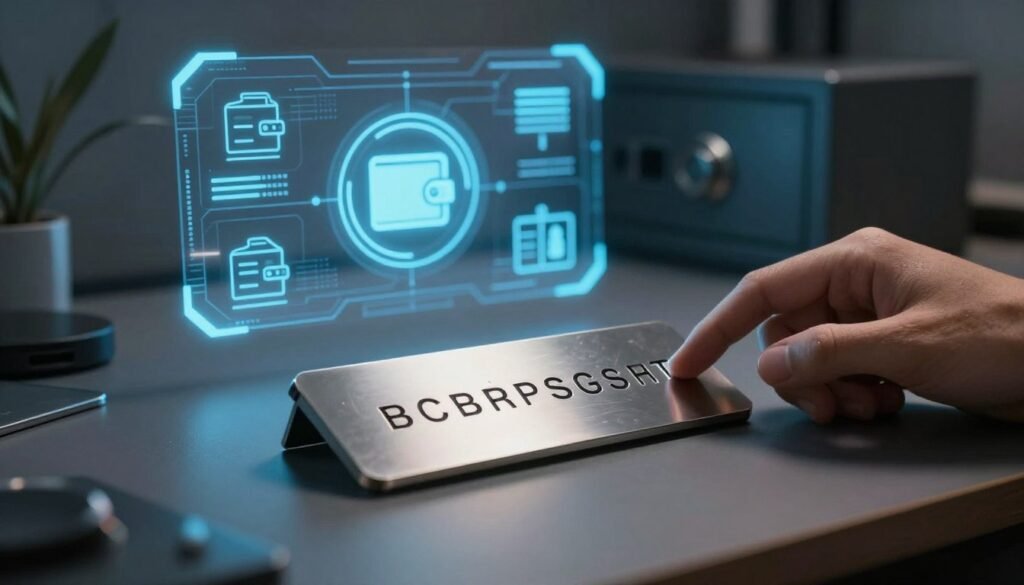
Use stamped or engraved stainless or titanium plates as a secondary backup. Metal resists fire, water, and crushing, making it ideal when you need a robust copy for worst-case events.
Location and access planning
Keep one copy in a home safe and another in a bank safe-deposit box or separate geographic site. Document which wallet and private keys the words restore and leave retrieval notes for trusted heirs without exposing the full set prematurely.
What not to do
Never take screenshots, store the seed in cloud drives, notes apps, or password managers, or type it into web forms. Avoid splitting the phrase into partial word sets; partial leaks make brute-force attacks far easier. For safer redundancy, consider multi-signature setups instead of ad-hoc splitting.
Benefits of a Crypto Wallet Recovery Phrase Over Traditional Passwords
System-generated word lists deliver high entropy that most human passwords never reach. A properly created seed phrase is random, unique, and resistant to guessing or reuse.

Why randomness beats reuse
Humans pick memorable patterns; machines do not. That means fewer common strings and much stronger protection against credential stuffing and brute-force attacks.
No single database to breach
Providers do not store these words on a central server. Removing a central copy reduces the chance that a single breach exposes many users’ private keys.
- 12–24 words encode enough entropy to rebuild a private key set only when in the correct order.
- Local passwords protect the app interface but do not replace the seed that restores the wallet on any supported device.
- Because there is no reset flow, careful offline storage—paper or metal backups—is essential to keep assets safe.
Advanced Options, Standards, and Common Pitfalls
Beyond a written seed, several advanced options change how you secure master keys.

Passphrase as a second factor
Adding a passphrase (often called a 13th or 25th word) combines something you have and something you know.
This means the physical seed phrase and the memorized passphrase are both required to gain access. It is not the app’s local password.
Warning: forgetting that passphrase locks private keys permanently, even if the original words are intact.
BIP39 basics and cross‑compatibility
BIP39 is the dominant standard. The English list uses 2048 words; a 12-word seed gives about 128 bits of entropy.
Electrum and some other systems use different derivation methods. Importing a seed between software may work only if both use the same standard and derivation path.
Safe alternatives to splitting words
Do not split your seed into partial sets or hide decoy words. Partial exposure makes brute-force attacks easier and adds human error at restore time.
Prefer multi-signature setups for shared control. Multi-signature keeps each signer’s keys separate and supports clear operational policies.
| Option | Benefit | Risk | When to use |
|---|---|---|---|
| Passphrase (seed extension) | Adds extra protection beyond the written list | Forgetting it makes funds irretrievable | High-value accounts with disciplined ops |
| BIP39 standard | Wide compatibility and defined wordlist | Derivation path differences across apps | General personal use and cross-software restores |
| Multi-signature | Shared control without splitting words | More complex setup and coordination | Organizational or family custody with clear policies |
Practical tip: when you add a passphrase, update your recovery runbook and test a restore on a secure device so trusted parties can act in emergencies without exposing secrets.
Conclusion
Your written seed is the ultimate fallback; handle it like a legal title to your digital assets. The seed phrase is the human-readable record that can recreate private keys and unlock your accounts. Treat those words as the single source of truth for control over your assets.
Use the recovery phrase only when you need to regain access after a lost password, to set up a new wallet, or to import into compatible software. After restore, verify a known address and send a small test before moving larger funds.
Keep at least one offline backup on durable material and store copies in separate secure locations. Never store the seed phrase in cloud notes or type it into unknown sites. For higher-value holdings, consider adding a passphrase or moving to a multi-signature setup to balance durability and recoverability.
Do this today: review your backups, improve durability if needed, and keep a short checklist so you can recover wallet access quickly under stress.
FAQ
What is a recovery phrase and how does it relate to private keys?
A recovery phrase is a human-readable master key made of 12–24 words that generates your private keys. Those private keys control access to addresses and sign transactions on the blockchain. Think of the phrase as the seed that recreates every private key and address tied to your account.
How do seed phrases and private keys differ?
A seed phrase is a compact, easy-to-write representation of a master secret. Private keys are long strings derived from that master secret and used directly to authorize transactions. The phrase gives you a single, portable way to recreate many private keys.
When would I need to use my recovery phrase?
Use the phrase to restore access after losing a device, forgetting a password, or importing an account into a different app or hardware device. It’s the primary method for regaining control when wallet software or hardware is unavailable.
How do I restore a hardware device with my seed words?
During setup on a new hardware device, choose the restore option and carefully enter the exact words in the original order. The device will derive your private keys and addresses from those words. Follow the device maker’s instructions from Ledger, Trezor, or others to avoid errors.
How do I import my phrase into a software app safely?
Install a trusted app, choose “restore” or “import,” and type the words directly on the app’s interface. Do this offline or on a device you trust. Verify the app is genuine and up to date to reduce phishing or malware risks.
Why must I never share my recovery phrase with anyone?
Anyone with the phrase can recreate your private keys and move funds. Scammers commonly request words via phishing sites, fake support chats, or malicious apps. Never reveal the phrase to support agents, and treat requests as immediate red flags.
Can wallet providers recover my phrase or keys for me?
No. Most self-custody providers do not store your private keys or words. That design protects users from central breaches but means the provider cannot recover access if you lose the phrase. Only custodial services that hold keys can restore access, and those work differently.
What does “not your keys, not your funds” mean?
It means control follows private keys. If you hold the keys (via the phrase or a device), you control authorization to spend funds. If a service holds keys, you rely on that service’s controls and risk policies instead of having direct control.
What are reliable long-term storage options for a written backup?
Use archival paper and a pencil or fade-resistant ink, store it in a dry, cool, dark place, and consider a fireproof safe or bank safe deposit box. Keep copies in separate secure locations and document who may access them in an emergency.
Are metal backups worth it and how do they work?
Yes. Stainless steel or titanium plates resist fire, water, and compression. You stamp, engrave, or place word tiles on the metal. Choose a tested product and follow manufacturer guidance to ensure legibility over decades.
How should I plan where to keep multiple copies?
Use geographic separation and trusted custodians. For example, keep one copy in a home safe and another in a bank safe deposit box. Ensure emergency access plans for heirs or partners, ideally with legal documentation like a will or trust that references the access method without revealing words.
What should I absolutely avoid when storing my words?
Do not take screenshots, store words in cloud drives, type them into websites, or place them in password managers. Those methods expose the phrase to remote attackers, malware, or third-party breaches.
Why is a phrase safer than a reused password?
A properly generated set of random words has high entropy and is not reused across services. It’s not stored in password databases, so it resists credential stuffing and common password attacks that target reused or guessable passwords.
How important is exact word order and word list format?
Very important. The exact order determines the derived keys. Most standards use 12, 18, or 24 words and a defined wordlist; changing order or spelling breaks the derivation and prevents recovery.
What is a passphrase or “13th/25th word” and when should I use it?
A passphrase is an additional secret applied to the seed; it functions like a second factor and creates a different set of keys. Use it if you need extra protection, but store the passphrase separately and securely—losing it can make recovery impossible.
What is BIP39 and are there compatibility issues across apps?
BIP39 is a widely used standard for mnemonic phrases and wordlists. While many apps support it, some wallets use different derivation paths or standards. Verify compatibility and test with small amounts before moving large sums.
Should I split my phrase across multiple locations or people?
Don’t split words into separate fragments and distribute them expecting safety. Partial phrases are risky and can be lost or reconstructed by attackers. Use proper multi-signature setups if you want shared control without exposing full words.

No comments yet