
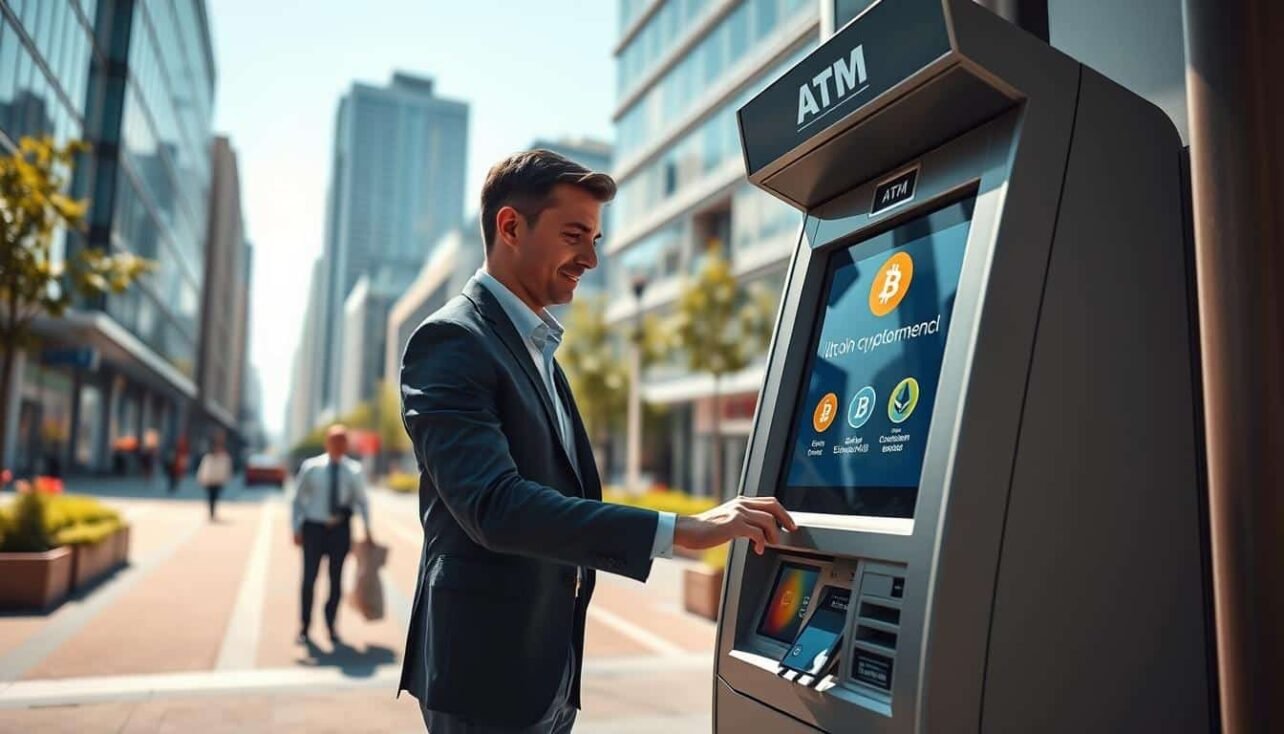
What this guide covers: an easy, safety-first primer on how kiosk-style machines let you buy—and sometimes sell—Bitcoin and other crypto in the United States.
Expect a clear path: find a nearby atm, set up a wallet, complete any required ID check, scan a QR code, insert cash, and confirm the transaction. Each step usually takes minutes.
At these atms, “transactions” normally mean buying crypto with cash and, on select machines, selling coins for cash. Fees vary by operator and location. Exchange markups and network fees affect the final amount.
Why this helps beginners: you can skip lengthy exchange onboarding and still learn risks. Transfers are irreversible, scams exist, and keeping receipts matters for records and dispute evidence.
Note: verification rules and limits differ by state and operator in the US. Always check the screen prompts and any posted terms before inserting cash.
What a Cryptocurrency ATM Is and What It Can Do
B A bitcoin kiosk looks like a bank ATM but sends funds to a wallet address instead of dispensing paper cash.
Key differences: a bank ATM gives you cash from an account. A bitcoin atm connects to an exchange and transfers digital coins to a wallet. Some machines also accept crypto deposits and pay out cash after network confirmations.
Where you’ll see them: high-traffic retail spots are common in the United States. Expect units in convenience stores, malls, airports, grocery stores, and gas stations. Operators aim for visibility and steady foot traffic.
- Supported assets vary by operator and software. Some kiosks offer only Bitcoin; others list multiple cryptocurrencies.
- Differences in behavior come from exchange integrations, liquidity, and local compliance choices.
- Look for branded signs and partner logos on the machine face to gauge services and fees before you approach.
- Always confirm which coins and buy/sell options a specific machine supports before traveling, especially outside major metros.
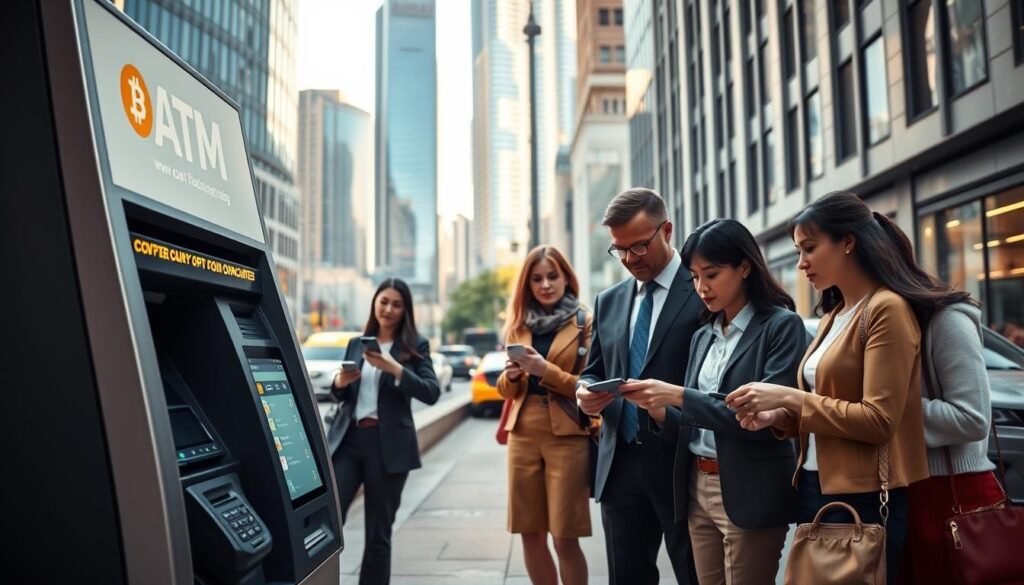
How Bitcoin ATMs Work Behind the Screen
Under the hood, the machine talks to an exchange for a live quote, shows the rate, and lists any charges before you confirm. Once approved, the kiosk prepares a blockchain transfer and broadcasts it.
What the screen shows before you finish: exchange rate, operator markup, a network fee line, and the net bitcoin amount that reaches your wallet. This clear breakdown helps you compare costs and avoid surprises.
QR codes and wallet addresses
Scanning a QR code is the safest way to supply a wallet address. Manual typing risks a wrong character and a lost transfer. The code encodes your address for quick capture by the kiosk camera.
Fees, receipts, and tracking
Operator fees cover the service; network fees pay miners and vary with congestion. Both reduce the final amount you receive.
- Keep the printed receipt: it often lists a transaction ID.
- Use that ID to track confirmations on a block explorer if your wallet shows the transfer as pending.
- If something looks wrong, customer support will ask for the receipt details.
For more background on machine behavior and pricing, see this quick guide.
What to Bring Before You Go to a Bitcoin ATM
Be prepared. Bring a small kit: cash, a phone with camera and data, your mobile wallet open to the receive screen, and a government-issued ID if needed.
Bill reality: Many machines accept crisp $20, $50, and $100 bills. Worn, torn, or heavily creased notes may be rejected mid-transaction, which can stall the process.
Phones are central. You’ll scan a QR code, may need mobile data for the wallet, and often will receive an SMS code. The kiosk may ask you to enter phone number for basic verification and anti-fraud checks.
ID rules: For higher limits operators often require a government ID scan or a selfie. The machine will capture minimal information for compliance; thresholds vary by state and operator.
- Essentials: cash, phone with camera/data, wallet, ID (if required).
- Use crisp bills and check the machine’s posted requirements before you insert cash.
- Expect SMS verification for small buys; larger amounts usually trigger ID checks.
Set Up a Bitcoin Wallet That’s Ready to Receive Funds
Set up a simple mobile wallet so incoming bitcoin lands at the right address. A wallet is where purchased bitcoin is sent and where you can later hold, send, or spend those coins.
Beginner-friendly apps worth considering include Exodus, Trust Wallet, and Coinbase Wallet. Pick an app with a clear “Receive” flow and prompt backups.
Pre-ATM checklist:
- Install the chosen app and create a new wallet.
- Set a passcode and enable biometrics for quick access.
- Open the app and confirm you can reach the “Receive” screen with a QR display.
Generate the correct QR code by selecting Bitcoin and tapping Receive. Scanning the wrong code or pasting the wrong address can permanently misdirect funds.
Recovery phrase safety: write the phrase on paper, store it in a secure place (a fireproof safe if possible), and never share it. Do not save the phrase in email, photos, or cloud storage.
How to Find a Bitcoin ATM Near You in the US
Use a trusted live map to spot nearby kiosks and check their status before you go. CoinATMRadar shows operator info, online status, fee estimates, verification steps, and daily limits so you can plan a smooth visit.
Search smart: enter your city or ZIP code, then filter by supported coins and services. Compare the listed fees and purchase limits and confirm the machine is online and accepting cash.
Pick the best option for distance, cost, and safety
Balance distance versus charges: a slightly farther kiosk with lower fees or higher limits can be the better choice for larger buys. For first-time users, prioritize a nearby unit with clear limits and simple verification.
Choose a safe, well-lit location
Prefer busy retail spots—convenience stores or grocery entrances with staff—especially during daylight. Check parking, entry access, and have a backup kiosk in the area in case the first one is offline or out of cash.
- Search by ZIP or city and filter results.
- Compare fees, limits, and verification requirements.
- Pick a secure, staffed location and note a second option.
Understanding Verification and Transaction Limits at Crypto ATMs
Before you start a purchase, the machine will display the verification rules and any daily caps. This step prevents surprises and lets you decide whether to proceed or pick a different kiosk.
Phone checks and SMS codes for small buys
Many kiosks use a basic tier that asks for a phone number and sends an SMS code. Entering that code completes the simple verification and unlocks modest limits.
ID scans, selfies, and higher limits
For larger sums the operator may require a government ID scan, a selfie, or extra information for identity matching. These enhanced checks raise per-day limits but take extra time.
Why rules differ by operator and state
Regulatory rules and operator risk policies drive variability. Some states or licensed operators set stricter caps, so the same transaction at two kiosks can need different checks or allow different amounts.
- Why verification exists: compliance, fraud prevention, and operator risk control.
- Watch the screen: limits and required steps appear before you confirm a transaction.
- Plan ahead: for a larger purchase, bring an ID and allow extra time or split the buy across days if allowed.
Cryptocurrency ATMs: How to Use Them Step by Step
Quick overview: follow the on-screen prompts and you can finish a standard kiosk transaction in a few minutes. Button labels vary by operator, but the flow is similar at most US machines.
Start the transaction and choose buy or sell
Tap the main option on the screen and select buy or sell. Note that many units only support buying, so confirm available services before you start.
Enter your phone number and confirm the verification code
Type your phone number, wait for an SMS code, then enter it. If texts fail, try moving for a better signal or request a new code.
Scan your wallet QR code the right way
Open your wallet’s Receive screen and hold the QR steady. Check the destination address shown on the screen matches your wallet.
Insert cash and verify the amount on the screen
Feed bills slowly and watch the running total. Make sure the displayed amount equals what you inserted before moving on.
Review and finalize
- Confirm fees, exchange rate, and final crypto amount.
- Verify destination address once more, then confirm.
- Wait for the completion message and take the printed receipt.
Buying Bitcoin at a Bitcoin ATM
Before you confirm a purchase, the kiosk will offer clear choices and a live total so there are no surprises.
Selecting a preset amount vs entering a custom cash amount
Many machines present quick presets like $20, $50, or $100. Tap one and the machine shows the estimated crypto you’ll receive.
Other units let you enter a custom amount. As you feed bills the amount updates in real time on the screen, so you see the running total before finalizing.
What the screen shows: BTC amount after fees and wallet address
The kiosk calculates and displays the estimated BTC you get after operator and network fees. Look for a clear line item that shows the net coin amount.
Always verify the destination wallet shown on the screen. Check at least the first and last characters match your wallet before you buy bitcoin.
- Start small: try $20–$100 buys to learn the process and fee impact.
- Bill issues: if a note is rejected, smooth it or try another bill—don’t force cash into the validator.
- Finality: once you confirm the transaction it is usually irreversible. Keep the printed receipt and note any transaction ID.
For other purchase methods and safety tips, see a related guide on how to buy bitcoin.
Selling Bitcoin for Cash at a Crypto ATM
Some kiosks let you turn bitcoin into cash, but be aware not every unit supports selling. Confirm a kiosk’s “buy sell bitcoin” status on a live map before you go.
Typical sell flow: choose the sell option, complete any verification prompts, and the machine will display a receiving address or QR. Send the BTC from your wallet to that address and watch the screen for status updates.
What affects payout timing
Many operators wait for one or more blockchain confirmations before releasing cash. That means an in-person payout can be immediate or delayed, depending on network congestion and the operator’s policy.
What users buy sell should check
- Sell limits and required ID level for your amount.
- Whether the machine has enough cash on hand for payout.
- Any operator hold times or required confirmations.
Watch for on-screen cues like a displayed receiving address, a countdown, or a status bar. Keep the printed receipt and any transaction ID for dispute resolution and tax records.
Fees, Timing, and What Happens After You Confirm
Expect clear line items on-screen that break down operator charges and network costs before you confirm. The kiosk will list the operator fee and any separate network fee so you can see the final total in USD and the bitcoin amount that will reach your wallet.
Typical fee ranges and extra network charges
Operator fees in the United States commonly run from about 8%–20% of the purchase. A separate network fee usually appears as a flat amount and can be roughly $2–$15, depending on chain congestion.
Minutes at the kiosk vs blockchain confirmation time
The in-person kiosk steps normally take a few minutes—scan, insert cash, confirm. After you finish, the blockchain may still need confirmations.
Bitcoin confirmation time often ranges from about 10–60 minutes, though heavy congestion can extend this window.
Tracking your transaction and troubleshooting
Keep the printed receipt. It often includes a transaction ID you can paste into a block explorer to watch confirmations and timestamps.
If funds don’t arrive after a reasonable window, use the receipt details and call the operator’s support number printed on the machine. Provide the txid, date/time, and the USD amount.
Record-keeping for taxes and personal finance
In the US, retain a copy of the receipt and note the USD value, date, wallet address, and purpose. The IRS treats bitcoin as property, so basis tracking matters for later gains or losses.
- Save receipts and txids for tax reporting.
- Log each transaction in a simple spreadsheet or finance app.
- Record USD cost basis and any fees paid for future reporting.
Security Tips and Common Mistakes When Using Bitcoin ATMs
Before you tap confirm, a quick security check will save time and prevent losses. Scammers often demand payment by kiosk for fake fines, tech support, or urgent “bail” requests. Never send money for a caller’s emergency or a bill demand made by text.
Why this matters: digital transfers are final. If you send coins to a scammer’s address, you usually cannot reverse the transaction.
Spot QR tampering and on-site risks
Inspect the scanner area for stickers, overlays, or loose labels. Tampered QR stickers can redirect funds. Only scan the QR shown inside your wallet app, not any paper or sticker on the machine.
Common beginner errors
- Arriving without a wallet ready or with the wrong coin selected.
- Misreading fees and expecting a higher net amount.
- Inserting crumpled bills that the validator rejects.
- Rushing and failing to confirm the destination address on the screen.
If the machine malfunctions or a receipt is missing
Stop and photograph error screens. Keep any partial printouts and note the time and location. If no printed receipt appears, look for on-screen transaction details or an SMS/email option.
Next steps: call the operator number on the kiosk immediately, give the time/location, and provide any on-screen reference. Keep that contact and the printed or digital receipt for records and dispute follow-up.
Conclusion
A smooth visit starts with planning—find a nearby, reputable bitcoin atm and bring the essentials.
Follow a simple repeatable process: locate a machine, complete any required verification, scan your wallet QR code, insert cash (or send BTC for sells), and confirm the on-screen details. Keep the printed receipt for tracking and taxes.
Practical prep matters: have your wallet app open, a phone that receives texts, and an ID if limits require it. Expect the kiosk steps to take only a few minutes; blockchain confirmations can take longer.
Fees are higher than exchanges but offer fast cash access and convenience. Choose a well-lit, staffed location and start with a small amount to build confidence. For help finding options and comparing fees, see this guide on how to convert crypto to cash without paying high.
FAQ
What is a bitcoin ATM and how does it differ from a bank ATM?
A bitcoin ATM is a kiosk that lets users buy or sell cryptocurrencies with cash or card. Unlike bank ATMs that dispense fiat and connect to bank accounts, these machines connect to crypto networks and wallets. They show exchange rates, charge fees, and require wallet addresses or QR codes instead of bank account numbers.
Where are bitcoin ATMs typically located in the United States?
You’ll commonly find machines in convenience stores, shopping malls, grocery stores, gas stations, and near transit hubs. Some appear inside dedicated crypto kiosks or retail outlets. Choose well-lit, public locations for safety and a lower chance of vandalism or tampering.
Which cryptocurrencies do these machines support and why do options vary?
Many machines support Bitcoin and sometimes Litecoin, Ethereum, or stablecoins. Operators choose supported coins based on demand, licensing, and integration complexity. Always check the specific machine’s supported list and fees before you go.
How are exchange rates and fees displayed on the screen?
The kiosk shows a live quote that includes an operator fee and sometimes a network fee. Rates can differ from online exchanges; read the rate and fee breakdown on the screen before confirming. The final crypto amount reflects fees deducted from the cash you insert.
How do QR codes and wallet addresses work at the machine?
To receive crypto, open your mobile wallet’s Receive screen to display a QR code or address. The ATM scans the QR to send funds to that address. For sell transactions, the machine will provide an address or code to which you send crypto from your wallet.
Do I get a receipt or transaction ID after using a bitcoin ATM?
Yes. Most machines print or email a receipt showing the transaction ID, amount, fees, and timestamp. Use the transaction ID to track confirmation on a blockchain explorer and keep the receipt for records or tax reporting.
What cash bills do machines accept and why might worn bills fail?
Most accept
FAQ
What is a bitcoin ATM and how does it differ from a bank ATM?
A bitcoin ATM is a kiosk that lets users buy or sell cryptocurrencies with cash or card. Unlike bank ATMs that dispense fiat and connect to bank accounts, these machines connect to crypto networks and wallets. They show exchange rates, charge fees, and require wallet addresses or QR codes instead of bank account numbers.
Where are bitcoin ATMs typically located in the United States?
You’ll commonly find machines in convenience stores, shopping malls, grocery stores, gas stations, and near transit hubs. Some appear inside dedicated crypto kiosks or retail outlets. Choose well-lit, public locations for safety and a lower chance of vandalism or tampering.
Which cryptocurrencies do these machines support and why do options vary?
Many machines support Bitcoin and sometimes Litecoin, Ethereum, or stablecoins. Operators choose supported coins based on demand, licensing, and integration complexity. Always check the specific machine’s supported list and fees before you go.
How are exchange rates and fees displayed on the screen?
The kiosk shows a live quote that includes an operator fee and sometimes a network fee. Rates can differ from online exchanges; read the rate and fee breakdown on the screen before confirming. The final crypto amount reflects fees deducted from the cash you insert.
How do QR codes and wallet addresses work at the machine?
To receive crypto, open your mobile wallet’s Receive screen to display a QR code or address. The ATM scans the QR to send funds to that address. For sell transactions, the machine will provide an address or code to which you send crypto from your wallet.
Do I get a receipt or transaction ID after using a bitcoin ATM?
Yes. Most machines print or email a receipt showing the transaction ID, amount, fees, and timestamp. Use the transaction ID to track confirmation on a blockchain explorer and keep the receipt for records or tax reporting.
What cash bills do machines accept and why might worn bills fail?
Most accept $1–$100 bills, but acceptance can vary. Heavily worn, torn, or misaligned bills can jam or be rejected by bill validators. Bring clean, flat bills to reduce the chance of rejection and delays.
What smartphone features do I need before going to a bitcoin ATM?
Bring a smartphone with camera access, a working mobile data or Wi‑Fi connection, and your wallet app installed. Some machines send SMS codes for verification, so ensure you can receive texts. Test your wallet’s Receive QR ahead of time.
When will a government-issued ID be required?
Machines may require ID for larger transactions due to operator KYC rules or state regulations. Small purchases often need only a phone number and SMS code, while higher limits can trigger ID scans, selfie checks, or document uploads.
How do I choose a beginner-friendly mobile wallet?
Look for wallets with a clear Receive button, QR code display, good reviews, and strong security features like backup seed phrases and PINs. Popular mobile options include Coinbase Wallet, Trust Wallet, and Exodus. Test sending and receiving small amounts first.
How do I generate a receive QR code and avoid address mistakes?
Open your wallet and tap Receive or Request. Confirm the displayed address matches the coin you’re buying (e.g., BTC). Always scan the QR from the wallet directly rather than copying addresses from untrusted sources to avoid mix-ups or malware.
How should I store my recovery phrase safely?
Write your seed phrase on paper or use a metal backup, keep it offline, and store it in a secure place like a safe. Never share it, photograph it, or enter it on sites or apps that ask for it. Anyone with the phrase can access your funds.
How can I find a bitcoin ATM near me in the US and compare options?
Use CoinATMRadar or similar mapping services to locate nearby kiosks, see fees, limits, and whether the machine is online. Compare operator fees and machine types before visiting to get the best rate and service available.
What should I consider when picking a location for the transaction?
Choose a well-lit, busy spot with surveillance if possible. Avoid secluded areas or suspicious machines. If the kiosk looks tampered with or has stickers over the QR scanner, walk away and report it to the operator.
How does phone number verification work for small transactions?
For lower amounts, the machine may ask for your phone number and send an SMS code. Enter the code on the screen to verify identity. This method keeps KYC minimal while helping operators deter fraud.
What verification steps occur for higher limits?
Higher limits often require ID scans, selfies, or document uploads. Some operators perform live checks and compare data against databases. Expect more processing time and stricter checks when you exceed basic thresholds.
Why do limits and requirements vary between operators and states?
Regulations, operator compliance policies, and local laws differ by state and company. This creates variation in transaction thresholds, required ID, and reporting standards. Check operator terms and local rules before transacting.
What are the step-by-step actions when using a bitcoin ATM?
Start the transaction on the screen and choose buy or sell. Select the cryptocurrency, enter a phone number if required, and confirm the verification code. Scan your wallet’s receive QR, insert cash, and verify the amount shown. Review fees, the exchange rate, and the destination address, then confirm and complete the transaction. Keep the printed or emailed receipt.
How do I select a preset amount or enter custom cash when buying bitcoin?
Many machines offer presets like $50, $100, or $200 for speed. Choose a preset or enter a custom amount at the prompt. The machine displays the crypto amount after fees so you can confirm before inserting cash.
What does the screen show after fees when buying bitcoin?
The screen shows the net BTC amount you’ll receive, the operator fee, and the destination wallet address. Confirm the final amount and address before inserting cash. If anything looks off, cancel and restart.
When can I sell bitcoin for cash at a machine?
Not all machines support selling. If “sell” or “buy sell bitcoin” is available, the kiosk will guide you to send crypto to a provided address or scan a withdrawal QR. After the network confirms the transaction, the machine dispenses cash per its policy.
How long until I receive cash when selling crypto?
Cash payout timing depends on required blockchain confirmations. Some machines wait for one or more confirmations, which can take minutes to an hour or more depending on network congestion. The machine will display the expected timing.
What are typical fee ranges and additional network fees?
Operator fees often range from 5% to 15% or more, depending on the kiosk. Blockchain network fees may be separate for sell transactions or sends. Always check both the operator fee and any network fee shown before confirming.
How long does it take at the kiosk vs blockchain confirmation time?
The kiosk portion—scanning, inserting cash, and printing receipts—happens within minutes. Blockchain confirmations vary: Bitcoin confirmations can take 10 minutes to an hour or longer. Selling machines may wait for confirmations before releasing cash.
How can I track my transaction after confirming?
Use the transaction ID on your receipt and paste it into a blockchain explorer like Blockchain.com or Blockstream.info to monitor confirmations. Save the receipt and transaction ID for dispute resolution or record-keeping.
How should I keep records for taxes and personal finance tracking?
Keep receipts, timestamps, transaction IDs, and notes on purchase amounts and fiat spent. Many US users track gains and losses using spreadsheets or tax software that imports transactions. Consult a tax professional for reporting requirements.
What scams should I watch for at bitcoin kiosks?
Never accept surprising payment requests like “pay this bill” or claims of emergency that demand crypto. Scammers often pressure users to send crypto quickly. If anyone insists on rushed transactions or secrecy, step away and report the incident.
How can I spot QR-code sticker tampering and other threats?
Inspect the scanner area for added stickers, loose panels, or fresh glue. Compare the on-screen address with the printed or scanned code. If anything looks modified or damaged, don’t use the machine and notify the operator immediately.
What common mistakes cause delays, rejected cash, or lost funds?
Common issues include scanning the wrong wallet address, using the wrong coin type, inserting torn bills, not verifying the final amount and fee, or interrupting the transaction. Take your time, confirm every step, and run a small test transaction if unsure.
What should I do if the machine malfunctions or no receipt prints?
Keep any on-screen confirmation and note the transaction ID if available. Contact the operator using the machine’s posted support number and provide the timestamp, location, and any wallet address used. If cash was lost, report it to the operator and, if necessary, local authorities.
–0 bills, but acceptance can vary. Heavily worn, torn, or misaligned bills can jam or be rejected by bill validators. Bring clean, flat bills to reduce the chance of rejection and delays.
What smartphone features do I need before going to a bitcoin ATM?
Bring a smartphone with camera access, a working mobile data or Wi‑Fi connection, and your wallet app installed. Some machines send SMS codes for verification, so ensure you can receive texts. Test your wallet’s Receive QR ahead of time.
When will a government-issued ID be required?
Machines may require ID for larger transactions due to operator KYC rules or state regulations. Small purchases often need only a phone number and SMS code, while higher limits can trigger ID scans, selfie checks, or document uploads.
How do I choose a beginner-friendly mobile wallet?
Look for wallets with a clear Receive button, QR code display, good reviews, and strong security features like backup seed phrases and PINs. Popular mobile options include Coinbase Wallet, Trust Wallet, and Exodus. Test sending and receiving small amounts first.
How do I generate a receive QR code and avoid address mistakes?
Open your wallet and tap Receive or Request. Confirm the displayed address matches the coin you’re buying (e.g., BTC). Always scan the QR from the wallet directly rather than copying addresses from untrusted sources to avoid mix-ups or malware.
How should I store my recovery phrase safely?
Write your seed phrase on paper or use a metal backup, keep it offline, and store it in a secure place like a safe. Never share it, photograph it, or enter it on sites or apps that ask for it. Anyone with the phrase can access your funds.
How can I find a bitcoin ATM near me in the US and compare options?
Use CoinATMRadar or similar mapping services to locate nearby kiosks, see fees, limits, and whether the machine is online. Compare operator fees and machine types before visiting to get the best rate and service available.
What should I consider when picking a location for the transaction?
Choose a well-lit, busy spot with surveillance if possible. Avoid secluded areas or suspicious machines. If the kiosk looks tampered with or has stickers over the QR scanner, walk away and report it to the operator.
How does phone number verification work for small transactions?
For lower amounts, the machine may ask for your phone number and send an SMS code. Enter the code on the screen to verify identity. This method keeps KYC minimal while helping operators deter fraud.
What verification steps occur for higher limits?
Higher limits often require ID scans, selfies, or document uploads. Some operators perform live checks and compare data against databases. Expect more processing time and stricter checks when you exceed basic thresholds.
Why do limits and requirements vary between operators and states?
Regulations, operator compliance policies, and local laws differ by state and company. This creates variation in transaction thresholds, required ID, and reporting standards. Check operator terms and local rules before transacting.
What are the step-by-step actions when using a bitcoin ATM?
Start the transaction on the screen and choose buy or sell. Select the cryptocurrency, enter a phone number if required, and confirm the verification code. Scan your wallet’s receive QR, insert cash, and verify the amount shown. Review fees, the exchange rate, and the destination address, then confirm and complete the transaction. Keep the printed or emailed receipt.
How do I select a preset amount or enter custom cash when buying bitcoin?
Many machines offer presets like , 0, or 0 for speed. Choose a preset or enter a custom amount at the prompt. The machine displays the crypto amount after fees so you can confirm before inserting cash.
What does the screen show after fees when buying bitcoin?
The screen shows the net BTC amount you’ll receive, the operator fee, and the destination wallet address. Confirm the final amount and address before inserting cash. If anything looks off, cancel and restart.
When can I sell bitcoin for cash at a machine?
Not all machines support selling. If “sell” or “buy sell bitcoin” is available, the kiosk will guide you to send crypto to a provided address or scan a withdrawal QR. After the network confirms the transaction, the machine dispenses cash per its policy.
How long until I receive cash when selling crypto?
Cash payout timing depends on required blockchain confirmations. Some machines wait for one or more confirmations, which can take minutes to an hour or more depending on network congestion. The machine will display the expected timing.
What are typical fee ranges and additional network fees?
Operator fees often range from 5% to 15% or more, depending on the kiosk. Blockchain network fees may be separate for sell transactions or sends. Always check both the operator fee and any network fee shown before confirming.
How long does it take at the kiosk vs blockchain confirmation time?
The kiosk portion—scanning, inserting cash, and printing receipts—happens within minutes. Blockchain confirmations vary: Bitcoin confirmations can take 10 minutes to an hour or longer. Selling machines may wait for confirmations before releasing cash.
How can I track my transaction after confirming?
Use the transaction ID on your receipt and paste it into a blockchain explorer like Blockchain.com or Blockstream.info to monitor confirmations. Save the receipt and transaction ID for dispute resolution or record-keeping.
How should I keep records for taxes and personal finance tracking?
Keep receipts, timestamps, transaction IDs, and notes on purchase amounts and fiat spent. Many US users track gains and losses using spreadsheets or tax software that imports transactions. Consult a tax professional for reporting requirements.
What scams should I watch for at bitcoin kiosks?
Never accept surprising payment requests like “pay this bill” or claims of emergency that demand crypto. Scammers often pressure users to send crypto quickly. If anyone insists on rushed transactions or secrecy, step away and report the incident.
How can I spot QR-code sticker tampering and other threats?
Inspect the scanner area for added stickers, loose panels, or fresh glue. Compare the on-screen address with the printed or scanned code. If anything looks modified or damaged, don’t use the machine and notify the operator immediately.
What common mistakes cause delays, rejected cash, or lost funds?
Common issues include scanning the wrong wallet address, using the wrong coin type, inserting torn bills, not verifying the final amount and fee, or interrupting the transaction. Take your time, confirm every step, and run a small test transaction if unsure.
What should I do if the machine malfunctions or no receipt prints?
Keep any on-screen confirmation and note the transaction ID if available. Contact the operator using the machine’s posted support number and provide the timestamp, location, and any wallet address used. If cash was lost, report it to the operator and, if necessary, local authorities.

No comments yet