
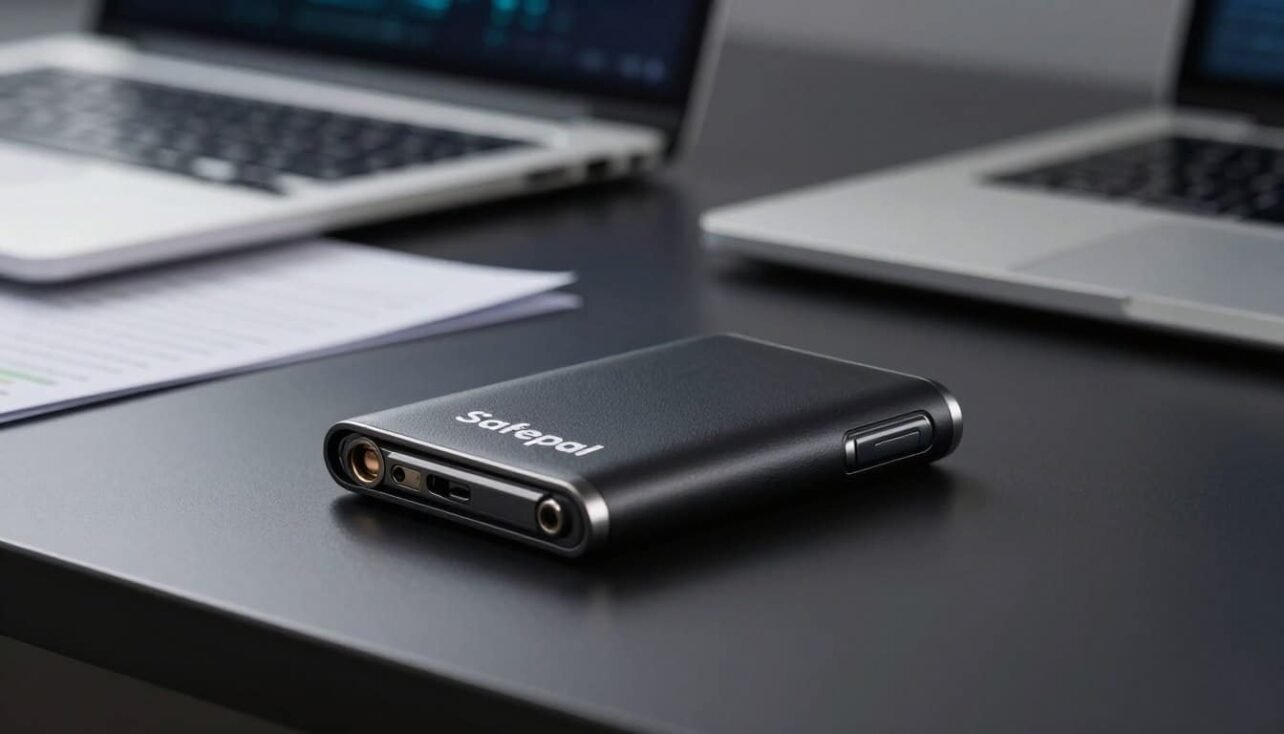
SafePal launched in 2019 and quickly built a reputation for protecting crypto with robust on-device defenses. This article gives a practical buyer’s guide that focuses on security and ease of use for U.S. readers.
The core idea is simple: a dedicated device keeps private keys off the internet. That isolation cuts risk versus software-only solutions while companion apps let users make daily transfers and staking with comfort.
What you will learn: we compare security specs like the CC EAL5+ secure element, strong encryption, and tamper self-destruct. We also cover local access controls such as PINs, passwords, and optional two-factor steps.
Finally, expect clear model comparisons, network support notes, price-to-value insight, and pointers on setup, seed safety, and firmware hygiene. Real user reviews and rating snapshots will help you decide with less hype and more facts.
Buyer’s guide overview: Why hardware matters for crypto security today
A separate signing device isolates your keys so remote attackers have no direct route in. A hardware wallet keeps private keys offline and only connects to a phone or computer when you sign a transaction. That isolation stops remote attackers from extracting keys from live systems.
Simple example: malware on a laptop can log keystrokes or read the clipboard, but it cannot reach keys that live inside a locked secure element on a separate device. This makes cold storage the most reliable method to protect valuable crypto.
- Core buyer criteria: physical security, secure key storage, transaction confirmation flow, ecosystem support, ease of use, and firmware update cadence.
- When to upgrade: move from software-only once balances rise or you use many chains—small steps protect assets.
- Recovery planning: seed phrase handling, optional passphrases, and secure backups are essential.
- Vendor support: clear documentation for updates, authentication, and recovery reduces long-term risks.
| Buyer Factor | Why it matters | What to check | Example outcome |
|---|---|---|---|
| Physical security | Prevents tamper and theft | Sturdy case, tamper alerts | Lower physical compromise risk |
| Key storage | Keeps keys offline | Secure element or isolated chip | Remote attacks blocked |
| Transaction flow | Requires local confirmation | Screen/buttons or QR signing | Reduced accidental sends |
| Ecosystem support | Enables DApps and swaps safely | Companion app and chain list | Daily use with low friction |
This short section gives practical tips and context. Later parts of the article dive into exact features, model differences, and step-by-step setup to match a crypto wallet to your needs.
What is a hardware wallet and how does cold storage protect your assets?
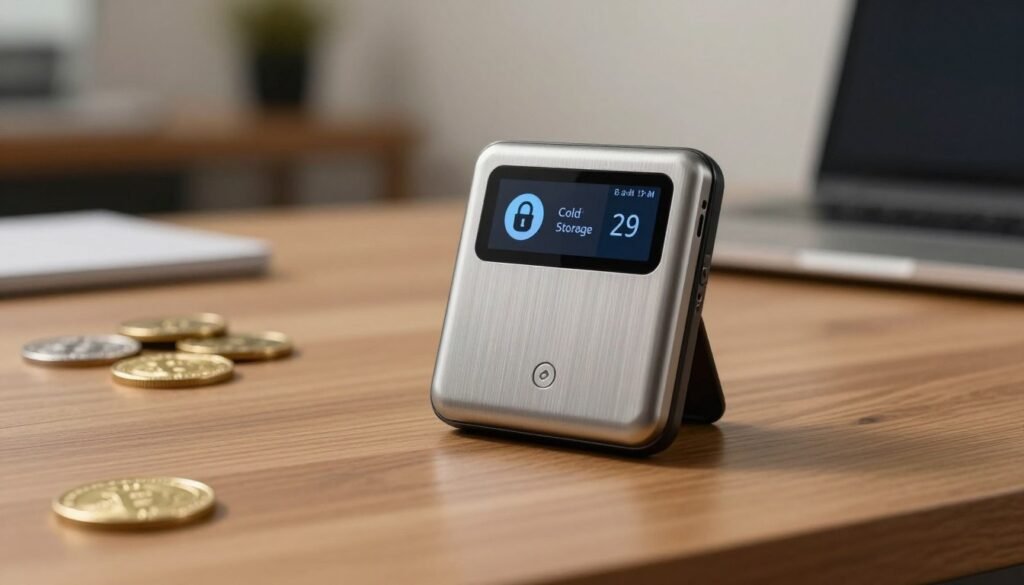
A dedicated signing device removes keys from internet-facing systems and shrinks the attacker footprint. Cold storage means private keys live on a separate gadget that never exposes them to the web. That simple separation cuts malware and phishing risk.
Cold storage basics:
Offline keys, reduced attack surface
Keys are generated and stored locally on the device. The host computer only builds transactions; the signing happens on the secure chip. This prevents compromised hosts from stealing seed phrases or influencing entropy.
Form factors and controls
Devices range from USB-stick style units to small handheld gadgets with a screen and buttons. Some use QR code scanning for one-way signature transfer. Others add Bluetooth with hardened pairing flows.
Local authentication like PINs or passwords and the on-device screen let you verify amounts and addresses before approving. Read addresses on the screen to avoid clipboard tampering on your computer.
| Form Factor | Connection | Primary Control |
|---|---|---|
| USB-stick | USB / QR | Buttons |
| Handheld gadget | QR / Bluetooth | Screen + Buttons |
| Minimal key fob | QR only | Single-button |
Safepal hardware wallet security features explained
Protection starts inside a certified chip that keeps secrets separated from the internet. This section breaks down the technical safeguards and the practical steps you should expect before trusting a device with funds.
Secure element and encrypted key storage
CC EAL5+ secure element isolates private keys inside hardened silicon. The chip resists side-channel attacks and physical extraction, so keys never leave the protected boundary.
Encryption at rest and in use ensures sensitive material remains inaccessible to the host computer or apps.
Physical tamper response
The tamper detection mechanism watches for drilling, disassembly, or invasive attacks. If triggered, a self-destruct routine protects the seed and key material from extraction.
Local safeguards and authentication
Access requires PINs and a strong password; entry limits slow brute-force attempts. Optional two-factor authentication adds another layer of account-level defense.
Device authentication lets you verify the genuine device before setup. This check prevents impostor units from capturing credentials during initialization.
Transaction confirmation paths
Transaction signing stays offline. Models with camera-based QR code signing keep keys off-network, while Bluetooth signing uses an encrypted pairing path for convenience.
On-device screens and prompts force you to verify address, amount, and fees before approval. Firmware authentication checks also reduce downgrade and malicious update risks.
| Feature | How it protects | What to verify |
|---|---|---|
| CC EAL5+ secure element | Blocks physical/key extraction | Certification claim and independent review |
| Tamper self-destruct | Erases keys on invasive attack | Trigger behavior and recovery advice |
| Local authentication | Limits access if lost or stolen | PIN retry limits, password rules, 2FA options |
| Transaction signing paths | Keeps keys offline during approvals | QR code vs Bluetooth signing flow |
Best practices: generate and confirm your seed only on the device and never store it digitally. Together, secure silicon, encrypted storage, tamper defense, and strict authentication combine to deliver practical end-to-end protection for your crypto.
Model lineup compared: S1, X1, and S1 Pro
Model differences often shape how you carry, use, and trust a cold-signing device day to day. Below is a concise comparison to help match features to use cases and budgets.
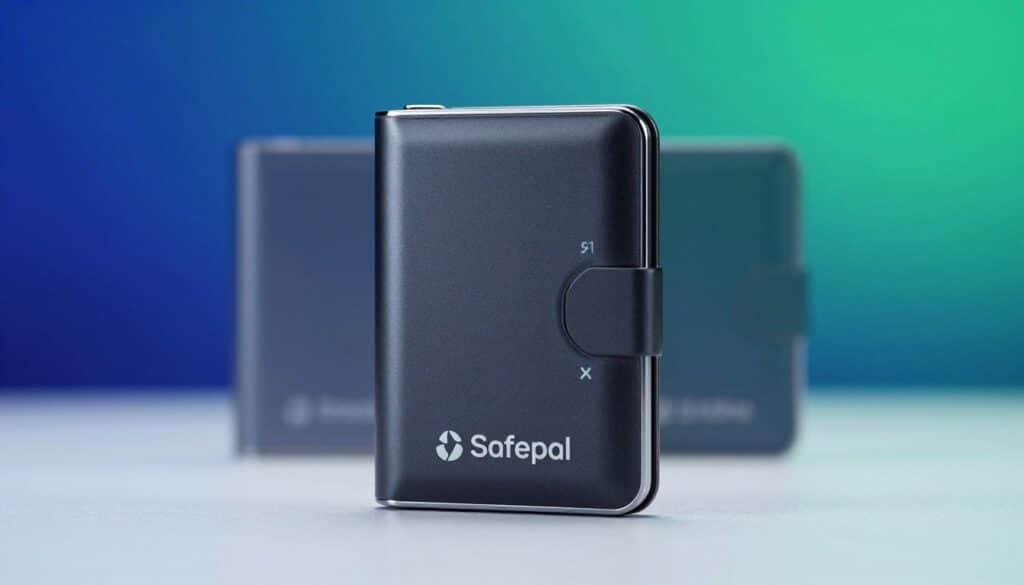
Entry-level S1
QR code signing keeps private keys offline while a 1.3-inch color screen helps you verify addresses.
The ABS/PVC case balances light weight and basic durability at an entry price of $49.99.
X1: Bluetooth and open-source design
This model uses encrypted Bluetooth pairing for convenience and supports an open-source firmware approach.
A larger 1.8-inch tempered glass screen with 12-button controls improves navigation. Battery is 200 mAh, price $69.99.
S1 Pro: premium build and endurance
Aluminum alloy and tempered glass give the Pro a more durable feel and better heat resistance.
It keeps QR-based confirmation, and a 500 mAh battery extends portable use. Price is $89.99.
Practical trade-offs: battery, materials, and controls
Batteries matter for travelers and frequent signers: 200 mAh suits light daily use; 500 mAh supports longer sessions without charging.
ABS/PVC cases stay light but wear sooner than metal and glass. Metal improves perceived longevity and heat handling.
Control ergonomics also differ: a D-pad or simple buttons speed PIN entry, while a 12-button layout helps precise passphrase input and menu navigation.
| Model | Connection | Screen | Case | Price |
|---|---|---|---|---|
| S1 | QR code | 1.3-inch color | ABS / PVC | $49.99 |
| X1 | Bluetooth (open‑source) | 1.8-inch B/W tempered glass | Tempered glass | $69.99 |
| S1 Pro | QR code | Larger color | Aluminum & tempered glass | $89.99 |
Recommendation: choose the basic model for cost-conscious cold storage, the X1 for Bluetooth-first workflows and open-source appeal, and the Pro if build quality and battery life are priorities. User reviews commonly highlight screen readability, case materials, and input comfort alongside core security.
SafePal app and browser extension: Managing wallets across networks
A combined mobile app and extension flow helps you move assets while keeping approvals on trusted screens.
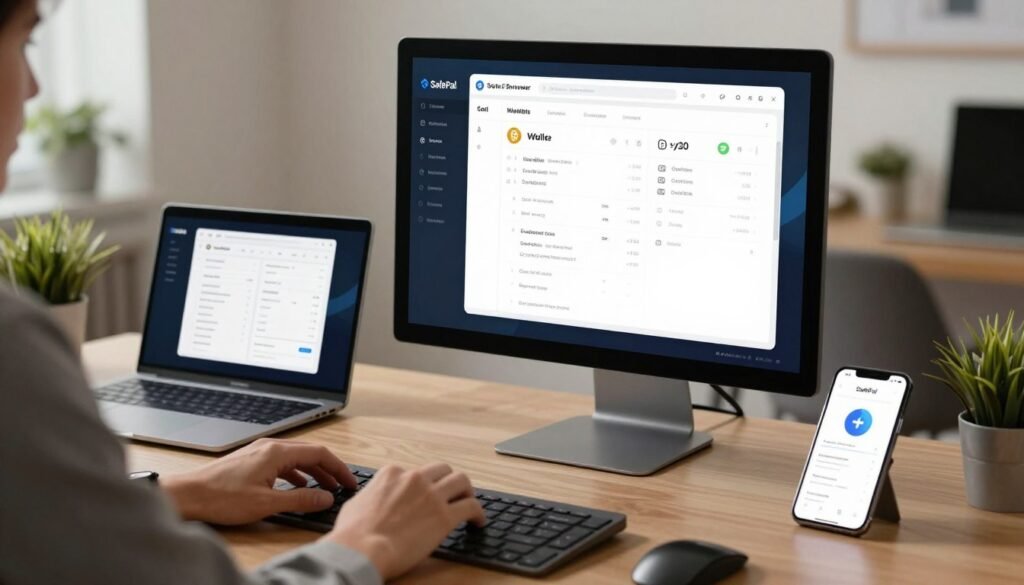
The browser extension (version 2.34.0, 10.14MiB) pairs with the mobile app to manage multiple seed phrases and connect to DApps. It supports imports from MetaMask and Trust Wallet via WalletConnect and handles custom EVM networks for advanced users.
Publisher data: the extension lists 100,000+ users and an average rating of 3.6/5 from 124 ratings. The listing was last updated on December 18, 2025 and is available in 14 languages.
Feature depth: support for 100,000+ tokens across 90+ chains, built-in Swap and Bridge, and simultaneous DApp connections make cross-chain moves practical.
Connecting the browser extension to the mobile app or a paired device keeps signing on a trusted screen. That means only signed transactions leave your environment during swaps or bridges.
| Feature | Benefit | Notes |
|---|---|---|
| Tokens & chains | Wide asset coverage | 100,000+ tokens; 90+ chains |
| Imports | Easy migration | MetaMask / Trust Wallet via WalletConnect |
| Swap & Bridge | Cross-chain transfers | Signed locally, routed through app/extension |
The developer states clear privacy declarations: no selling of data, no unrelated use, and no creditworthiness processing. Note there is no desktop application; full functionality requires mobile plus browser access.
Check the extension listing and reviews periodically for rating and support changes. For broader device comparisons, see our guide to the best wallet for cryptocurrency.
Supported coins, tokens, NFTs, and networks
Multi‑chain coverage matters when you hold diverse crypto assets across chains. The system shows coins and tokens from leading blockchains in a single list. That view reduces friction when you move funds or check balances.

Broad network reach and common standards
Major networks are supported, including Bitcoin, Ethereum, Solana, BNB Chain, and Ripple. ERC‑20 and other popular token standards appear alongside native coins.
Token breadth and unified NFT handling
The extension and app list support for 100,000+ tokens across 90+ networks. This breadth helps builders, stakers, and traders track diverse holdings in one place.
Unified NFT storage lets you view nfts minted on different chains in a single collection tab. That simplifies management for collectors and makes cross‑chain displays consistent.
Practical portfolio and discovery features
Stablecoins, utility tokens, governance coin, and L2 assets can live under one interface. Search and add flows speed token discovery and let you import uncommon coin types quickly.
The UI also handles address formats, memo tags, and fee notes to lower transfer mistakes. Advanced users can switch networks or add custom RPC for EVM chains.
| Feature | Benefit | Supported examples | Notes |
|---|---|---|---|
| Multi‑chain tokens | Wide asset coverage | 100,000+ tokens across 90+ networks | Fast search and add flows |
| Native coins | Secure balances and transfers | Bitcoin, Ethereum, Solana, Ripple | Address/memo validation built in |
| Unified NFTs | Single collection view | ERC‑721, SPL and other standards | Cross‑chain display and metadata support |
| Custom RPC | Developer flexibility | EVM‑compatible L2s and testnets | Manual setup for advanced users |
Tip: always check the official supported list before moving large balances. Multi‑network support makes DeFi, staking, and NFT collecting easier, but network rules vary—so verify fees and address formats first.
Getting started: Setup and first-use process
Begin setup on a secure computer or phone by getting the official app or browser extension directly from the website. This keeps the initial process safe and reduces phishing risk.
Create or import a wallet, set a strong password, and confirm
Install the official app or the browser extension from the provider’s website. Then choose create or import and follow the guided steps on the setup page.
Set a strong, unique password and write it down somewhere safe. Do not reuse passwords you use elsewhere.
Generate, store, and verify your seed phrase safely
Generate the seed on the device and write the words on paper or a metal backup. Never screenshot or store the seed digitally.
Confirm the seed when prompted. This verification step ensures recovery works if a page or file is lost.
How to set a passphrase on the S1
Use the on‑device menu to add a passphrase for extra security and plausible deniability. Record the passphrase separately from the seed.
Restore via iCloud or Google Drive
To restore a software wallet, follow the safepal app restore flow and choose iCloud or Google Drive. Verify encryption and that the correct backup page appears before trusting funds.
- Add tokens from the search field so balances show on the main page.
- For transfers: enter address and amount, pick a fee tier, then confirm details on the device screen.
- Do a dry-run with a small amount to validate addresses, fees, and memo fields.
- Support will never ask for your seed or password; treat any such request as phishing.
| Step | Why | Tip |
|---|---|---|
| Install app/extension | Prevents fake pages | Use official website only |
| Generate seed | Secure recovery | Write on paper/metal |
| Confirm on device | Avoid host tampering | Read screen before approving |
Everyday use: Transfers, swaps, staking, and NFT management
Everyday transfers, swaps, staking, and NFT actions are handled inside the app with on‑device confirmations to keep keys safe. That means the host builds transactions while the device (or on‑screen prompt) requires you to verify amounts and addresses before signing.
Send/receive workflow: create a send transaction in the app, choose fee tier, and confirm on the device. There are no internal commissions for transfers — you pay only the network fee.
Cross‑chain example: use the built‑in Bridge to move tokens from Chain A to Chain B, then run a swap for the target coin. Each step shows a confirmation on the device so you validate addresses and amounts before finalizing.
Trading and spot flows: Binance connectivity enables spot trading inside the app and fiat buys. Keep approvals safe by reading on‑device prompts and rejecting unfamiliar requests.
Staking: staking screens display APRs and auto‑calculate rewards. Best practice: keep a small balance for fees and monitor payouts to avoid missing unstake windows.
NFTs: view, list, and transfer collectibles in one section. Always confirm token IDs and recipient addresses on the screen before approving.
- Tips: test with small transfers on new networks, pick optimal fee tiers or L2s to lower costs, and retry if network congestion delays confirmations.
- Reviews note convenience from integrated swaps and staking, but also a learning curve for multi‑chain tasks.
- Reconcile balances after swaps or cross‑chain moves to confirm assets landed correctly.
Firmware, updates, and ongoing security hygiene
Keeping firmware up to date protects your keys, keeps the app working smoothly, and reduces future headaches.
S1 firmware upgrade history: why staying current matters
Regular S1 firmware updates deliver patches, performance tweaks, and compatibility fixes. Official release notes document each change so you can confirm what a given update addresses.
Tip: read changelogs before installing and avoid skipping major versions; reviews and rating comments sometimes note smoother updates over time.
Passwords, PINs, and 2FA: recommended authentication steps
Use a strong, unique password and a short PIN for daily lockouts. Enable 2FA where available to add another layer of authentication against social engineering and physical theft.
Never store your seed or password in plain text on a connected computer. Keep offline backups and consider a passphrase to compartmentalize exposures.
Self-destruct and tamper considerations for travel and storage
The self-destruct mechanism erases keys if the device detects invasive tampering. That mechanism protects key material when a unit is attacked in transit or left in insecure storage.
Store devices in temperature-stable, secure places, use tamper-evident bags or a safe, and document a recovery process trusted family can follow without exposing the seed.
- Safe update process: verify package integrity, follow official steps, confirm new version on the device.
- After updates: test a small transaction to validate the app, extension, and device interaction.
- Consult official documentation for firmware history, device authentication checks, and restore guides or support via iCloud/Google Drive.
| Step | Purpose | Check |
|---|---|---|
| Verify package | Prevent tampered units | Seal, serial, device ID |
| Install update | Apply security fixes | Follow official process |
| Confirm version | Ensure success | On-device firmware info |
Pricing, value, and who should buy a SafePal wallet
Budget, durability, and features shape the real-world value of each device in this lineup. Use price and daily habits to choose the model that matches how you manage coins and other assets.
Budget-friendly compared to many competitors
Models and prices: S1 — $49.99; X1 — $69.99; S1 Pro — $89.99.
The range puts secure cold storage within reach for most users while offering clear step-ups in materials and battery life.
Pros and cons: Advanced features vs learning curve and network reliance
Value drivers: deep multi‑chain support, integrated swaps and staking, DApp access via the app, and no internal commissions—only network fees apply.
Reviews note a learning curve for beginners and that some features work best with steady connectivity. Use the device for critical confirmations while the app handles convenience tasks.
Best fit: Experienced users, active traders, and multi‑chain NFT holders
Who benefits most: long‑term holders with diversified coins, traders doing frequent swaps, and collectors managing NFTs across chains.
For example, choose the S1 Pro if you sign often, travel, or want a tougher case and longer battery. Lighter users can save with the S1 and still keep core protections intact.
- Evaluate total cost: count accessories, backups, and time saved by integrated Bridge/Swap and staking.
- Check ratings: read recent reviews and average rating snapshots in articles to set expectations for browser and app experience.
- Match assets: confirm your coins and networks are supported before buying a device.
| Model | Price | Best for |
|---|---|---|
| S1 | $49.99 | Budget entry, basic daily use |
| X1 | $69.99 | Bluetooth workflows, open‑source appeal |
| S1 Pro | $89.99 | Heavy signers, travel, longer battery |
Bottom line: this line offers strong protections like CC EAL5+, tamper self‑destruct, and local authentication even at low price points. Match your assets and signing habits to the model that saves you time and keeps approvals secure.
Conclusion
Balancing strong on‑device protections with practical workflows gives the best outcome for most users. A hardware wallet with CC EAL5+ silicon and tamper defense keeps private keys offline while the companion app and extension handle daily tasks.
Real convenience: Bridge and Swap tools, unified token and coin views, and on‑device confirmations preserve the offline key boundary for transfers and NFT moves.
Adoption signals matter: extension reviews and an average rating snapshot point to active development and user engagement — check the detailed review and current ratings before you buy.
Action steps: enable strong authentication, verify the device, keep firmware current, and start with small deposits via the safepal app pairing. Compare your trading, network, and NFT needs to pick S1, X1, or S1 Pro and then follow the setup checklist to protect long‑term value. For alternatives, see our roundup of the best wallet for cryptocurrency.
FAQ
What is a hardware wallet and how does cold storage protect my crypto assets?
A hardware device stores private keys offline, known as cold storage, keeping them away from internet-based threats. Transactions are signed on the device and only broadcast from a connected app or browser extension, which reduces the attack surface and prevents remote key extraction.
What are the main security components to look for in a secure device?
Seek a device with a certified secure element (such as CC EAL5+), strong encryption, physical tamper defenses, a reliable PIN or password system, and clear device authentication methods to verify genuineness before use.
How do transaction confirmation methods differ (QR code signing vs Bluetooth)?
QR code signing keeps the device air-gapped: the signed payload transfers via camera scans, avoiding wireless links. Bluetooth offers convenience and speed but increases the attack surface, so ensure the implementation uses strong pairing and encryption.
What are common form factors and controls on these devices?
Devices range from simple button-only units to models with color screens, numeric keypads, and QR cameras. Screen and button combinations let you verify addresses locally; cameras enable QR workflows for truly offline signing.
How does physical tamper defense work and should I worry about it when traveling?
Tamper defenses include robust casing materials, tamper-evident seals, and in some models self-destruct mechanisms that wipe keys if tampering is detected. For travel, keep the device in a secure case and avoid leaving it unattended to reduce risk.
Can I manage multiple chains, tokens, and NFTs with one device plus its app?
Yes. Modern device ecosystems support Bitcoin, Ethereum, Solana, BNB Chain, Ripple and many other networks, along with thousands of tokens and NFT standards. The companion app and browser extension provide unified asset views and transaction management.
Do these devices require a desktop app or can I use mobile only?
Many users rely on a mobile app and a browser extension; some ecosystems do not offer a dedicated desktop application. Mobile-first setups support QR and Bluetooth workflows and often include WalletConnect for dApp access.
How do I set up my device for first use and protect my seed phrase?
Initialize the device by creating or importing a wallet, set a strong PIN and optional passphrase, then generate a seed phrase. Write the seed on a physical backup, store it in a secure location, and never share it or store it digitally unencrypted.
What is a passphrase and should I use one with my hardware device?
A passphrase is an optional extra word or phrase added to the seed, creating a separate hidden account. It enhances security but increases recovery complexity; use it only if you can safely manage and back up the passphrase.
How often should I update firmware and why does it matter?
Update firmware whenever the vendor releases trusted updates. Firmware patches fix security vulnerabilities, improve compatibility with networks and tokens, and enhance device stability. Always follow official update procedures to avoid tampering.
What authentication and local safeguards should I enable?
Use a strong PIN, enable two-factor authentication where supported in the companion app, and set a passphrase if appropriate. Combine these with secure storage of backups and routine firmware checks for layered defense.
Are there differences in battery life and durability I should consider?
Yes. Entry-level models may run without a battery or use small cells, while premium models include higher-capacity batteries and tougher materials like aluminum or tempered glass. Choose based on portability needs and expected daily use.
How does the companion app support bridging, swapping, and staking?
Companion apps typically offer bridge and swap services to move assets across chains, integrate with dApps for spot trading, and include staking interfaces that show estimated earnings and manage delegation securely through the device.
What fees should I expect when sending or swapping tokens?
Network fees (gas) apply for on-chain transfers and swaps. The device ecosystem generally does not charge internal commissions beyond possible third-party bridge or swap providers; always review fee breakdowns before confirming transactions.
How do I restore my software wallet or recover on a new device?
Use the app’s restore feature to import your seed phrase or encrypted backup from iCloud or Google Drive where supported. For device restoration, enter the seed phrase on the new unit and reapply any passphrase and PIN to regain access.
What tokens and networks are typically supported?
Support spans major chains—Bitcoin, Ethereum, Solana, BNB Chain, Ripple—and many EVM-compatible networks. Thousands of tokens, plus unified NFT storage and viewing, are common; check the app’s token list for the most current coverage.
How do I verify the authenticity of my device before use?
Verify packaging seals, scan manufacturer verification codes or use the vendor’s device authentication mechanism in the companion app. Only purchase from authorized retailers or the official website to avoid counterfeit products.
Who is best suited to buy one of these devices?
They fit experienced crypto users, active traders, and multi-chain NFT holders who value strong offline key storage. Budget-conscious buyers can find solid entry-level models, while power users may prefer premium builds with extra features.

No comments yet