

Unauthorized changes to your mobile line can reroute calls and texts to an attacker’s device. That lets criminals intercept one-time codes for banks, credit cards, crypto, and social media. These breaches can cause major financial and reputational harm.
The FBI logged 1,611 complaints about this fraud in 2021, with losses over $68 million. If you get an unexpected new device activation notice, contact Verizon right away at *611 or 1-800-922-0204. Verizon’s lock features let you block SIM swaps and add a short delay before any change can proceed to help keep your account safe.
This guide explains what sim swapping is, why modern mobile security matters, and how to harden your phone identity. You will learn warning signs, step-by-step actions to secure accounts and numbers, and carrier-level defenses like Verizon Number Lock.
For practical steps and U.S.-specific contacts, see our detailed recommendations and learn why it is critical to act fast: why you need to protect yourself against mobile.
Why sim swap protection matters right now
Criminals increasingly target phone lines to gain rapid access to online accounts and data. A successful takeover can let an attacker receive verification codes and reset logins, turning one lost number into multiple compromised services.
The FBI reported 1,611 complaints in 2021 with losses above $68 million, a sharp rise from prior years. This spike shows how quickly attacks can scale and why immediate action is needed to limit theft and identity harm.
- Attackers move your number to a different SIM to bypass texted codes and seize accounts.
- They may impersonate you to a carrier or use inside help to port a line; stronger carrier checks slow this way of theft.
- Because many services use SMS for recovery, a single line change can cascade into broader identity and financial loss.
Learn about carrier options and steps you can take today, including specific guidance on Verizon number security measures. Quick awareness and action reduce the window attackers have to exploit your number.
What is SIM swapping and how it hijacks your phone number
A SIM (subscriber identity module) links your phone number and service to a device. It tells the carrier which device can access your mobile account and network. When that link is reassigned without your consent, attackers can take control of incoming calls and texts.

SIM, eSIM, and how your phone number can be reassigned
A physical sim card or an eSIM stores the identity your carrier uses to route service. A legitimate change happens during device upgrades or replacements.
Unauthorized reassignment happens when someone convinces a carrier to move your phone number to a different card or profile. That action transfers SMS and voice access to the attacker’s device and can make your device drop off the network.
From phishing to carrier impersonation: common attack paths
Criminals gather account information and personal details from breaches, social media, and phishing. They then use that data to impersonate you to a carrier or to submit a port-out request to a new carrier.
- Fake support calls or spoofed messages that trick reps.
- Phishing emails that harvest login details and identity data.
- Inside help, bribery, or systems intrusion that bypass checks.
Why this matters: after a successful sim swap, attackers receive one-time codes and can reset passwords, causing rapid financial and identity theft. Verify any unexpected “new SIM” notices and contact your carrier immediately if you suspect unauthorized changes.
How to recognize a SIM swap in progress
A sudden loss of service is often the first sign of an active line take-over. If your phone cannot make calls, send text, or use mobile data while others nearby stay connected, act immediately.
Watch for activation or deactivation alerts. Carriers may send a notification about a new SIM or device. If you did not request it, use another phone or a landline to call your provider right away.
- Network outage: No calls, no messages, and no cellular data can mean your number was reassigned.
- Unexpected activation message: Verify the notification with your carrier before doing anything in affected accounts.
- Unfamiliar resets: Password reset emails or login prompts you didn’t start suggest attackers are testing account access.
- Check security dashboards: Look for unknown devices or sessions in banking and email apps.
- Two-factor codes stop: If text codes stop arriving, the attacker may be receiving them — switch to alternate authentication and call your carrier.
If you suspect theft, call your carrier immediately. Verizon customers can dial *611 or 1-800-922-0204 even if their own phone is offline. Fast action narrows the window attackers have to cause damage.
Immediate steps to take if you suspect SIM swapping
If your phone suddenly loses service or you get an unexpected activation alert, act immediately. Use another device or a landline to reach your carrier and limit further access to accounts.
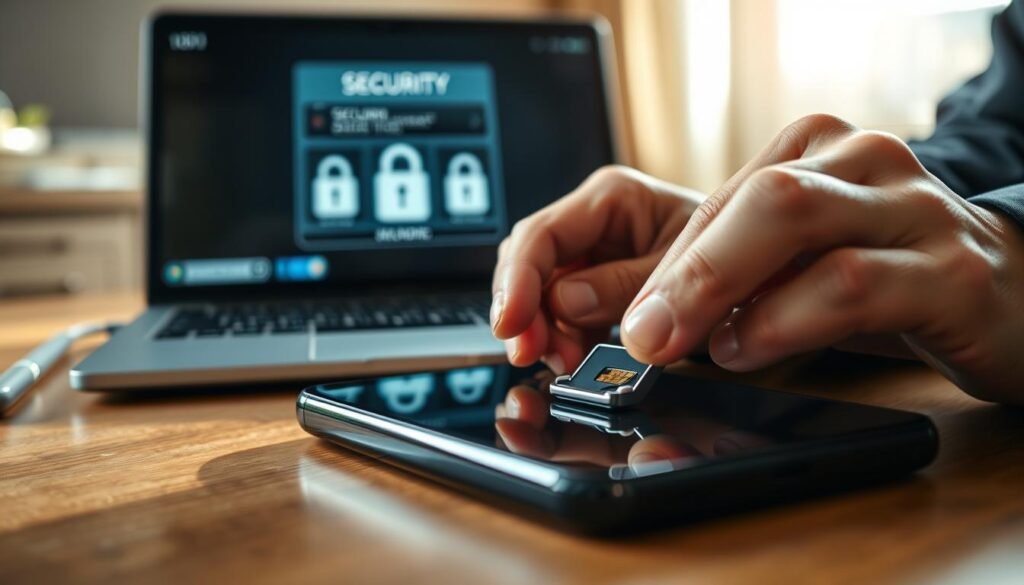
Contact your carrier fast
Verizon customers: dial *611 (airtime-free) or 1-800-922-0204 right away. Ask for an urgent line lock and a formal investigation.
Request a freeze on number transfers and any SIM changes. Record the case or ticket number for follow-up and proof.
Secure email, bank, and critical accounts
Log in to your primary email first. Change the password and review recent sessions and recovery options.
Then update passwords on financial, cloud, and social accounts. Revoke unfamiliar sessions and confirm trusted devices.
Reset passwords, enable stronger authentication, and monitor credit
Move to non-SMS authentication where possible, such as authenticator apps or hardware keys, and enable two-factor methods that do not rely on texted codes.
Place fraud alerts or consider a credit freeze if you see suspicious credit activity. Forward any suspicious carrier texts to 7726 and delete them.
- If your device is offline, avoid logging into sensitive accounts on public Wi‑Fi until your line is secure.
- Keep a written record of all calls, case numbers, and timestamps for disputes or law enforcement reports.
| Action | Immediate step | Why it matters | Contact |
|---|---|---|---|
| Carrier lock | Call carrier and request transfer freeze | Stops further reassignments | *611 or 1-800-922-0204 |
| Email reset | Change password and review sessions | Email controls many account resets | Primary email security dashboard |
| Credit monitoring | Place fraud alert or freeze | Prevents new account openings | Major credit bureaus |
For guidance on securing wallets and device-based authentication, see our recommended wallet options at best wallets for cryptocurrency.
Carrier settings that harden your line against SIM swapping
A few carrier features can stop thieves from moving your service to another card or device. Enabling these controls closes common attack paths and gives you time to respond if someone tries to hijack your line.

Verizon: SIM Protection, Number Lock, Account PIN, Number Transfer PIN
Turn on Verizon SIM Protection to block unauthorized SIM card changes, device upgrades, and BYOD moves. When you toggle it off, expect a 15-minute delay before any SIM transactions can complete.
Also enable Number Lock, set a strong Account PIN, and request a Number Transfer PIN (dial #PORT) before any porting attempt.
AT&T: Extra Security passcode and Number Transfer PIN
AT&T customers should enable Extra Security and create a unique passcode to validate account requests.
Obtain a Number Transfer PIN through the myATT app, online profile, or by calling *PORT before moving a number.
T-Mobile: Account Takeover Protection and Number Transfer PIN
T‑Mobile offers Account Takeover Protection, which the billing responsible party can enable to limit unauthorized changes.
Always request a Number Transfer PIN in the app or website before any port-out.
- Confirm only the Account Owner or authorized Manager can change these features on multi-line plans.
- Store each PIN in a password manager and never share it via email or text.
- Review these settings after any device replacement to keep your defenses active.
| Carrier | Key feature | How to enable |
|---|---|---|
| Verizon | SIM Protection, Number Lock, Account PIN | My Verizon app/website; Account Owner or Manager |
| AT&T | Extra Security passcode, Number Transfer PIN | myATT app, online profile, or *PORT |
| T‑Mobile | Account Takeover Protection, Number Transfer PIN | T‑Mobile app or website; billing responsible party |
Combine carrier locks with app-level security to create layered defense. These steps help stop quick account takeovers and make it harder for attackers to succeed.
Build stronger authentication beyond texted codes
Texted codes are convenient, but attackers who hijack a phone line can intercept them. Move critical accounts away from SMS-based methods and use authentication that does not rely on a phone number.
Use authenticator apps or hardware keys instead of SMS
Replace SMS two-factor authentication with an authenticator app or a hardware security key. These methods generate or store codes locally so a stolen number cannot receive them.
Protect authentication apps with device locks
Lock your authenticator app with a unique PIN, fingerprint, or face ID. If someone gains temporary access to your phone, a locked app still blocks code generation and access to accounts.
Use a password manager to create and store strong passwords
Generate long, unique passwords with a reputable password manager and avoid browser autofill for sensitive logins. Store backup codes or a secondary key offline in a secure place.
- Prioritize email, banking, and cloud accounts first since they control other services.
- Audit accounts still using SMS and migrate them to stronger methods to reduce exposure to sim swapping.
- Keep your device updated and enable app patches to block vulnerabilities in the authentication flow.
| Method | Attack resistance | Ease of use |
|---|---|---|
| Authenticator app | High (local codes) | Medium |
| Hardware key | Very high (physical token) | Low–Medium |
| SMS | Low (interceptable) | High |
Reduce your exposure: phishing defenses and data privacy
Many attacks start with a single deceptive message that asks for personal data under false pretenses. Learn to spot the tricks and limit what you reveal online to lower your risk of identity theft and account takeover.
Spot and report phishing, smishing, and vishing attempts
Treat unexpected emails, calls, or texts demanding immediate action as suspicious. Verify requests through official channels before you click or call back.
- Do not share passwords, PINs, or Social Security numbers over the phone or by text.
- Forward suspicious carrier-related text messages to 7726 (SPAM) to help block scams.
- Enable anti-phishing tools in your email and browser and avoid shortened links and unknown attachments.
Limit personal information online and avoid flaunting assets
Minimize what you publish—names, addresses, birthdays, and recovery hints make impersonation easier.
- Remove your details from people-search and data broker sites with periodic privacy scans.
- Use separate email addresses for banking and public profiles to compartmentalize exposure.
- Don’t post about large holdings or windfalls; attackers target visible assets to justify a line or SIM swap.
| Risk | Simple step | Benefit |
|---|---|---|
| Phishing message | Verify via official site or phone number | Prevents credential theft |
| Exposed personal information | Remove from people-search sites | Reduces impersonation risk |
| Carrier spam | Forward to 7726 and block sender | Helps carriers stop future attacks |
Ongoing protection: account alerts, identity monitoring, and credit security
Set up continuous alerts and checks so you spot suspicious account activity the moment it starts. Enable notifications from banks, email, and key services to get instant messages about logins, password changes, and transfers.
Enable account notifications and review statements regularly
Turn on transaction and security notifications by email, app, and SMS. These alerts let you act fast if codes or unusual messages appear on your account.
Review statements and login histories at least once a month. Escalate any unrecognized charges quickly to limit identity theft and loss.
Consider identity theft monitoring and insurance
Identity monitoring services scan credit reports, the dark web, and other databases for signs of misuse. Many plans include insurance and access to fraud restoration support.
Evaluate services that offer identity recovery, lawyer or restoration help, and coverage for costs tied to theft.
Place a security freeze to protect your credit file
You have the right to place a security freeze or fraud alert with each major credit bureau. A freeze blocks most new account openings and adds another layer of credit defense.
Keep recovery contacts current on important accounts and store backup authentication codes securely offline. Rotate those codes when you update passwords or authentication methods.
- Track changes to your phone number and recovery info on critical sites.
- Reassess settings quarterly to keep defenses aligned with new threats.
- Consider a mix of monitoring services and manual checks for best results.
| Action | What it does | How to start |
|---|---|---|
| Account notifications | Alerts on logins, transfers, and security events | Enable in each bank, email, and service app or website |
| Identity monitoring | Scans credit, dark web, and identity databases; adds recovery support | Choose a reputable service with insurance and restoration |
| Security freeze | Blocks new credit inquiries and account openings | Request a freeze with Equifax, Experian, and TransUnion |
Conclusion
Locking carrier features and using non‑SMS authentication cuts the most common paths attackers use.
Enable Verizon’s SIM Protection, Number Lock, Account PIN, and Number Transfer PIN. AT&T and T‑Mobile offer similar account locks you can set in apps or by calling *PORT. These steps add delay and verification before a new sim card or new device change can go through.
Use authenticator apps or hardware keys, strong unique passwords, and a password manager. Keep recovery information current and limit exposed personal information on public profiles.
If your phone loses network service or you see an unexpected activation, contact your carrier immediately, reset critical account passwords, and check bank and email accounts for unauthorized access. Consider identity monitoring and a credit freeze to reduce downstream harm.
Stay vigilant: confirm PINs before activating a new sim, never share them by text or email, and treat unusual notifications as signals to act fast to protect your accounts and identity.
FAQ
What is SIM swapping and how does it hijack my phone number?
SIM swapping occurs when an attacker convinces a mobile carrier to move your phone number to a new card or device. Once the number is reassigned, the attacker receives calls and texts, including two-factor authentication codes. This can lead to unauthorized access to email, bank, and social media accounts and may result in identity theft or financial loss.
How can I tell if a transfer to a new SIM or device is happening without my consent?
Warning signs include sudden loss of network service, unexpected “new SIM” or device notifications, failure to receive texts or calls, and unfamiliar password reset messages. If you lose service while your phone shows no hardware issues, contact your carrier immediately.
What immediate steps should I take if I suspect my line was reassigned?
Contact your carrier right away using their customer support number—Verizon: *611 or 1-800-922-0204—or the equivalent for AT&T or T-Mobile. Secure critical accounts by changing passwords, enable stronger authentication methods, check login history, and notify banks to watch for fraud. Consider placing fraud alerts on your credit file.
Which carrier features help prevent unauthorized transfers?
Major providers offer account hardening features: Verizon has SIM Protection, Number Lock, and transfer PINs; AT&T provides an Extra Security passcode and Number Transfer PIN; T-Mobile offers Account Takeover Protection and a Number Transfer PIN. Activate these controls and set a strong account PIN.
Are texted authentication codes safe to rely on?
SMS codes are convenient but vulnerable to number reassignment and interception. Use authenticator apps like Google Authenticator or Microsoft Authenticator, or a hardware key such as a YubiKey, for stronger multi-factor authentication (MFA). Protect any authentication app with a unique PIN or biometric lock.
How can I protect my email and financial accounts beyond changing passwords?
Turn on MFA that doesn’t depend on texts, review account login history, enable account alerts, and use a password manager to create and store unique passwords. Notify your bank about the incident so they can add extra verification for transactions.
What role does phishing play in these attacks and how do I avoid it?
Phishing, smishing (text phishing), and vishing (voice phishing) are common ways attackers collect personal details to bypass carrier checks. Be skeptical of unsolicited links or requests for personal data, verify sender identity independently, and report suspicious messages to your carrier and employer IT team.
Should I limit what personal information I share online?
Yes. Limit public exposure of your full name, birthdate, address, and account numbers. Attackers use these details to impersonate you with carriers or financial institutions. Review privacy settings on social profiles and remove or redact sensitive data.
What ongoing measures help detect and respond to future attempts?
Enable account notifications for logins and changes, review bank and phone statements regularly, and consider identity monitoring or insurance. You can also place a security freeze on your credit file to block attempts to open accounts in your name.
If my identity or credit is impacted, what records should I keep?
Keep detailed records of communications with your carrier, banks, and law enforcement. Save timestamps, phone numbers, and confirmation emails. File a police report if funds are stolen and contact the major credit bureaus to place fraud alerts or a security freeze.

No comments yet