
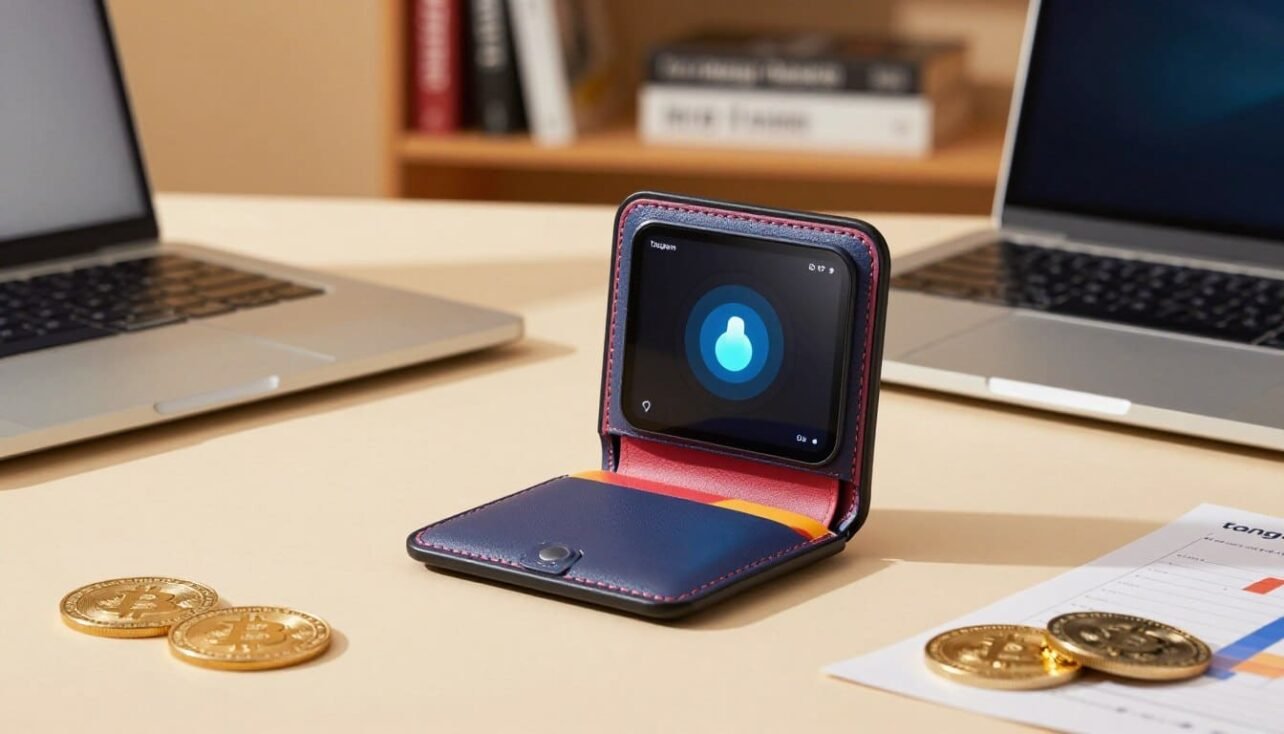
Quick verdict: A seed-less, on-card key approach gives secure, tap-to-sign access on a battery-free NFC card. This setup is ultra-portable and includes multi-card backups in 2- or 3-card kits. It scores 4.8/5 for build, security, and mobile-first convenience.
This introduction covers build quality, security audits, app experience, and day-to-day usability for a range of users. We explain why a mobile-only, NFC-first design stands out for on-the-go storage and quick setup in the companion app.
Key highlights: seed-less key generation, tap-to-sign NFC, audited closed firmware, support for 85+ blockchains and 16,000+ tokens, WalletConnect for DeFi, and new integrations like Yield Mode (Aave) and Pay (virtual Visa for USDC on Polygon).
We also flag trade-offs up front: closed firmware versus open-source alternatives, an app-only workflow with no desktop client, and reliance on WalletConnect for some DeFi features. This practical review will help users decide if this hardware wallet fits long-term storage, everyday spending, or travel-focused use cases.
Quick verdict and why this tangem wallet stands out
A compact, tap-to-sign key card makes cold storage simple for users who want quick, everyday crypto access. In short, the device nails mobile-first custody with on-card key generation and NFC confirmations that require no battery.
At-a-glance ratings and strengths
Overall score: 4.8/5. The core strengths are clear: seed-less on-card key generation, fast setup, intuitive app flow, and multi-card backups for resilience.
- Security: Secure element and audits (Kudelski, Riscure) back the model.
- Asset support: Wide chain and token coverage in the companion app.
- App/UX: Clean interface and quick tap-to-sign confirmations.
- Reliability: Battery-free NFC card boosts travel readiness and long-term durability.
Key trade-offs vs other hardware wallets
The main compromises are clear. Closed-source firmware and a mobile-only workflow mean power users may miss desktop suites and deeper native DeFi tooling. Many advanced features rely on WalletConnect and external services.
For casual crypto holders and people who prefer phones over computers, the speed and simplicity often outweigh those trade-offs. Multi-card backup sets reduce single-point failure and add meaningful resilience for long-term storage.
| Category | Strength | Typical trade-off |
|---|---|---|
| Security | Secure element, audited model | Immutable, closed firmware |
| Usability | Tap-to-sign, fast setup | No desktop client |
| Reliability | Battery-free NFC card | Phone-dependent workflows |
| Recovery | Multi-card backups (2/3 card kits) | Seed-less model may differ from seed-based recovery |
tangem wallet review
Here we outline the people and use cases that match a credit-card style, NFC-based security device.
Who this is for
Mobile-first users: If you manage crypto mainly from your phone, this device offers simple tap-to-sign access and a pocketable form factor.
Long-term holders: Investors who prefer low-maintenance custody and infrequent transactions will value the seed-less, durable design.
Beginners: New users who want guided setup and fewer steps than a seed-phrase flow find the app experience easier to follow.
Frequent travelers and remote workers: The card fits a wallet or card slot and needs no charging, making it travel-friendly.
Seed-averse users: Those who dislike managing paper seeds get seed-less security, while optional seed import/export keeps compatibility.
Who should consider alternatives
- DeFi power users: Desktop-native toolsets and deep on-device screens suit heavy traders better than a phone-only app.
- Transparency-focused users: If open-source firmware matters, look at options with public firmware and larger developer ecosystems.
- Traders using multiple desktop tools: Desktop-first workflows may be smoother elsewhere.
| Audience | Why it fits | Consider another choice if… |
|---|---|---|
| Mobile-first users | Tap-to-sign NFC and fast phone setup | You need a desktop app or on-device screen |
| Long-term holders | Low maintenance, multi-card backup options | You require open-source firmware transparency |
| Travelers | Credit-card form, no battery, easy to carry | You need frequent on-chain DeFi activity on desktop |
| Beginners | Guided app experience without paper seeds | You prefer full seed-phrase control from the start |
- Lens: This piece gives practical guidance for phone-centric custody and everyday crypto tasks.
- Expectation: The app handles sending, confirmations, and backups; advanced DeFi often uses WalletConnect.
- Next: Check sections on security, backups, supported assets, and pricing to make the right choice.
For a full comparative look and deeper testing notes, see our detailed tangem wallet review.
What is Tangem Wallet and how it works
A contactless smart card turns your phone into the interface while keeping cryptographic keys isolated inside a secure chip.
Credit card-style NFC tap-to-sign
The product is a thin, credit card–style contactless card that pairs with the companion app on iOS and Android.
Prepare a transaction in the app, then tap the card to your phone to confirm. That physical tap is required to sign each action.
On-card key generation and secure element storage
Each device uses ISO 14443 Type A NFC and a Samsung S3D350A EAL6+ secure element.
A hardware TRNG creates keys on-card and keeps them inside the chip. Private keys never leave the device, limiting exposure to phone malware.
Seed import/export for compatibility
The app supports optional 12- or 24-word seed phrase import and export to migrate accounts. By default the setup is seed-less.
No USB or Bluetooth is present, making the design simple and reducing the attack surface for daily transactions.
Design and build: card form factor, durability, and usability
A minimal, durable card format prioritizes portability and straightforward NFC interactions.
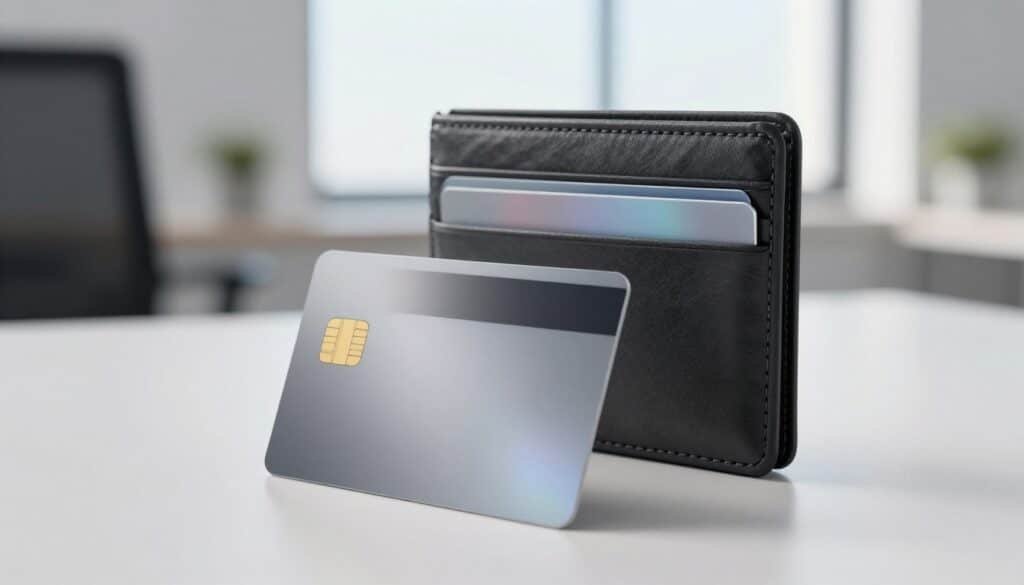
Battery-free, travel-ready construction
The slim, credit card profile fits standard card slots and travel organizers. Smooth edges and a sturdy laminate make the card feel like everyday hardware you can trust.
Battery-free NFC ensures the card works in wide conditions and over years without recharging. It operates from −25 °C to +50 °C, which suits frequent travelers and outdoor use.
Phone-based app workflow
All actions occur through the iOS and Android app. Users prepare transactions on the phone, then tap the card to confirm. This quick tap reduces friction for sends, swaps, and routine checks.
There is no desktop client or USB connectivity. That simplifies the device but limits desktop control for advanced setups.
| Spec | Detail | Benefit |
|---|---|---|
| Operating range | −25 °C to +50 °C | Reliable in varied climates |
| Connectivity | Battery-free NFC | Long-term, maintenance-free use |
| Warranty | 25-year chip lifetime | Design built for years of service |
Overall, the design favors portability, quick access, and low maintenance for on-the-go users who want a minimal footprint and simple daily security.
Security architecture and audits
This part breaks down the secure-element design, immutable firmware stance, and what that means for user trust.
Sealed secure element and on-card keys
Samsung EAL6+ secure element isolates cryptographic operations. A hardware TRNG generates keys on-card and signs transactions inside the chip so private keys never leave the device.
Immutable firmware and audit history
The firmware is immutable with no user updates, lowering update-channel attack risk. Independent assessments by Kudelski (2018) and Riscure (2023) reported no backdoors or key-exposure issues.
Physical confirmation and app access controls
Every action needs a physical tap-to-sign, which blocks remote-only attacks when the card is absent. The app adds an access code and optional biometric lock to protect interface-level operations.
Transparency trade-offs and user guidance
Apps and SDKs are open-source while firmware remains closed but audited. That mix reduces some trust gaps yet differs from open-firmware approaches.
- Even if a phone is compromised, signing requires the sealed chip.
- Best practices: keep cards separate, protect the access code, and verify transaction details before tapping.
| Element | What it protects | Notes for users |
|---|---|---|
| Secure element (EAL6+) | Isolation of private keys | On-card TRNG; keys never exported |
| Immutable firmware | Update-channel attacks | No user updates; relies on audits |
| App controls | Interface access | Access code + biometric lock |
| Tap-to-sign | Remote attack prevention | Physical presence required for signing |
Backup, recovery, and seed phrase options
A clear backup plan is the difference between a small hiccup and permanent loss of access.
Two- and three-card backup sets clone the same private keys across cards so any card in the set can unlock the same accounts and funds.
All cards in a set act as functional replacements. If you lose one card, the remaining cards still grant full access to the same keys and funds.
Setup and practical advice
Set up all backup cards during initial setup. You can add cards later, but each wallet supports a maximum of three cards per set.
Store cards separately and securely. Distribute them across locations to reduce single-point failure risk.
Seed-less mode vs seed phrase import/export
By default the product uses a seed-less approach, removing the need for a paper seed. This lowers exposure to social engineering and phishing.
For interoperability, you can import or export a BIP39 seed phrase. That option lets you recover funds with other wallets if you prefer broader recovery choices.
- Pros seed-less: fewer steps, less seed-phrase risk.
- Pros seed: wider recovery and long-term migration options.
- Warning: losing all cards without a saved seed means permanent loss of access.
You can also disable access code recovery for tighter security if you accept higher recovery risk.
Quick recovery flow example
- Install the app on a new phone.
- Use a backup card and enter your access code to restore the same accounts.
- Confirm transactions with the restored card as usual.
| Feature | What it does | User note |
|---|---|---|
| 2-card set | Basic redundancy | Good for single-location backup; cheaper option |
| 3-card set | Higher redundancy | Recommended for distributed storage and family use |
| Seed phrase (BIP39) | Cross-wallet recovery | Store separately; enables migration to other wallets |
| Access code recovery | Restore via code | Can be disabled for greater security |
Supported assets, networks, and NFTs
The app’s asset coverage makes portfolio tracking simple across many chains and token types.
Breadth of support: The mobile wallet recognizes more than 85 blockchains and over 16,000 tokens, so most mainstream cryptocurrencies and many niche tokens appear in your account list.
Adding a network in the app creates an account for that chain, letting you hold BTC, SOL, stablecoins, and other assets side by side.
NFTs, DeFi access, and updates
NFT collectors get first-class display for items on major networks such as Ethereum and Solana. The app shows images, metadata, and basic ownership details for popular standards.
DeFi access is enabled via WalletConnect. Actual functionality depends on each DApp’s implementation, so some protocols may behave differently.
Support is updated regularly, improving coverage for emerging crypto projects and tokens.
- Fewer separate apps to manage portfolios and tokens.
- Token and NFT visibility improves everyday tracking for users.
- Network filters and grouping views help organize large holdings.
| Feature | What it does | User benefit |
|---|---|---|
| 85+ blockchains | Supports major and niche networks | Consolidates diverse holdings |
| 16,000+ tokens | Recognizes ERC, SPL, and other tokens | Better portfolio accuracy |
| NFT support | Shows collectibles on Ethereum, Solana | Easy viewing and management |
Bottom line: Wide asset and network coverage make this wallet a versatile hub for most crypto participants while keeping daily management straightforward.
App experience and day-to-day use
A clear, phone-first interface streamlines sending, receiving, and connecting to DeFi services.
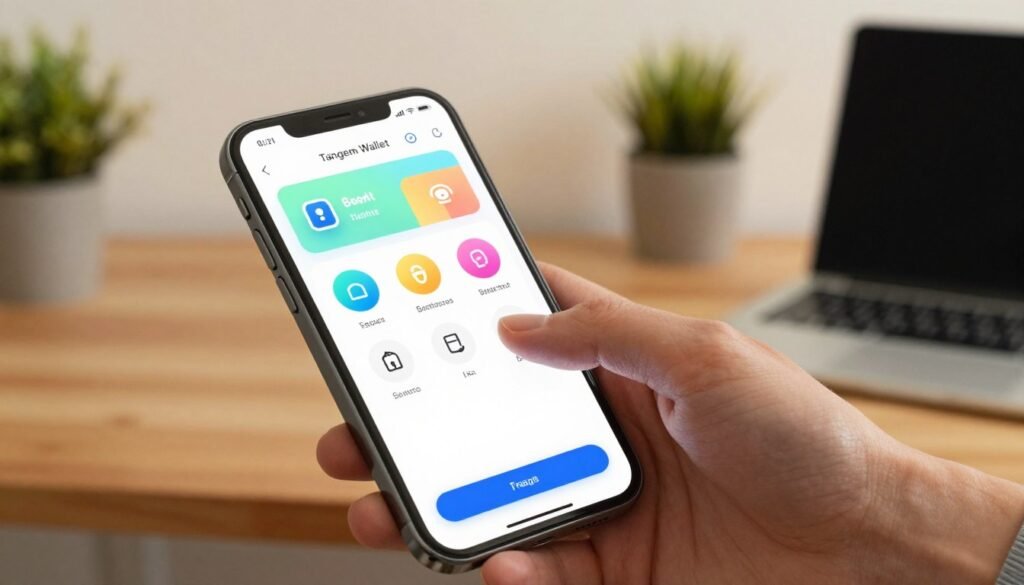
Sending, receiving, and fee presets
The sending flow is straightforward: enter a recipient, select one of several fee presets, and confirm the transaction with a physical tap. This keeps transactions fast while letting a user pick speed vs cost.
Receiving is handled by sharing an address or displaying a QR code. Always verify the network before sending — selecting the wrong network can lead to permanent loss of funds or tokens.
Swaps and on‑ramp/off‑ramp via partners
In-app buys and sells use vetted partners like Mercuryo and Simplex (KYC required) and MoonPay for selling. The app hands off to payment gateways, so you complete purchases through those services.
Swaps use an aggregator service that pulls quotes from 1inch, ChangeNOW, Changelly, ChangeHero, OKX DEX/Bridge, Simpleswap, and Unlimit. The software rarely adds markup; third-party providers and on-chain network fees still apply.
WalletConnect for DeFi access and DApp workflows
WalletConnect support allows safe connections to DApps. Even when interacting with DeFi, every on-chain action must be signed by the physical card, preserving strong security while enabling rich dApp flows.
- Token balances and recent activity show on the home screen for quick checks.
- Fee presets are handy for routine transactions, though advanced fee controls are more limited than desktop tools.
- Occasional promotions offer 0% swap commissions on select stablecoin trades; network fees still apply.
Bottom line: For daily use the app balances simplicity with enough controls for most crypto users. It surfaces key info, supports on‑ramps and swaps, and keeps signing securely tied to the physical card.
Tangem Yield Mode inside the app
Yield Mode adds an in-app way to earn on-chain interest without moving assets out of your mobile interface. It routes eligible stablecoins to Aave via audited smart contracts so you can earn yield while keeping control on your phone.
How on-chain yield via Aave integration works
The feature deposits supported tokens (initially USDT, USDC, and DAI) into Aave pools through audited contracts. Deposits are automated after you opt in, and the app shows estimated APY and any protocol fees.
Liquidity, withdrawals, and risk considerations
Assets remain liquid — you can withdraw or spend funds at any time from the same asset screen. On-chain rebalancing happens in the background to keep positions efficient.
Risk notes: smart contract risk, stablecoin market risk, and dependence on Aave liquidity are real factors. The backend can trigger withdrawals if a protocol issue appears.
- Visibility: APY estimates and network fees are visible before you confirm.
- Control: Enable, pause, or withdraw from the asset screen with a few taps.
- Optional: This is an add-on for users who want passive earning without complex DeFi steps.
| Feature | What it means | User action |
|---|---|---|
| Integration | Aave via audited contracts | Opt in from asset screen |
| Supported tokens | USDT, USDC, DAI (initial) | Deposit or pause anytime |
| Safety | Withdraw triggers if risk detected | Monitor APY and adjust |
Bottom line: Yield Mode brings passive earning into a storage-focused wallet without sacrificing control. Evaluate yield against your risk tolerance and investment horizon before enabling.
Tangem Pay: on-chain spending with a virtual Visa card
This feature converts on‑chain stablecoins into everyday payments without moving funds off the blockchain. It links USDC on Polygon to a virtual Visa that can be added to Apple Pay and Google Pay for contactless purchases.
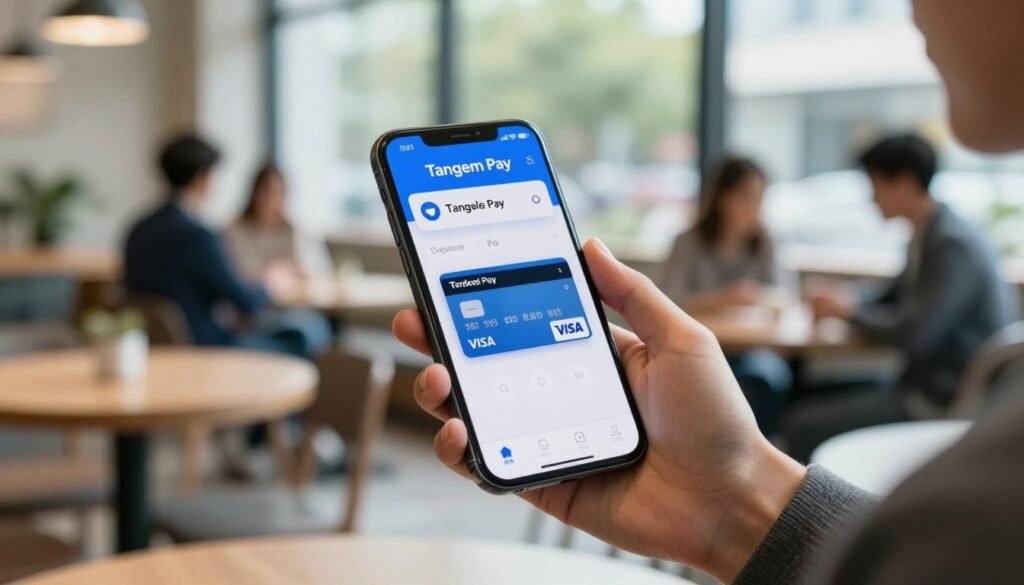
How it works: Funds stay on‑chain in your wallet until you initiate a payment. When you tap to pay, a partner co‑signs the transaction for payment settlement, enabling merchant acceptance through Visa rails.
Hybrid control and compliance model
The system uses a hybrid custody model: users retain primary self‑custody while Rain can co‑sign limited payment flows or freeze card access for compliance events. KYC for payment accounts is siloed with Paera LLC, keeping the main crypto accounts separate.
- No monthly or card issuance fees from the provider; users cover Polygon gas and any Visa foreign‑exchange fees.
- Issued by Third National and supported by verification and monitoring vendors like Sumsub and Elliptic.
- Rollout is phased across the US, Latin America, and Asia‑Pacific; UK/EU expansion is planned for early 2026.
| Feature | What it means | User benefit |
|---|---|---|
| On‑chain USDC (Polygon) | Funds held until payment | Maintains self‑custody until spend |
| Virtual Visa in phone wallets | Works with Apple Pay / Google Pay | Tap‑to‑pay at merchants |
| Compliance & partners | Paera KYC, Rain co‑signing, Third National issuer | Regulated payment flows without exposing main assets |
Roadmap and use cases: Expect physical cards, wider stablecoin and network support, and potential rewards programs. For everyday purchases this extends the card‑style hardware and mobile app into real‑world spending while preserving on‑chain control of assets.
Setup guide: from unboxing to first transaction
Begin with the cards, the companion app, and a few clear security choices to finish setup in one session.
Scanning cards, creating access code, and finalizing backups
Follow this simple step-by-step flow to get started. Install the app, scan the first card, and follow prompts to create your new wallet profile.
Create a strong access code and enable biometrics for faster access. During initial setup, add all backup cards so the account links to every card in the kit.
Troubleshooting NFC scanning and device quirks
If scans fail, check your phone’s NFC antenna location and hold the card steady. Older phones may need precise placement near the camera or center-back.
- Toggle NFC in settings, remove thick cases, and re-tap the card.
- Force-quit the app and reopen if the device desyncs, then rescan.
- Do all backup card additions in one session to avoid partial configurations.
Complete a small test transaction next. Tap the card to sign the first transactions and confirm address and network selection.
| Step | Action | Tip |
|---|---|---|
| 1 | Install app and scan first card | Use a stable surface and steady hold |
| 2 | Create access code & enable biometrics | Choose a strong, memorable code |
| 3 | Add backup cards | Finish all cards in one setup session |
| 4 | Test small transaction | Verify network and address before signing |
You can install the app on multiple phones and restore access by scanning a card and entering the access code. Store backup cards in separate, secure locations after setup completes.
Pricing, what’s in the box, and availability
Costs are modest for hardware that includes secure-element chips and multi-card redundancy. Choose a package based on how many backups you want and whether wearable access matters.
Standard packages: The base options come as a 2-card set for $54.90 or a 3-card set for $69.90. The 3-card set is preferred for stronger redundancy and for users who want distributed backups.
Family and ring options
For larger needs, a Family Pack with six cards retails at $139.80. A Ring Set for wearable convenience is listed at $160.
What’s in the box: each kit ships with the specified number of cards or rings ready to link to a single wallet. No additional activation or subscription fees apply.
- 2-card and 3-card kits — quick start and backups.
- Family Pack (6 cards) — team or household sharing.
- Ring Set — wearable access for daily use.
Buy from the official website to reduce tampering risks in the supply chain. Products are broadly available in the United States; international shipping varies by region and local regulations.
| Package | Price (USD) | Notes |
|---|---|---|
| 2-card set | $54.90 | Basic redundancy; good for single-location backup |
| 3-card set | $69.90 | Recommended for distributed backups; max pairing of three cards |
| Family Pack (6) | $139.80 | Shared access for family or small teams |
| Ring Set | $160 | Wearable option for daily carry |
Value-wise, the price reflects a durable secure element and the convenience of multiple cards. A 25-year chip lifetime warranty backs the hardware, so long-term protection is built in.
Choose the kit that matches your backup and sharing model: individual redundancy, family access, or wearable convenience. Remember: you can pair up to three cards per wallet to match your intended redundancy strategy.
Pros, cons, and who should consider alternatives
A clear look at advantages and drawbacks helps match the product to real-world use cases.
Strengths for beginners, travelers, and seed-averse users
Easy setup: Seed-less on-card key generation cuts the complexity of writing and storing paper phrases.
Tap-to-sign security: Physical confirmation for every transaction reduces remote attack risk.
Travel ready: The durable, battery-free NFC card works across temperatures and fits a wallet or travel kit.
Backups: Two- and three-card kits give practical redundancy without extra technical steps.
Limitations for desktop-first and power DeFi users
Closed firmware: Some users prefer open-source firmware for full transparency and community audits.
No desktop client or on-device screen means advanced workflows and visual verification happen on the phone, not on a local device.
Power users may miss multi-address features, deep fee controls, and native desktop integrations for complex DeFi activity.
Buy/sell/swap actions rely on third-party partners, so partner fees and KYC are possible even though the card itself charges no markup.
- Best fit: people who want fast, mobile-first custody without seed-phrase management.
- Consider alternatives if you need desktop suites, open firmware, or granular DeFi tooling.
| Aspect | Benefit | Trade-off |
|---|---|---|
| Setup | Seed-less, quick pairing | Different recovery mindset than seed-phrase users |
| Portability | Battery-free NFC card | No on-device screen for confirmations |
| DeFi & Desktop | WalletConnect enables dApp access | Limited native desktop workflows and fee tuning |
Weigh daily mobile convenience against needs for maximum transparency and desktop control. The next section outlines top alternatives by use case so you can compare options before buying.
Top alternatives to compare before you buy
Not every device fits all users; a quick comparison helps narrow choices by workflow, connectivity, and feature set.
Ledger Nano X — desktop/mobile suite and broad integrations
Ledger Nano X pairs with Ledger Live on desktop and mobile via USB or Bluetooth. It supports over 5,500 coins and tokens and offers mature third-party integrations for exchanges and DeFi.
Best for: users who want a full desktop + mobile software ecosystem and wide asset support.
Trezor Model T — open-source firmware and desktop control
Trezor Model T focuses on transparency with open firmware and strong desktop workflows through Trezor Suite. A touchscreen and USB connection make on-device confirmations clear and reliable.
Best for: buyers who prioritize open-source software and deep desktop management.
CoolWallet S/Pro — card form with Bluetooth and on-card screen
CoolWallet keeps a card-style form but adds Bluetooth and a small on-card display. That combination gives mobile convenience plus local visual verification for transactions.
Best for: people who want a card design but need a screen and wireless connectivity.
- Each alternative balances firmware openness, connectivity, and interface choices.
- Visit the official website of each vendor to verify supported cryptocurrencies and features before purchasing.
- Make your choice based on whether you prefer desktop-first vs app-only workflows, cable/Bluetooth vs NFC tap, and whether an on-device screen matters for confirmations.
| Device | Connectivity | Strength |
|---|---|---|
| Ledger Nano X | USB, Bluetooth | Large ecosystem, 5,500+ tokens |
| Trezor Model T | USB | Open firmware, strong desktop control |
| CoolWallet S/Pro | Bluetooth | Card form, on-card display |
Conclusion
Final verdict: This tangem review rates the product 4.8/5 for blending portability with on-card security and a clean mobile experience.
Core strengths: seed-less NFC key generation, tap-to-sign confirmations, and simple multi-card backups make daily custody fast and reliable.
Trade-offs: the closed firmware and app-only workflow limit desktop tooling and transparency for some advanced users.
The companion app supports 85+ blockchains and 16,000+ tokens. New utilities like Yield Mode (Aave) and Tangem Pay (USDC on Polygon) add earning and real-world spending options.
This wallet suits beginners, travelers, and users who prefer low-friction storage. Weigh convenience versus openness before buying and check the official website for the latest feature and asset number updates.
Practical next step: choose a 3-card kit for the best redundancy and complete setup and backups on day one.
FAQ
What is this credit-card style hardware device and how does it work?
This device is a thin, NFC-enabled card that stores private keys in a secure element chip. You pair it with the companion app on iOS or Android, tap the card to sign transactions, and manage assets without exposing keys to the phone. Key generation happens on the card and signing requires a physical tap for transactions.
Does the card use a seed phrase for backup and recovery?
You can choose a seed-less setup that keeps keys only on the card or import/export a seed phrase for compatibility with other solutions. The manufacturer also offers multi-card backup sets so you can split recovery across two or three cards instead of relying solely on a written phrase.
How secure is the secure element chip and firmware?
The card uses a validated secure element rated at a high assurance level and an immutable firmware model. Independent security labs, including recognized firms, have performed assessments. The design enforces physical tap confirmation, an optional access code, and biometric lock in the app to reduce remote attack risk.
What happens if I lose a card or it gets damaged?
Recovery depends on your backup choice. With multi-card backups or a seed phrase import, you can restore keys to a new card or compatible device. If you used a single seed-less card without any backup, funds could become inaccessible, so following recommended backup steps is critical.
Which cryptocurrencies and tokens are supported?
The system recognizes over 80 blockchains and thousands of tokens, including major networks for coins and NFTs. The app lists supported assets and integrates common token standards for transfers and balance display.
Can I manage NFTs and DeFi positions from the app?
Yes. The app supports NFT viewing on major chains like Ethereum and Solana. For DeFi, WalletConnect integration enables interaction with DApps, and the app offers partner-based swaps and on-ramps for common use cases.
Are there fees for transactions and swaps inside the app?
On-chain transactions incur normal network fees paid to miners/validators. In-app swaps and fiat on/off ramps use partner services that may charge additional fees or spreads. The app shows estimated network fees before you confirm a transaction.
How does the tap-to-sign experience perform across phones?
NFC performance varies by phone model and OS. Most modern iOS and Android devices handle scanning smoothly, but occasional retries can be needed. The app includes troubleshooting tips for scanning distance, orientation, and NFC settings.
Is the companion app open source and auditable?
The mobile application and SDK components are published and reviewed, but the card firmware follows an immutable model and is not fully open source. This represents a trade-off between independent transparency and a locked secure element approach.
What are the typical use cases for this product?
It suits mobile-first users, travelers, and people who prefer minimal seed handling. It’s convenient for day-to-day spending, holding digital assets offline, and quick NFC signing. Power users who need deep desktop DeFi tooling may prefer other devices with broader desktop integrations.
Can I spend crypto directly with a virtual card or payments feature?
The platform offers a virtual card option that lets you spend stablecoins on supported networks via partner-issued payment rails. This typically uses USDC on layer-2 networks and integrates with Apple Pay or Google Pay where available, subject to regulatory and issuer controls.
How do multi-card backup sets work and are they safe?
Backup sets split recovery material across several physical cards. You register multiple cards during setup so any required quorum can restore access. This reduces single-point-of-failure risk but requires secure custody of each backup card.
What comes in the box and are there kit options?
Packages commonly include single, two-card, or three-card kits, with starter guides and protective sleeves. Some sellers offer family packs or accessories like rings. Availability and pricing vary by region and authorized resellers.
How does yield or staking inside the app function?
Yield features use on-chain lending protocols via integrations such as Aave. The app deposits assets into partner contracts and shows expected returns. Remember that on-chain yield carries smart contract and liquidity risk, so review terms before committing funds.
Is this solution a good fit compared to Ledger, Trezor, or CoolWallet?
It excels for mobile convenience, travel-ready form factor, and seed-averse users. Ledger and Trezor offer deeper desktop integrations and open-source firmware options favored by advanced DeFi users. CoolWallet provides Bluetooth and an on-card display, which some users prefer for different trade-offs.
How do I start: unboxing to first transaction?
Install the official app, scan the card with NFC, create an access code, and complete the recommended backup flow (seed import or multi-card set). Fund the address shown in the app and perform a small test transaction to confirm signing works before transferring larger amounts.

No comments yet