
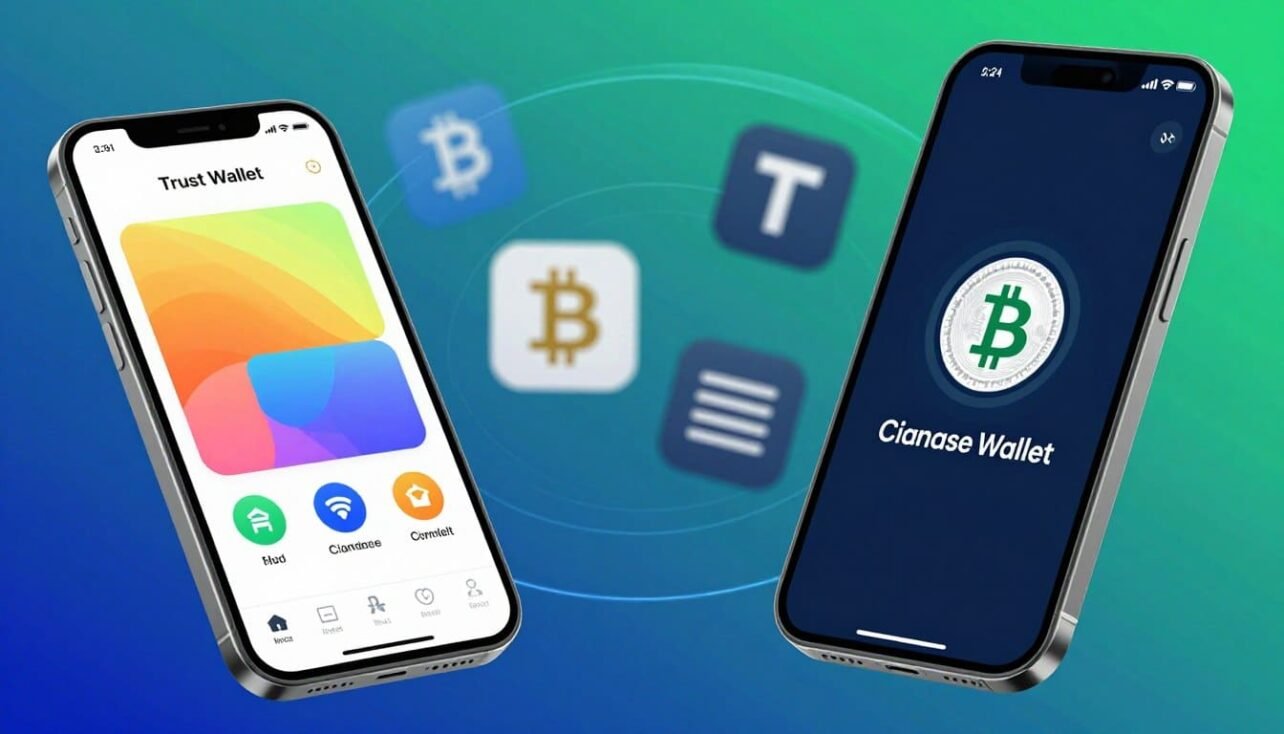
This quick guide helps U.S. readers pick between two leading non-custodial options for managing crypto, using DeFi, and holding NFTs. Both give the owner direct control of private keys — a major difference from an exchange account.
We cover practical factors that matter: ease of use, chain and token coverage, in-app swaps and DEX routing, NFT handling, staking, and core security practices like backups and hardware compatibility.
The comparison contrasts mobile-first convenience with Trust Wallet against Base App’s browser extension and app tie-ins to the broader Coinbase ecosystem. Both enable transactions across multiple networks, but supported blockchains and advanced features differ in meaningful ways.
Expect clear notes on fees, spreads, on-ramp costs, and tradeoffs when funding through third parties versus an exchange. A quick verdict appears early for readers who want a fast recommendation, with deeper dives for power users later.
Why this comparison matters right now for U.S. crypto users
As on-chain activity grows and regulatory focus tightens, U.S. users must weigh practical differences between popular non-custodial apps.
Americans operate in a changing environment where self-custody clarity and platform independence carry real consequences. Evaluating recovery options, device controls, and who holds private keys helps users reduce surprise risks during volatile market cycles.
Fees matter more now. Peak network congestion raises gas costs, and third-party on-ramps often add spreads or service charges. Being fee-aware saves money on routine transfers and trading.
The Base App rebrand links the browser/extension experience to a U.S.-based exchange ecosystem many users already rely on for fiat access. Meanwhile, broader chain coverage in open-source options shapes DeFi and NFT access for multi-chain activity.
Mobile device hygiene is vital because most Americans use a phone as their primary app interface. Regular backups and secure device practices make recovery practical and reduce operational risk.
- Match the option to your activity level and risk tolerance.
- Balance convenience, costs, and basic self-custody best practices.
Quick verdict at a glance: which wallet fits your goals
Pick the app that matches your goals: one focuses on a guided, familiar experience while the other prioritizes broad network coverage and in-app earning.
Best for beginners, traders, and casual DeFi
coinbase wallet shines for newcomers. The clean interface and tight ties to an exchange make funding and off-ramping easier.
That combo helps casual users explore DeFi and simple swaps without steep learning curves. If you plan light trading, check swap routing and spreads before you move large amounts.
Beginner-focused recovery flows and browser-extension access also smooth the onboarding path.
Best for multi-chain power users and staking
trust wallet fits people who hold many chains and tokens. Support for 100+ networks cuts app switching and keeps diverse assets in one place.
In-app staking options for chains like BNB make earning simple, though power users may still opt for protocol-level staking via dApps for higher yields.
- Casual DeFi: Base App’s ease and extension help beginners learn fast.
- Multi-chain users: broad chain support reduces friction when managing many tokens.
- Frequent traders: compare on-chain fees, DEX routing, and spreads—funding through an exchange can cut costs.
For a deeper comparison of leading options, see this roundup of top crypto wallets.
What is Coinbase Wallet (now Base App) and how it differs from the Coinbase exchange
Base App is a standalone, non-custodial hot app that stores the private key on the user’s device. It does not require a Coinbase.com account. That separation means on-chain activity happens outside the custody model used by centralized exchanges.
Users can connect directly to dApps, manage NFTs, and use DeFi without routing through an order book or exchange custody. Cloud backups are optional to simplify recovery while Ledger support allows hardware signing for stronger security.
Core features include EVM token support, an in-app Web3 browser, NFT galleries, and multi-chain access for assets like BTC, ETH, SOL, and DOGE. After the 2025 rebrand, Base App kept these functions and added social chat and mini-apps to streamline on-chain interactions.
- Independence: Operates separately from your exchange account.
- On-chain access: Direct dApp and NFT interaction without centralized custody.
- Security options: Local keys, cloud backup choices, and Ledger compatibility.
What is Trust Wallet and its core value proposition
Trust Wallet is a widely adopted, non-custodial app built for mobile-first crypto management. Acquired by Binance in 2018, it is open-source and designed to keep private keys on the user’s device.
Key features include support for 100+ blockchains, built-in swaps, an on-device dApp browser, WalletConnect compatibility, NFT galleries, and integrated staking flows for select networks.
The open-source code adds visibility for developers and reviewers. The app still relies on device-level protections and backup habits to maintain security.
- Multi-chain access to millions of assets from one interface.
- Simple in-app staking and swap tools for on-the-go earning and trading.
- Easy dApp connectivity and portfolio monitoring for mobile users.
| Capability | Description | Benefit |
|---|---|---|
| Chain coverage | 100+ blockchains | Less app switching for diverse holdings |
| On-device control | Non-custodial key storage | User retains direct ownership |
| DeFi & NFTs | dApp browser & WalletConnect | Access to markets and marketplaces on mobile |
| Staking | Integrated flows for select networks | Earn yields without leaving the app |
trust wallet vs coinbase wallet: feature-by-feature comparison
Here’s a concise feature comparison that highlights how each app handles keys, chains, swaps, and NFTs.
Non-custodial model and full control over digital assets
Both apps store private keys on the device, so users hold full control and also carry responsibility for backups and device security.
This means transactions happen on-chain, not inside an exchange, and recovery depends on the seed phrase or hardware backup you keep safe.
Supported chains and tokens across EVM and beyond
Trust Wallet supports 100+ blockchains and millions of tokens, making it easier for multi-chain collectors and traders to keep assets together.
Coinbase Wallet focuses on major EVM chains plus BTC, SOL, and DOGE support, with Ledger compatibility and optional cloud backups for recovery.
| Feature | Trust Wallet | Coinbase Wallet |
|---|---|---|
| Chain coverage | 100+ blockchains, long-tail tokens | Strong EVM support, BTC, SOL, DOGE |
| Swaps & DEX routing | In-app swaps; native DEX links | Built-in DEX aggregator; routed swaps |
| NFT & dApp access | On-device gallery, WalletConnect | In-app Web3 browser, Ledger support |
UX differences matter: network selection, importing tokens, and managing accounts feel more mobile-first in one app and extension-friendly in the other.
Staking is native in Trust Wallet for several chains, while Coinbase Wallet users often access similar yields through third-party protocols and the in-app browser.
Security and self-custody: private keys, seed phrase, backups
Good crypto security begins with clear control over who holds the private material that unlocks your funds.
Both apps are non-custodial, which means private keys live on the user’s device. That gives stronger sovereignty but also places full responsibility for protection on individual users.
Where keys live, device security, and open-source visibility
Device security matters. PIN codes, biometric locks, and up-to-date OS patches reduce the risk of local compromise.
Open-source code for one app allows broader review of how signing and storage work. That visibility helps security researchers and improves long-term scrutiny.
Cloud backups, MPC approaches, and hardware wallet compatibility
One app offers encrypted cloud backup for a seed phrase, giving convenience for recovery while requiring strong account protections and careful passphrase management.
Hardware device support via Ledger provides an upgrade path to cold signing and offline key storage. That reduces exposure for larger balances.
Alternative approaches use MPC for keyless recovery, which some users prefer for fewer single points of failure. Others still favor traditional seed phrases stored offline as the safest long-term option.
| Aspect | What to check | Practical tip |
|---|---|---|
| Private keys location | On-device (non-custodial) | Keep device locked and updated |
| Seed phrase backup | Local paper or encrypted cloud option | Prefer offline copies for large holdings |
| Hardware signing | Ledger compatibility available | Use for high-value accounts and frequent signing |
| MPC alternatives | Key shares, no single seed | Consider for convenience-driven users |
Fees and on-chain costs: swaps, DEX aggregators, and gas
Understanding costs helps you pick when to move funds, which routes to use, and how often to trade. Previewing charges before you confirm a transaction saves money over time.
Network fees, spreads, and when trading costs add up
Typical on-chain costs include gas for sending tokens, contract interactions, minting, and swaps routed through DEX aggregators.
One app focuses on gas-only charges for most actions. Swap costs there vary by route and liquidity on the target network.
Aggregators can find better prices but sometimes add routing costs or higher slippage. The coinbase wallet aggregator may be pricier on some pairs.
Buying crypto: third-party providers vs exchange on-ramps
In-app on-ramps use providers like MoonPay or Transak. They are convenient but often carry higher markup than funding from a crypto exchange and sending to your address.
U.S. users should compare effective rates, preview spreads, and move funds during off-peak times to reduce network fees and avoid congestion.
| Cost type | When it applies | Practical tip |
|---|---|---|
| Gas | Transfers & smart contracts | Send off-peak |
| Swap slippage | Low liquidity pairs | Compare routes |
| On-ramp markup | Third-party providers | Fund via exchange if cheaper |
Supported assets and blockchains: breadth vs depth
Choosing between broad chain coverage and focused ecosystem support starts with what assets you plan to hold.
Scale and multi-chain reach: One app supports over 100 blockchains and millions of assets, which helps users who manage tokens across Ethereum, BNB Chain, Bitcoin, and many smaller networks.
EVM tokens, Bitcoin support, and BNB Chain coverage
Base App expanded beyond classic EVM tokens to include BTC and SOL alongside ETH and DOGE. That makes it more relevant for users holding major cryptocurrencies across top chains.
Niche assets and long-tail token access
Broad coverage reduces friction for people chasing new projects or rare tokens on emerging networks. Long-tail hunters will find easier access and fewer app hops with wide support.
- Both apps handle core stablecoins and blue-chip tokens well.
- Differences show up on obscure networks and recently launched tokens.
- Wider coverage can simplify bridging and swapping into new ecosystems.
Practical tip: always verify token contract addresses and network settings before adding custom tokens to avoid costly mistakes.
NFT support and Web3 collectibles
Managing collectibles on the go needs clear galleries and simple marketplace links. Both apps display NFTs natively and give direct dApp connectivity for buying, selling, and viewing assets.

Standards matter: one app supports Ethereum and Polygon collections, covering many leading series and gaming tokens. The other includes Ethereum plus BNB Smart Chain standards like BEP-721 and BEP-1155 for broader chain coverage.
Choose the right network when minting or listing. Gas costs and marketplace liquidity vary widely, so selecting a chain affects fees and sale chances.
- Display & access: galleries show metadata but may need manual refresh for some items.
- Market connectivity: integrated browsers and WalletConnect link to major marketplaces.
- Safety tips: double-check collection contracts and metadata in the app interface before transfers, and avoid approving unknown contracts.
For U.S. users exploring mobile options, see a wider roundup of the best mobile crypto wallets to compare NFT features and marketplace support.
Staking and earning: in-app yields and DeFi routes
Earning on-chain rewards works differently depending on whether you use native in-app tools or DeFi protocols.
Native staking inside the app lets users delegate assets like BNB, ATOM, and XTZ with a few taps. These flows are simple: select an asset, pick a validator, and confirm delegation. That convenience lowers the barrier for new stakers.
By contrast, those using the other app often reach staking through third-party protocols or by moving funds to an exchange. The exchange route shows rewards net of commissions (commonly ~35% for many assets and ~25% for ETH), which reduces take-home yield.
Reward trade-offs, liquidity, and validator choices
Higher APY often requires more complex steps and smart-contract risk. Protocol-level staking or DeFi farms may pay more, but they demand active management and increase exposure.
- Validator selection: affects rewards and slashing risk.
- Lockup/unbonding: can limit access to assets for days or weeks.
- Variable rewards: network conditions and commission policies change returns over time.
| Method | Convenience | Typical yield | Risk & control |
|---|---|---|---|
| In-app delegation | High (few steps) | Moderate (net of validator fees) | Low protocol risk; user controls keys |
| Exchange staking | High (managed) | Displayed net of commission | Custodial exposure; faster liquidity on some platforms |
| DeFi/protocol staking | Low (complex) | Higher potential | Smart-contract risk; active management needed |
Decide based on desired yield, how much control you want, and your tolerance for complexity and fees. For a practical comparison of advanced options, see comparing staking platforms.
User experience and interface: setup, navigation, and learning curve
How an app guides initial setup and recovery shapes long-term usability and safety.
Onboarding varies by design. The coinbase wallet offers an approachable flow with clear prompts, easy funding links, and an optional encrypted cloud backup for seed phrase recovery. The other app presents more features at first glance, which can slow new users as they explore networks and token options.
Both setups ask you to create a password or PIN, enable biometrics, and record a seed phrase. Store that phrase offline and verify recovery by restoring on a secondary device or using a test transfer.
Navigation differs. One app simplifies network selection and token discovery with guided menus. The feature-dense app exposes advanced options and a built-in dApp browser, which power users will appreciate.
- Use labeling and separate accounts to keep DeFi, NFTs, and long-term holdings clear.
- Enable device-level protections like biometrics and a strong unlock code.
- Lower the learning curve by checking in-app help and doing small test transfers first.
These steps help new crypto users move from cautious setup to confident daily use while keeping accounts recoverable and devices protected.
Platforms and extensions: mobile, desktop, and browser access
Platform choice often comes down to whether you need a phone-first app or easy desktop dApp access.
One option is mobile-first design. It streamlines quick payments, QR scans, and on-the-go staking. That approach keeps most actions in a single app for fast, simple crypto management.
By contrast, the other option pairs a mobile app with a browser extension for desktop dApp work. The browser extension connects directly to Web3 sites, letting you confirm transactions from a desktop and run multi-tab DeFi workflows.

Practical differences and when to use each
- Mobile: Best for quick sends, scanning QR codes, and monitoring stakes while away from a desk.
- Browser extension: Useful for complex trading, multi-tab research, and linking hardware devices on desktop.
- Desktop fit: No full desktop client replaces a hardware suite, but browser-based access fills that gap well.
| Platform | Strength | Best for |
|---|---|---|
| Mobile | Speed & portability | Daily checks, quick transfers |
| Browser | Multi-tab DeFi & fast confirmations | Desktop dApp sessions |
| Hybrid | Syncing across devices | Advanced users who move between mobile and desktop |
Tip: Keep your extension updated and sync mobile with desktop profiles. That reduces version conflicts and improves secure access for U.S. users working across devices.
DApp connectivity and advanced features
dApp connectivity shapes how users interact with DeFi protocols and NFT markets from mobile or desktop.
Both apps offer multiple access methods: an in-app browser for direct dApp sessions, WalletConnect for mobile-to-dApp linking, and a browser extension for desktop confirmations. These routes let you sign transactions and view NFT galleries without moving funds to a custodian.
Integrated swaps and bridging routes pull prices from multiple liquidity sources. That affects execution, so poor liquidity can raise slippage and worsen final price. Always preview routes and set slippage guards before confirming.
- Mini-apps vs. simple browser: coinbase wallet emphasizes mini-apps and aggregators, while trust wallet offers a straightforward dApp browser for broad protocol support.
- Use watch-only views and separate accounts to compartmentalize risk when testing new protocols.
- Carefully review permission prompts before granting token approvals that can move funds.
| Capability | Why it matters | Practical tip |
|---|---|---|
| Browser & extension | Desktop dApp workflows | Use extension for large transactions |
| WalletConnect | Mobile dApp linking | Keep approvals small and time-limited |
| In-app swaps | Quick routing options | Compare liquidity sources first |
Transferring between wallets and exchanges: send, receive, and best practices
Most lost funds come from mismatched addresses or selecting the wrong blockchain at send time. Always copy the receiving address exactly and confirm the network label shown in the app or browser before you paste.
Step-by-step send/receive
- Open the destination account and copy the receive address. Confirm the address prefix and network tag.
- In the sending app, select the same asset and choose the matching blockchain network.
- Paste the address, double-check the first and last 6 characters, set the fee, and send a small test transaction first.
- Wait for the expected confirmations on the exchange or receiving app before sending larger sums.
Address formats and chain selection
Learn common formats: Ethereum addresses (ERC-20) start with 0x, while BNB Smart Chain (BEP-20) uses similar formats but requires the BNB chain to be selected. Confirm the in-app network indicator so funds don’t land on an incompatible chain.
- Always do a small test send on unfamiliar chains.
- Factor in network fees and slower confirmations during congestion.
- When sending to an exchange, follow their deposit instructions and wait for required confirmations before trading or withdrawing.
| Risk | Check | Tip |
|---|---|---|
| Wrong chain | Network label in app/browser | Match asset + chain every time |
| Bad address | Address prefix and ends | Compare first/last 6 characters |
| Timing & fees | Estimated confirmations | Send tests when fees are lower |
Who should choose Trust Wallet vs who should choose Coinbase Wallet/Base App
Deciding which app fits you depends on how many chains you use and how hands-on you want to be. This short guide maps common user types to clear recommendations.

Beginners and exchange-linked users
Best pick: coinbase wallet for quick onboarding and desktop extension support.
Why: the interface simplifies funding and connecting to dApps from a browser. It suits users who value easy fiat rails and a familiar exchange ecosystem.
Multi-chain collectors and stakers
Best pick: trust wallet for broad asset coverage and native staking options.
Why: it supports many chains and in-app delegation flows. That makes managing niche tokens and earning yields easier for hands-on crypto users.
Casual DeFi users and active traders
Casual DeFi users should pick the app whose DEX routing and interface feel most intuitive for occasional swaps.
Active traders must compare effective costs over time—gas, spreads, and aggregator fees on the networks they use most.
Long-term holders
No matter the choice, pair the app with a hardware device where practical. That raises overall control and reduces exposure for larger balances.
| User type | Recommended app | Key reason |
|---|---|---|
| First-time users | Coinbase Wallet | Easy onboarding, browser extension, fiat on-ramps |
| Multi-chain power users | Trust Wallet | Wide chain & asset support, native staking |
| Casual DeFi | Either (pick familiar UI) | Compare DEX routing and slippage on common pairs |
| Active traders | Depends on fees | Choose lower spreads and faster routes for your assets |
Competitive context: how MetaMask, Phantom, and others compare
Different crypto apps suit different workflows. Some excel with browser-based dApp sessions. Others focus on a single chain or on hardware-grade protection.
MetaMask — EVM-first dApp work
MetaMask remains the go-to for users who need a browser extension and mobile sync. It excels at EVM dApp routing, token management, and desktop confirmations.
Phantom — Solana and growing multi-chain polish
Phantom leads for Solana activity and now broadens support to other chains. Its extension and mobile UI feel polished for NFT and DeFi flows on Solana.
Zengo, Trezor, and Exodus — security and usability spectrum
Zengo uses MPC and 3FA recovery, which appeals to users seeking keyless recovery with extra protection.
Trezor is a top cold option for long-term storage and pairs well with mobile apps for routine checks.
Exodus offers a friendly desktop and mobile interface with built-in swaps for users who want a clean portfolio view.
Binance Wallet — MPC convenience for ecosystem users
Binance Wallet integrates MPC and fits users embedded in the Binance ecosystem who want quick Web3 access and familiar on-ramps.
| App | Best for | Key strength | When to pick |
|---|---|---|---|
| MetaMask | EVM dApps | Browser & extension workflows | Desktop trading and DeFi sessions |
| Phantom | Solana users | Polished Solana UX, mobile & extension | NFTs and games on Solana |
| Zengo / Binance Wallet | Keyless recovery | MPC + extra recovery tools | Users who want simpler restores |
| Trezor / Exodus | Cold storage / easy portfolio | Hardware security / simple desktop UI | Large holdings (Trezor) or casual monitoring (Exodus) |
Safety checklist: seed phrase storage, device hygiene, and risk management
A simple safety checklist helps users reduce common loss vectors like phishing, malicious approvals, and wrong-address sends.
Follow these core practices every time you manage crypto:
- Never share your seed phrase or private keys. Store backups offline in multiple secure locations and test recovery on a second device.
- Enable biometric or PIN locks and keep your device updated to lower malware and exploit risk.
- Verify recipient addresses, token contracts, and network settings before sending any funds or signing transactions.
- Revoke unused token approvals periodically and use watch-only addresses to monitor large balances safely.
- Pair a hardware wallet for significant holdings and segregate hot and cold funds based on daily needs.
- Avoid signing unknown prompts in dApps and double-check permission scopes before approving via any interface.
| Check | Why it matters | Quick action |
|---|---|---|
| Seed phrase | Recovery of keys | Store offline, test restore |
| Device hygiene | Reduces hacks | Update OS, use PIN/biometrics |
| Approvals | Stops malicious drains | Revoke unused approvals |
Conclusion
Both options offer non‑custodial access to crypto, yet their strengths split between multi‑chain depth and beginner‑friendly flows.
trust wallet is best for broad network coverage, straightforward in‑app staking, and wide NFT support across Ethereum and BNB Smart Chain.
coinbase wallet fits users who want smooth onboarding, a browser extension for desktop dApp work, and tight links to an exchange ecosystem.
Both wallets are non‑custodial, so prioritize backups, device hygiene, and cautious approvals to keep funds safe.
Preview gas and aggregator spreads to control fees, and test small transfers before larger moves. These concise features help U.S. users pick the right app while keeping security front and center. See a broader market view at top crypto exchanges comparison.
FAQ
What are the main differences between Trust Wallet and Coinbase Wallet (now Base App)?
Both are non-custodial mobile apps that give users control of private keys via a seed phrase, but they differ in ecosystem focus and features. One emphasizes broad multi-chain support, mobile-first design, and direct access to many long-tail tokens and BNB Chain. The other integrates tightly with Coinbase’s ecosystem (rebranded Base App), adds on-ramps linked to a centralized exchange, and focuses on streamlined access to Ethereum-layer features and some in-app buy options.
How does self-custody work and who controls the keys?
With these apps you control the seed phrase and private keys stored on your device. That means only you can sign transactions. Neither app holds your funds; they provide the interface. Users must back up the seed phrase offline and protect their device to avoid loss or theft.
Can I buy crypto directly inside both apps?
Yes, both offer in-app buy options, but the providers differ. Purchases typically route through third-party payment processors or on-ramps that charge fees and KYC. One app offers direct links to Coinbase exchange services for easier fiat on-ramps, while the other relies on integrated payment partners and third-party providers.
Which supports more blockchains and tokens?
One app focuses on wide coverage across EVM chains, BNB Chain, and many niche tokens, giving broader token access. The other prioritizes Ethereum and its Layer 2 ecosystem (Base), plus common EVM chains. Check each app’s supported list for specific token availability before sending funds.
Are browser extensions available for either option?
The rebranded app provides a browser extension and stronger desktop connectivity in some setups, while the other is primarily mobile-first with limited desktop integration. Both support DApp connections via WalletConnect for web-based interactions.
How do fees and swap costs compare?
On-chain gas is set by the underlying blockchain and affects both equally. In-app swaps use DEX aggregators or built-in swap services and may add spreads or service fees. One app may route swaps through its exchange partner for lower slippage on common pairs; the other prioritizes aggregator liquidity across many chains, which can reduce costs for obscure tokens but raise fees on major pairs.
Is hardware wallet support available?
Both apps offer some level of hardware wallet compatibility, typically via standard integrations like Ledger or other devices when used with desktop or bridge tools. Confirm the specific model and integration method before relying on it for large holdings.
How is staking handled and which assets can I stake in-app?
Each app supports staking for select native tokens—examples include BNB and other chain-native coins—either natively or via delegation to validators. Reward rates, commission fees, and optional lockups differ, so compare the app’s UI and validator choices for convenience versus yield.
What are the security differences and open-source visibility?
Security depends on private key handling, device security, and code transparency. One app has portions of its codebase publicly auditable and emphasizes community audits; the other leverages Coinbase’s security posture and may offer additional account-linked protections when paired with exchange services. Neither replacement for personal security practices like offline seed storage.
Can I recover funds if I lose my phone?
Recovery relies on the seed phrase or any encrypted cloud backup options the app provides. If you saved the 12/24-word phrase securely, you can restore funds on another device. Without the phrase or compatible backup, funds are irrecoverable.
How do I avoid sending crypto to the wrong chain or address format?
Always confirm network selection before sending: choose the token’s native chain (e.g., BNB Smart Chain vs BEP2 vs Ethereum). Copy-paste addresses, verify chain labels, and send small test amounts for unfamiliar routes. Mistakes on the wrong chain are usually irreversible.
Do these apps support NFTs and marketplaces?
Both support viewing and interacting with NFTs on popular standards like ERC-721 and ERC-1155 and BNB smart-chain equivalents. One app may offer built-in marketplace links and better media handling; the other provides broad chain support for collectibles across multiple networks.
Which app is better for beginners versus advanced DeFi users?
Beginners benefit from simplified onboarding, clear fiat on-ramps, and integrated learning tools offered by the exchange-linked app. Advanced users who need multi-chain access, custom RPCs, and broader token discovery often prefer the other option for its flexibility and aggregator tools.
How do I connect to decentralized apps (DApps)?
Use the in-app DApp browser or WalletConnect to link to web-based apps. Choose the correct chain inside the app and approve only trusted smart contract interactions. Revoke permissions after use when possible to limit long-term risk.
Are there differences in regulatory or KYC requirements?
Non-custodial usage does not require KYC, but on-ramp purchases through payment providers or an exchange partner may require identity verification. Using buy features can trigger KYC; pure on-chain transfers between addresses generally do not.
What are best practices for seed phrase storage?
Write your seed phrase on durable material, store it offline in a secure location, and consider geographically separated backups. Avoid digital copies, screenshots, or cloud storage unless encrypted with strong keys and hardware-backed security. Treat the phrase as the single point of recovery.
How can I move assets between the two apps or to an exchange?
Send assets using on-chain transactions: choose the correct network and address, confirm token standards, and send a small test amount first. For fiat conversion, withdraw to a centralized exchange and use its on-ramp/off-ramp rails. Be mindful of bridge fees and cross-chain bridges when moving non-native assets.
When should I consider alternatives like MetaMask or Phantom?
Choose MetaMask for broad desktop and extension support with many developer tools, and Phantom for Solana-native use. If you need hardware wallet integrations, specific UX or chain support, or developer features, evaluate these alternatives against your priority: security, multi-chain reach, or Web3 app compatibility.

No comments yet