

Volume profile analysis maps traded activity across price to show where the market found fair value. This histogram-style view contrasts with time-based bars and helps traders spot balance and imbalance quickly.
The longest bars mark heavy participation and reveal the Point of Control, plus the value area that often contains about 70% of traded activity. VAH and VAL act as common resistance or support zones.
High Participation Nodes can attract price or trigger reversals, while low nodes are gaps where moves accelerate. Visible Range tools and fixed-range charts on TradingView, OANDA-linked platforms, and Bookmap offer different views of the same idea.
Keep expectations realistic: this indicator uses executed transactions, so it is unbiased but depends on clean data. In practice, price near the POC usually signals balance; rejection from VAH/VAL hints at developing imbalance to trade.
What is Volume Profile and why it matters for market structure
A horizontal histogram tied to price shows where market participation concentrated over a chosen period. This view organizes all traded activity by price level so traders can see real supply and demand zones that candles alone may hide.
Why it matters: high traded bars mark acceptance and often act as support resistance, while thin bands point to fast travel through prices. The value area captures the bulk of activity and signals likely acceptance zones.
- Visualize where the market actually traded to reveal hidden structure.
- Use session-based plots to map intraday range and auction dynamics; see a brief guide to session profiles: session profiles.
- Evaluate acceptance vs rejection around the value area to judge balance shifts.
| Price Zone | Typical Behavior | Trader Use |
|---|---|---|
| High traded level | Attracts price, acts as support/resistance | Place entries near re-tests; set stops outside HVN |
| Thin level | Fast moves, breakout corridors | Target momentum plays; avoid fading gaps |
| Value area edges | Acceptance or rejection signals | Confirm with price action and use for stop placement |
Tip: Combine this tool with trend and order flow to build clearer trade plans and consult resources on support and resistance levels.
Core components that power volume profile analysis
Understanding the building blocks of a market’s traded distribution helps you read likely support and resistance levels. These components show where the market accepted price and where moves sped up.

Point of Control: where total volume and “fair value” converge
Point of Control (POC) is the single price with the most volume traded in a chosen period. Traders treat it as a fair value magnet because price often reverts to it during balance.
Value Area, VAH and VAL: identifying acceptance and rejection
The value area usually covers about 70% of total volume. VAH and VAL form its edges and mark acceptance boundaries.
If price breaks out and then returns inside the area, that often signals a rejected breakout and a return to balance.
High Volume Nodes and Low Volume Nodes
High volume nodes are shelves of participation that can stall moves and act as durable support or resistance.
Low volume nodes are “air pockets” from quick moves; price can traverse them rapidly and use them as breakout conduits.
Visible Range vs fixed-range profiles
Use a visible range when you want dynamic on-screen context. Choose a fixed range to study specific sessions or swings. Row (bars) count affects granularity: more rows reveal micro structure but may add noise.
| Component | Role | Trading cue |
|---|---|---|
| POC | Fair value | Mean-reversion target |
| HVN | Participation shelf | Support/resistance |
| LVN | Thin corridor | Fast breakout route |
Example: a skewed value area with a migrating POC may hint at an emerging trend versus earlier balance. Always align these cues with session activity and broader trend.
Setting up the volume profile indicator on your chart
Begin with clear session bounds and row resolution so the chart shows meaningful levels. Pick a Visible Range when you want on-screen context and a fixed session for consistent intraday reads, such as the U.S. 9:30 AM–4:00 PM session.
Configuring rows, price levels, and session ranges
Rows (bars): lower row counts reduce clutter; higher counts reveal micro structure. Match rows to instrument volatility and your timeframe.
Anchoring: attach fixed ranges to swings, consolidations, or whole sessions to study how price distributed across levels.
Plotting options: overlay versus side panel
Overlay the histogram on candles for direct confluence with price action.
Side panel keeps candles unobstructed and helps when you need a clean view of support and resistance.
- Save presets for session, weekly, and visible-range templates to toggle quickly.
- Keep only essential markers—POC, VAH, VAL—to avoid chart noise.
- Document settings that correlate with your best trading results.
| Setting | Why it matters | Tip |
|---|---|---|
| Range type | Consistency of reads | Use session ranges for intraday trades |
| Row count | Detail vs readability | Start medium, tweak by volatility |
| Plot style | Visual clarity | Overlay for confluence; side for clean price view |
Data quality matters: consolidated exchange feeds give clearer distributions. Thin instruments and tick-based feeds can distort results, so align settings to reliable data sources.
How to read Volume Profile for actionable trade decisions
Seeing how market interest distributes by price helps traders decide whether to fade moves or follow them. Focus first on the central fair-price region to judge balance and intent.

POC and value area behavior: balance vs acceptance
Point of Control (POC) acts like a magnet. Price that revisits this level often signals balance and a mean-reversion edge.
Moves that push to VAH or VAL test whether new value holds. A rejection back inside the value area usually means a failed breakout and a chance to fade toward the POC.
Breakouts and exhaustion: LVN corridors and HVN absorption
- Low volume pockets often act as fast corridors where price can accelerate on breakouts.
- High volume nodes can absorb momentum and warn of exhaustion or reversals as buyers sellers shift inventory.
Skewed distributions and directional clues
P-shaped ranges (top-heavy) and b-shaped ranges (bottom-heavy) hint at short-covering or buyer accumulation. Watch POC migration across sessions for a simple trend tell.
| Signal | Action | Confirm |
|---|---|---|
| Rejection into value area | Fade to POC | Price action, momentum |
| LVN breakout | Enter with momentum | Volume tick or order flow |
| HVN stall | Trim or reverse | Support resistance test |
Tip: Combine these reads with other tools and see an applied walk-through on reading the volume profile.
Practical strategies using volume profile
Practical, rule-based tactics turn traded distribution into repeatable trades that respect support and resistance.

HVN retracements: planning entries and stops
Identify the high-volume node shelf and mark a specific price trigger just beyond it. When price retraces to that HVN, expect reaction: use it as support when above and resistance when below.
Place stops slightly outside the node to allow normal noise. Scale exits back into the profile or at the next HVN to lock profits.
LVN breakouts: timing and false moves
Define the thin corridor and wait for a decisive push through the LVN. Require momentum confirmation from RSI or a moving average cross to reduce false breaks.
Use tight but sensible stops just beyond the LVN and re-enter only if the level is reclaimed with fresh activity.
Entry, exit, and confirmation
Use VAH as resistance and VAL as support for range trades. Treat POC as a mean-reversion target in balanced areas.
Combine with trend tools and order flow
Confirm intent with moving averages or order flow heatmaps and journal each trade to refine the strategy. Backtest rules to improve execution and manage risk.
Multi-timeframe and session profiles: from day trading to swing positions
Start your workflow by locking a weekly anchor to see macro value shifts before planning intraday moves. Use that weekly reference to set bias and mark key carry levels that matter for swings in the U.S. market.
Daily and session maps for intraday range cues
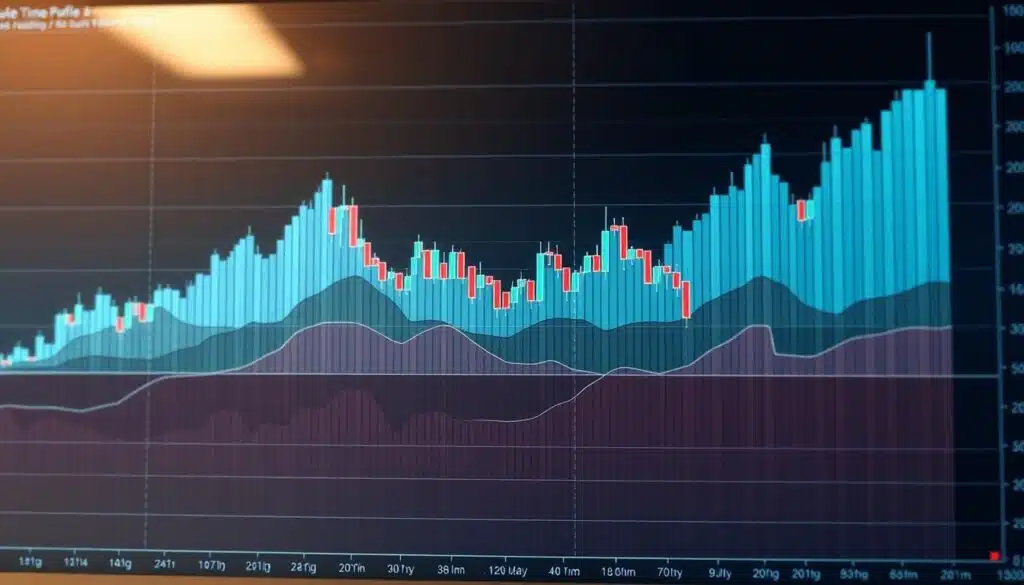
Daily and session charts outline intraday ranges, VAH/VAL bounds, and POC drift. Traders watch how the developing session accepts or rejects value to forecast likely rotations.
Top-down alignment for execution
Build a simple top-down workflow: weekly fixed profile for macro value, daily/session profile for the intraday plan, and a Visible Range to pinpoint precise entries.
- Compare the current session with prior periods to spot expansion or acceptance.
- Anchor a custom profile to an impulsive move to isolate active distribution.
- Keep consistent time segmentation so signals stay comparable across days and weeks.
| Timeframe | Use | Trader |
|---|---|---|
| Weekly | Macro value, bias | Swing traders |
| Daily/session | Intraday range, VAH/VAL | Day traders |
| Visible Range | Local execution levels | All traders |
Tip: Align local execution levels with higher-timeframe value to avoid fading strong momentum and to improve trade selection on key event days.
Risk management and improving R-multiples with price/volume data
Managing stops and targets around clear traded levels preserves capital and improves expectancy. Use traded distribution to place stops beyond likely noise and to pick take-profit zones that reflect real market interest.
Placing stop-loss and take-profit around HVN, LVN, and Value Area
Stops: place stops just outside a high-volume node to avoid getting stopped by normal churn. For low-volume gaps, set stops beyond the LVN so the trade survives brief reimbursement moves.
Targets: in ranges, use the distance to the next HVN or the opposite value area edge as take-profit. Trail toward the Point of Control when momentum fades.
Sizing trades and controlling risk when trading high/low traded areas
Adjust position size to the distance between entry and invalidation. Keep risk per trade consistent so occasional losses don’t erode the edge.
Avoid clustering stops at obvious support or resistance; offset placement reduces liquidity-hunt risk.
Backtesting strategies with historical data to refine edge
Simulate rules across sessions and instruments to validate R-multiples. Document adjustments and forward-test in a simulator before scaling real capital.
| Rule | Stop logic | Profit plan |
|---|---|---|
| HVN trade | Outside node | Target next HVN |
| LVN breakout | Beyond gap | Trail to POC |
| Range play | Outside VAH/VAL | Partial take at mid levels |
Common pitfalls and limitations when using volume profile
Relying on imperfect feeds or too many on-chart overlays often creates confusion, not clarity.
Data limitations: In decentralized FX or thin instruments, tick-based data can skew distributions. Verify your data source and cross-check with exchange feeds when possible.
Chart clutter: Avoid stacking multiple profiles or very high row counts. Too many horizontal bars hide key levels and lead to decision paralysis.
Why context and confluence matter
This indicator shows past activity, not direction. Use price action, momentum, and order-flow reads to add context before taking a trade.
Avoid overfitting and maintain discipline
Backtest rules across regimes to prevent curve-fitting entries to historical nodes. Keep profile windows consistent in time so reads remain comparable.
| Risk | Practical fix | Why it matters |
|---|---|---|
| Skewed data | Use consolidated feeds or validate with ticks | Prevents false levels |
| Overcrowded chart | Limit to 1–3 focal levels | Improves clarity and speed |
| Overfitting | Forward-test and stress-test | Ensures strategy holds in new regimes |
Tip: Prioritize a short list of levels per session and watch how buyers and sellers actually reacted in real time. Plan clear invalidation rules rather than assuming past activity guarantees future support resistance.
Conclusion
Mapping traded activity by price makes market structure clear and gives traders practical levels to trade from. Use a focused session range, mark the value area and the point control, and watch how price reacts each day.
HVNs often act as support or resistance and signal possible exhaustion. LVNs are fast corridors for breakouts. Turn these cues into simple rules: entry, stop, and target tied to the nearest meaningful level on the chart.
Keep charts clean, confirm bias with trend tools or order flow, and backtest rules before risking capital. Apply this framework daily, record reactions at key levels, and iterate the strategy based on objective traded activity.
FAQ
What is volume profile and why does it matter for market structure?
This tool maps traded quantity across price levels to reveal where buyers and sellers concentrated activity. That helps traders spot fair-value zones, support and resistance, and whether the market is balanced or trending.
What are the core components I should know?
Key elements include the point of control (the single price with the most traded quantity), the value area and its high/low bounds that show accepted prices, high-volume nodes that act as strong levels, and low-volume nodes that can lead to fast moves. Choose visible or fixed range settings based on the period you analyze.
How do I set up the indicator on my chart?
Configure row size or price ticks, select session or visible-range periods, and pick overlay or side-panel plotting. Adjust display so major levels and the point of control stand out without cluttering candles or bars.
How do I read it for trade decisions?
Watch POC and the value area to judge acceptance. If price holds inside value, expect balance; moves away signal imbalance. Use low-volume pockets to spot potential breakouts and high-volume nodes for support or exhaustion confirmations.
What practical strategies use this technique?
Use retracements to high-volume nodes for entries and stops, target LVN breakouts with momentum confirmation, and place entries/exits around POC and value area boundaries. Combine with trend indicators and order-flow data for added conviction.
How do I apply it across timeframes and sessions?
Use daily or session profiles for intraday range reads and align them with weekly or higher profiles for top-down context. Visible range helps local execution, while session profiles clarify intraday structure and rotation.
How does this help with risk management?
Place stops near significant high or low traded prices to reduce false triggers, size positions by distance to those levels, and calculate R-multiples with clearer exit targets based on value area edges and POC.
What limitations and pitfalls should I watch for?
Watch data quality and avoid cluttering charts with too many rows or ranges. The method is non-directional—context and confluence with price action matter—so don’t overfit rules to historical profiles without forward testing.
How do I confirm a breakout or fakeout using traded volume at price?
Look for a clear gap through a low-volume node with strong follow-through in traded quantity at new levels. If price quickly returns to the value area or POC, treat the move as suspect and require additional momentum or order-flow signals.
Which plotting option is better: overlay or side panel?
Overlay keeps levels directly on the chart for quick reference; side panel reduces visual clutter and is useful when you want a clean candle or bar view. Choose based on personal preference and the amount of other indicators shown.

No comments yet